Complete Guide on Salesforce Document Generation
Category :
Document Generation

Docs shouldn’t be complicated.
With Docs Made Easy, creating professional, Salesforce-powered documents is just a few clicks away.
Get Started NowAccording to recent market research, it has been observed that sales reps are tired of doing the same monotonous tasks on an everyday basis. Also, it is estimated that they spend nearly 2 hours per day generating documents that could have been generated in seconds.
Hence, we are here to make things a lot easier for your team. We have come up with a Salesforce Document Generation tool that will not just save your time but will also give you presentable digital documents.
Businesses run on effective documents, and smooth document automation makes everything manageable for a business. Hence, Docs Made Easy leverages the power of Salesforce to create beautiful documents for your business. With Docs Made Easy, you can create presentations, reports, quotes, invoices, contracts, and much more by merging data from any standard or custom object into richly formatted templates.
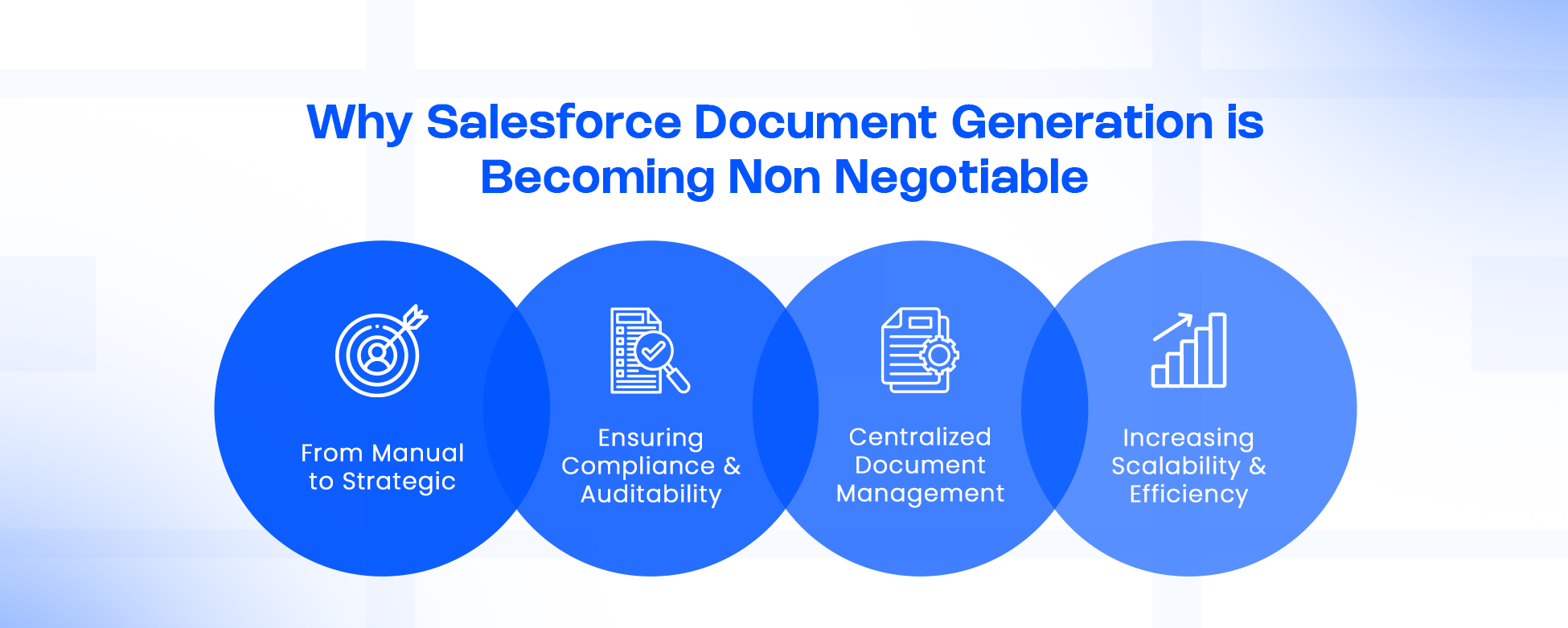
Why Salesforce Document Generation Is Becoming Non‑Negotiable
Salesforce document generation is becoming non-negotiable as teams need instant, error-free documents to keep up with the requirements. Here, let’s dive deep into the key reasons.
1. From Manual to Strategic: The Shift in Modern Workflows
Historically, teams have relied on manual document creation – exporting data, copy-pasting into Word, emailing it for review, tracking versions, repeating. This fragmented process introduces risk, rework, and delays.
But with Salesforce document generation, you can pull data directly from your CRM into pre-defined templates. This automation reduces:
- Time spent on admin work
- Human errors like typos, outdated data, or missing clauses
- Inefficiencies across teams (Sales, RevOps, Legal, Finance)
As highlighted in a recent RevOps analysis, manual document creation often misaligns departments and slows down critical customer touchpoints. Automating document workflows helps eliminate that friction.
2. Ensuring Compliance & Auditability
In regulated industries, every document must be accurate and auditable. Document generation tool can enforce standard language, legal clauses, and template usage. According to Docs Made Easy, their platform supports audit trails to ensure security and compliance.
3. Centralized Document Management
Once documents are generated, where do they live? Without a system, they could be scattered across desktops, email threads, or file servers. Integrating generation with Salesforce ensures:
- Documents are stored against the correct record
- Version control is maintained
- Access is governed via the Salesforce security model
- Users can track document lifecycle and usage
As per automated generation workflows, every document generated can be tied back to its originating record, preserving context.
4. Increasing Scalability & Efficiency
With automation, teams can generate high volumes of documents (invoices, quotes, contracts) without scaling headcount. Document workflows become repeatable, efficient, and less dependent on ad‑hoc manual work.
Understanding Key Concepts: Generation, Automation & Management
To navigate the world of document workflows in Salesforce, it’s useful to clarify some related but distinct ideas:
- Salesforce Document Generation – Creating a file (PDF, Word, PowerPoint, Excel, etc.) by merging Salesforce data into a template.
- Salesforce Document Automation – Using tools like Flow, buttons, or triggers to generate documents automatically under certain conditions (e.g., when a quote is accepted).
- Salesforce Document Management – The organization, storage, versioning, retrieval, and security of documents within or linked to Salesforce.
These are tightly interconnected: generation is often automated, and management ensures your generated docs don’t become a chaotic “document swamp.”
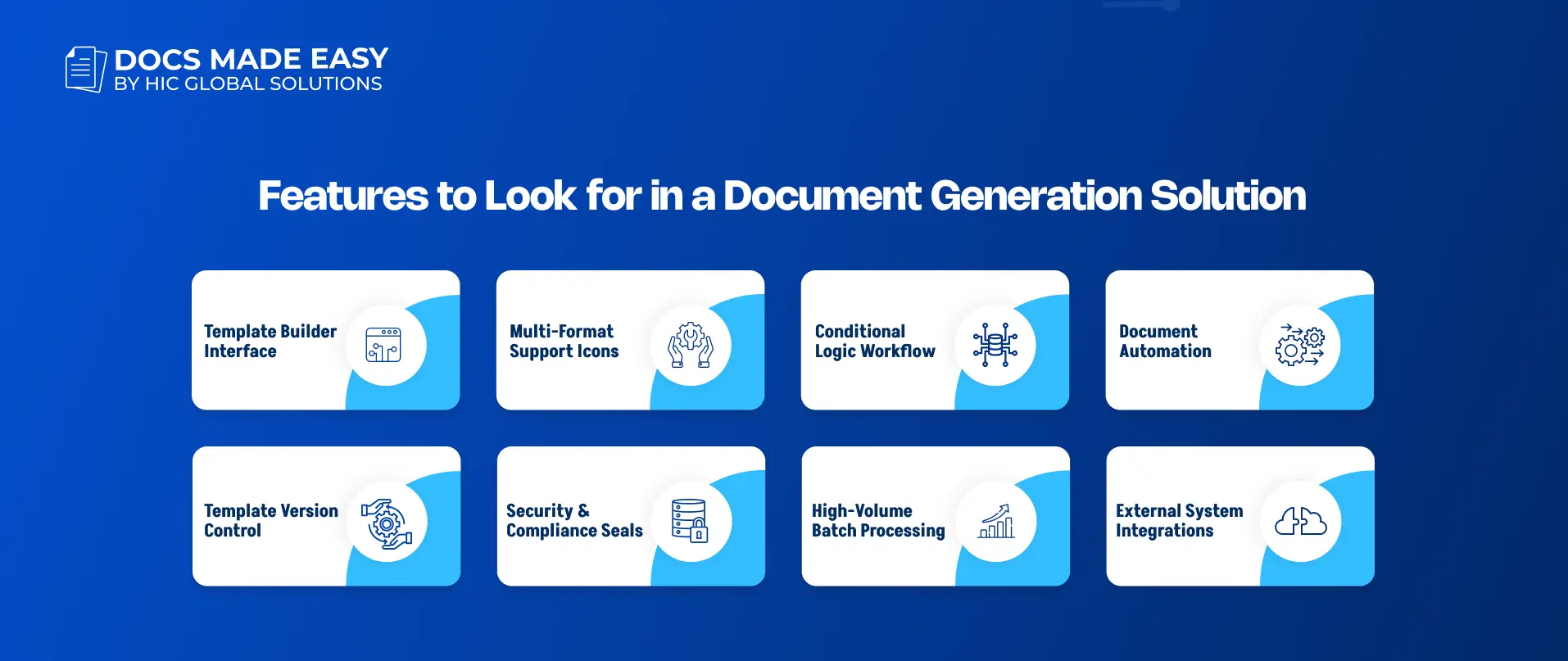
Key Features to Look for in a Document Generation Solution
When evaluating any document generation app for Salesforce, here are the critical capabilities to prioritize:
- No-Code or Low-Code Template Builder
- Business users should be able to create and maintain templates without relying heavily on IT.
- Tools must support merging fields, relationships, conditional logic, and dynamic sections.
- Support for Multiple Formats
- Ability to output in PDF, Word (.docx), PowerPoint (.pptx), Excel, etc.
- This flexibility helps across use-cases: legal contracts in Word, sales reports in PDF, customer decks in PowerPoint.
- Conditional Logic & Complex Data Mapping
- Support for “if-then” logic so different content appears based on record values.
- Ability to pull related object data deeply (e.g., related lists, child records).
- Automation via Salesforce Flow
- Seamless Flow actions to generate documents.
- Ability to embed generation in record-triggered flows, screen flows, or batch processes.
- Scalability & High-Volume Merging
- Capability to bulk merge documents for many records (e.g., invoices for all accounts due).
- Scheduler or batch jobs to run at scale.
- Secure Storage & Compliance
- Generated documents should reside securely (within Salesforce or an integrated repository).
- Security standards like SOC 2, HIPAA compliance, and audit logs are critical. Docs Made Easy’s support SOC 2 Type II, HIPAA, and GDPR.
- Integration / Extensibility
- APIs or Apex classes to call document generation programmatically.
- Connectivity to external signing systems (e.g., e-signature) or storage (e.g., SharePoint, if needed).
Real-World Research & Trends
Multiple studies have been conducted providing clear insights into document generation workflows. Here is data from some of them.
Intelligent Document Processing and Automation
Salesforce’s own automation suite is expanding rapidly. For example, MuleSoft’s Intelligent Document Processing (IDP) can extract data from unstructured documents (PDFs, images) and feed that into Salesforce Flow. This opens the door to truly intelligent document automation, where not only are documents generated, but information can be ingested back into the system.
RevOps Impact
According to recent research, automated document generation gives RevOps teams a significant boost: reduced manual friction, improved data alignment across sales and operations, and faster customer journeys. Thus, when businesses use Salesforce document automation, these small delays reduce a lot, and teams can work in a much more connected way.
Academic Perspective on Document Automation
Document automation architectures have been studied in academic research. A survey of document automation technologies outlines how architectures integrate input from multiple data sources and assemble documents using templated logic. This shows document generation tools are not just a trend, but a maturing technology area. That’s why more companies now look for good document automation software as part of their daily operations.
Limitations of Generating Documents in Salesforce
Salesforce document generation can make everyday work much easier, but like any business process, it’s not completely without challenges. The good part is that most of these limitations are manageable if you understand them early and plan your setup properly.
1. Templates Can Get Complicated Over Time
At the start, document templates usually feel simple. But as more conditions, sections, and record relationships get added, they can slowly become difficult to manage. After a point, even a small update may take more time than expected if the template is too complex.
2. Your Documents are Only as Good as Your Data
This is one of the most practical limitations. If the data inside Salesforce is incomplete, outdated, or inconsistent, the generated document will reflect the same problem. A document tool can speed up the process, but it cannot fix poor data on its own.
3. High-Volume Document Generation Needs Better Planning
Generating one or two documents is easy. But when teams start creating large numbers of invoices, contracts, reports, or customer files, things need to be more organized. Without the right setup, storage, naming, and file management can quickly become harder to control.
4. Automation Still Needs Regular Testing
Even when the process is automated, it should not be ignored after setup. Small changes in fields, flows, approvals, or object relationships can affect how documents are generated. That’s why regular testing is important, especially when multiple teams depend on the same document workflow.
5. Native Features May Be Limited
Salesforce gives a strong foundation, but native options may not always be enough for businesses that need advanced document handling. Things like bulk generation, eSigning, document collection, conditional templates, or moving document solutions from Sandbox to Production usually need a more complete Salesforce document automation tool.
Top Salesforce Document Generation Tools Comparison
When businesses start looking for a document tool in Salesforce, they usually find a lot of options. Some tools are built for large enterprise setups, while others are better for teams that want something easier to manage. The right choice usually depends on how much complexity your team actually needs and how simple you want the day-to-day experience to be.
Here’s a detailed comparison of the top 5 Salesforce document generation tools, ruling the Salesforce marketplace.
Why Docs Made Easy for Salesforce Document Generation?
One of the prominent solutions in the Salesforce ecosystem is Docs Made Easy, a purpose-built document generation tool that is entirely native to Salesforce.
| Features | Docs Made Easy | Conga Composer | DocuSign Gen for Salesforce | Formstack Documents | Docomotion |
|---|---|---|---|---|---|
| No-code Template Builder | ✔️ (strong, intuitive) | ✔️ | ✔️ | ✔️ | ✔️ |
| Free Basic Plan | ✔️ (Yes) | No | No | No | No |
| Real-Time Salesforce Data Merge | ✔️ | ✔️ | ✔️ | ✔️ | ✔️ |
| Salesforce Document Automation | ✔️ | ✔️ | ✔️ | ✔️ | ✔️ |
| Template Creation Limit | Unlimited | Unlimited (license-based) | Limited by plan | 10 templates (Basic plan) | Unlimited (usage-based quotas) |
| Batch Document Generation | ✔️ | ✔️ | ✔️(Limited) | ✔️ | ✔️ |
| E-Signature Support | ✔️ | ✔️ | ✔️ | ✔️ | ✔️ |
| Conditional Logic | ✔️ | ✔️ | ✔️ | ✔️ | ✔️ |
Features of Docs Made Easy
No-Code Wizard for Template Creation
You can use the Document Automation Wizard to launch and build templates without coding. The wizard guides you through defining objects, relationships, filter criteria, and then mapping merge fields. Docs Made Easy Support. After you upload your template (Word, PowerPoint, etc.), you can use a Merge Field Helper to copy fields and insert them into your document.
Rich Conditional Logic
The tool supports conditional logic so that different parts of the document appear based on your Salesforce data. This means you don’t need separate templates for every scenario – you can reuse intelligently.
eSigning Support
Docs Made Easy also supports eSigning, which makes the document process feel much smoother. Instead of creating a document in one place and then sending it somewhere else for eSignatures, teams can keep the process more connected. This is especially useful for businesses that want to automate contract management and reduce delays during approvals.
Bulk Document Generation
Some teams don’t just create one document at a time. They may need to send invoices, contracts, reports, or letters in large numbers. That’s where bulk document generation really helps. Docs Made Easy allows users to create multiple files together instead of doing the same work again and again. This is very useful for businesses handling automatic purchase order workflows or using a purchase order generator regularly. If needed, readers can also check our blog on How to generate bulk documents.
Document Collection
In many real business processes, creating a document is only one part of the work. Sometimes teams also need to collect files from customers, partners, or internal users. Docs Made Easy helps with document collection too, so the process feels more complete. Instead of using different tools for every step, teams can manage a cleaner document workflow in one connected way.
Document Solution Migration
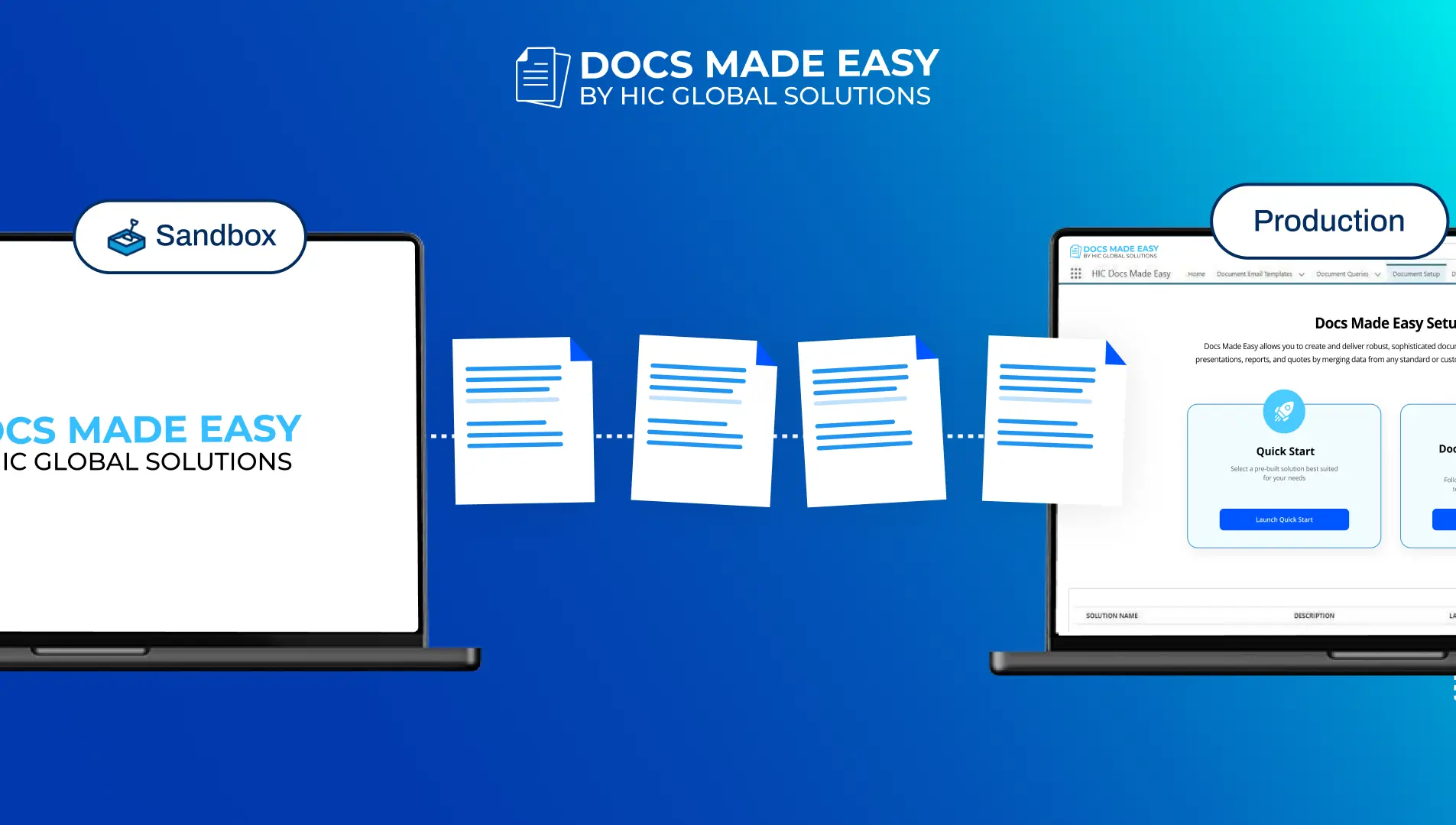
Document solution migration is one of those features that may not look exciting at first, but it saves a lot of effort. It helps teams move document templates, settings, and configurations from Sandbox to Production without setting everything up again. This keeps things consistent and saves time during deployment. If someone is still working on data setup before that, they can also read Setting Up Object Relationships in Gather Data for better clarity.
Multiple Output File Formats
Docs Made Easy supports a variety of formats, including PDF, Word (.docx), PowerPoint, Excel, and more.
Seamless Flow Integration
You can trigger document generation through Salesforce Flow. This allows fully automated document generation based on record changes or screen flows.
Scalability & Bulk Operations
The tool supports bulk merge operations – generating documents for multiple records at once. It also allows scheduled batch jobs, enabling you to run high‑volume document generation tasks.
Extensibility via Apex
For more customized or advanced use-cases, you can call Docs Made Easy via its global Apex class APIs, enabling deep integration into your custom logic.
How to Implement Salesforce Document Generation (Using Docs Made Easy)
Here is a step-by-step approach to implementing document generation successfully in your Salesforce org:
Define Use-Cases & Document Types
- List all the document types you need: contracts, invoices, reports, proposals, onboarding kits, etc.
- Prioritize based on business impact: which documents, when automated, will save the most time or reduce the most risk.
Design Your Templates
- Use the Document Automation Wizard (in Docs Made Easy) to create a new solution.
- Choose your base object (e.g., Opportunity, Account), define relationships (child, parent) to pull related data, and set filters.
- Prepare your Word / PowerPoint templates with merge field placeholders. Use the Merge Field Helper in the wizard to pick the correct fields and relationship syntax.
- Apply conditional logic (if necessary) within your template for dynamic content.
Upload & Configure Template in Salesforce
- Upload your .docx or .pptx file through the wizard.
- Set how the generated name should appear, which format to generate, and where to store the document (attached to record, email, etc.).
- Create a custom button to manually trigger document generation from a record page.
- Place that button on your Lightning Page layout via Lightning Actions.
Test & Preview
- Use sample records to preview and generate the document. Confirm that merge fields map correctly, conditional logic triggers as expected, and document format is correct.
- If using Flow, embed the generated action in your flow (record-triggered flow or screen flow).
Scale With Automation
- For bulk document generation (e.g., monthly invoices), schedule batch jobs in Flow or use Doc Made Easy’s bulk merge features.
- For event-driven workflows (e.g., when a contract is signed), use Flow to trigger document generation automatically.
Secure & Archive
- Decide where final documents live: directly attached to Salesforce records, or linked to external systems (if you integrate).
- Ensure version control and access permissions are aligned with your organizational policy.
Helpful Resources Before You Start
If you are just getting started, it helps to understand the basics before building more advanced document flows.
- If you are creating your first template, you can read How to Generate Your First Document for a simple starting point.
- If your document needs related records or multiple object connections, Setting Up Object Relationships in Gather Data can help you understand the structure better.
- If you want to create many files together later, our guide on How to generate bulk documents is a useful next step.
These small things can make setup easier, especially when you start using DocGen Salesforce in more practical, everyday use cases.
Use-Cases & Scenarios Where Document Generation Makes a Big Difference
Here are some real-world examples that highlight the power and versatility of Salesforce document generation:
Sales Proposals & Contracts
When a deal moves into the final stage, sales teams often need to prepare a proposal or contract quickly. Instead of creating everything manually, Salesforce can pull the right data into a ready-made template. This makes the process faster and also supports better automated contract management. For many businesses, this is one of the most practical uses of a contract generator.
Invoicing
Invoices are one of the most repetitive documents teams deal with. If these are created manually, it takes time and mistakes can happen easily. With automation, invoices can be generated based on record updates or billing cycles. This helps a lot with invoice processing automation, especially when teams need to create many invoices at once.
Onboarding Packages
When a new customer signs up, teams often need to send welcome documents, agreements, onboarding instructions, or payment details. Instead of creating these one by one, a single process can generate everything together. This keeps the document workflow cleaner and saves time for sales and customer success teams.
Compliance & Audit Documents
For businesses in regulated industries, documents need to be accurate and consistent. Whether it’s audit reports, approval records, or policy-based files, automation helps reduce mistakes. It also supports smoother legal document creation when standard language and structured formats are important.
Reports & Executive Summaries
A lot of teams still spend time exporting data and manually building reports or decks. With the right setup, Salesforce can create those files directly using live data. That’s where a good document maker or online document creator can save a lot of effort and make reporting feel much easier.
Procurement & Purchase Orders
Procurement teams can also save a lot of time with document automation. Whether the business needs vendor forms, order confirmations, or recurring purchase orders, these files can be created much faster. This is especially useful for businesses using a purchase order generator or managing an automatic purchase order process.
Challenges & Best Practices
While document generation is powerful, organizations should be aware of some challenges and follow best practices:
-
- Template Complexity vs Maintainability: Overcomplicated templates with too many conditional branches may become difficult to maintain. Keep logic modular and document your template design.
- User Adoption: Business users may need training to use the merge wizard, Flow actions, or buttons. Run a pilot with a small team first.
- Governance: Without governance, template sprawl can happen. Use reporting to periodically review and retire unused or outdated templates.
- Storage Considerations: Generated documents can consume storage. Plan whether to store in Salesforce Files, external storage, or an integrated repository.
- Version Control: Maintain version history for templates. When updating templates, test thoroughly to ensure backward compatibility.
- Error Handling in Automation: Flows generating documents must handle failures cleanly (e.g., if a merge fails, log the error and notify admins).
To avoid complications, it’s crucial to choose the best Salesforce document automation tool, so let’s explore the expert’s choice.
How is Docs Made Easy Different from Other Salesforce Document Generation Tools?
Docs made easy is specifically designed while keeping the non-IT users in mind. Hence, if your team has a lot of creative people but no tech-savvy ones, then no need to worry.
- This app is just the right app for you & your team. As you might know, other apps have strongly mapped fields that make them difficult to use.
- The app has ease of setup as it requires no code. Other AppExchange apps have a standard Salesforce installation that makes them difficult to set up.
- Offers a free version. Hence, without digging a hole in your pocket, you can use it. Other apps may require you to pay a minimum amount of $10-15 dollars every month.
- One of the greatest advantages of Docs Made Easy is that you require absolutely no skill set to create email templates.
- You have the merge and preview functionality before creating templates, which is lacking in the competing apps.
These were some of the many qualities of our smart Salesforce documentation tool. You can try out this application and see how it helps your business grow.
The Future: Where Salesforce Document Generation Is Heading
- Intelligent Document AI: Salesforce is investing heavily in document AI. According to recent reports, they are developing “Document AI” capabilities powered by large language models (LLMs) that can ingest, interpret, and act on document data.
- Deeper Flow Integration: As tools like MuleSoft’s IDP become more ingrained, the line between document intake (processing uploaded docs) and document output (generation) will blur.
- Cross-System Automation: Expect tighter integrations with eSignature platform, content repositories, and external automation systems, enabling end-to-end “document lifecycle” orchestration.
- Governance as a Service: With mature document generation adoption, enterprises will demand more analytics and governance around template usage, document compliance, and business performance, turning Salesforce document generation into a strategic capability, not just a tactical tool.
- Shift Toward Complete Document Lifecycle Automation: Instead of treating document creation as one separate task, more businesses will build complete processes around it. That includes creation, review, approvals, storage, collection, and follow-up all as one connected workflow.
- Enhanced Document Performance Insights: In the future, businesses will also care more about what happens after a document is generated. They will want to track usage, delays, approval times, and drop-off points so they can improve the process over time.
Conclusion
Salesforce document generation is no longer just about saving a little time here and there. For many businesses, it has become an important part of how teams work faster, stay organized, and avoid unnecessary manual effort.
When documents are still created manually, teams often spend too much time on repetitive work that could easily be automated. That slows down approvals, creates more chances for errors, and adds extra pressure to teams that are already busy. This is exactly where Salesforce document automation makes a real difference.
Docs Made Easy gives businesses a simpler way to manage document generation inside Salesforce without making the setup feel too technical. Whether the need is contracts, invoices, proposals, onboarding documents, or reports, it helps teams build a process that feels easier to manage in day-to-day work.
And that’s really what businesses need most. Not just a tool that creates documents, but a tool that makes the whole process smoother, easier, and more practical for the people using it.

No Data Found.
Related Blogs