DocuSign Alternative for Document Generation & Management
Category :
Document Generation Comparison Guide

Salesforce DocsGen shouldn’t be complicated.
With Docs Made Easy, creating professional, Salesforce-powered documents is just a few clicks away.
Get Started Today!A digital workspace demands reliable document management systems that handle creation, delivery, and document signing seamlessly, especially inside critical platforms like Salesforce. While DocuSign has long been among the most recognized names in eSignatures, many organizations now seek a DocuSign alternative that combines robust signing capabilities with deeper document generation and automation inside Salesforce.
This has led to increasing interest in tools like Docs Made Easy, which many consider a strong DocuSign competitor and one of the most compelling free DocuSign alternatives for teams of all sizes. Before making up your mind, let’s have a look at the detailed comparison among both Salesforce document generation tools.
DocuSign vs Docs Made Easy: Which Is Best for You?
When evaluating which platform fits your business best, it helps to look at features, pricing, usability, support, and how precisely each integrates with Salesforce.
| Features | Docs Made Easy | DocuSign |
|---|---|---|
| Core Document Signing | ✔️ Yes (integrated) | ✔️ Yes (industry standard) |
| Document Generation Inside Salesforce | ✔️ Built-in. | ✖️ Requires integration or add-ons |
| Pricing – Free Tier | ✔️ Basic free plan available | ✖️ No free plan, paid only |
| Affordable Entry Pricing | Pro ~$9.99/user/mo. | Paid plans vary (no free) |
| Batch Document Generation | ✔️ Yes | ✖️ Limited or via integrations |
| In-App Support / Help Center | ✔️ Yes | ✔️ Yes |
| Salesforce Native Experience | ✔️ Fully native | Via integrations |
| Conditional Logic & Automation Support | ✔️ Yes | ✖️ Limited |
| Multiformat Document Support | ✔️ Multiple formats | Mainly PDF |
| Knowledge Base / Community Docs | ✔️ Yes | ✔️ Yes |
| Salesforce Workflow Integration | ✔️ Deep Integration | Available via apps |
Top Reasons to Choose Docs Made Easy as the DocuSign Alternative
Many teams that compare Docs Made Easy with DocuSign find that Docs Made Easy excels not just as a document signing platform, but as a complete document management system that covers more of your business needs inside Salesforce.
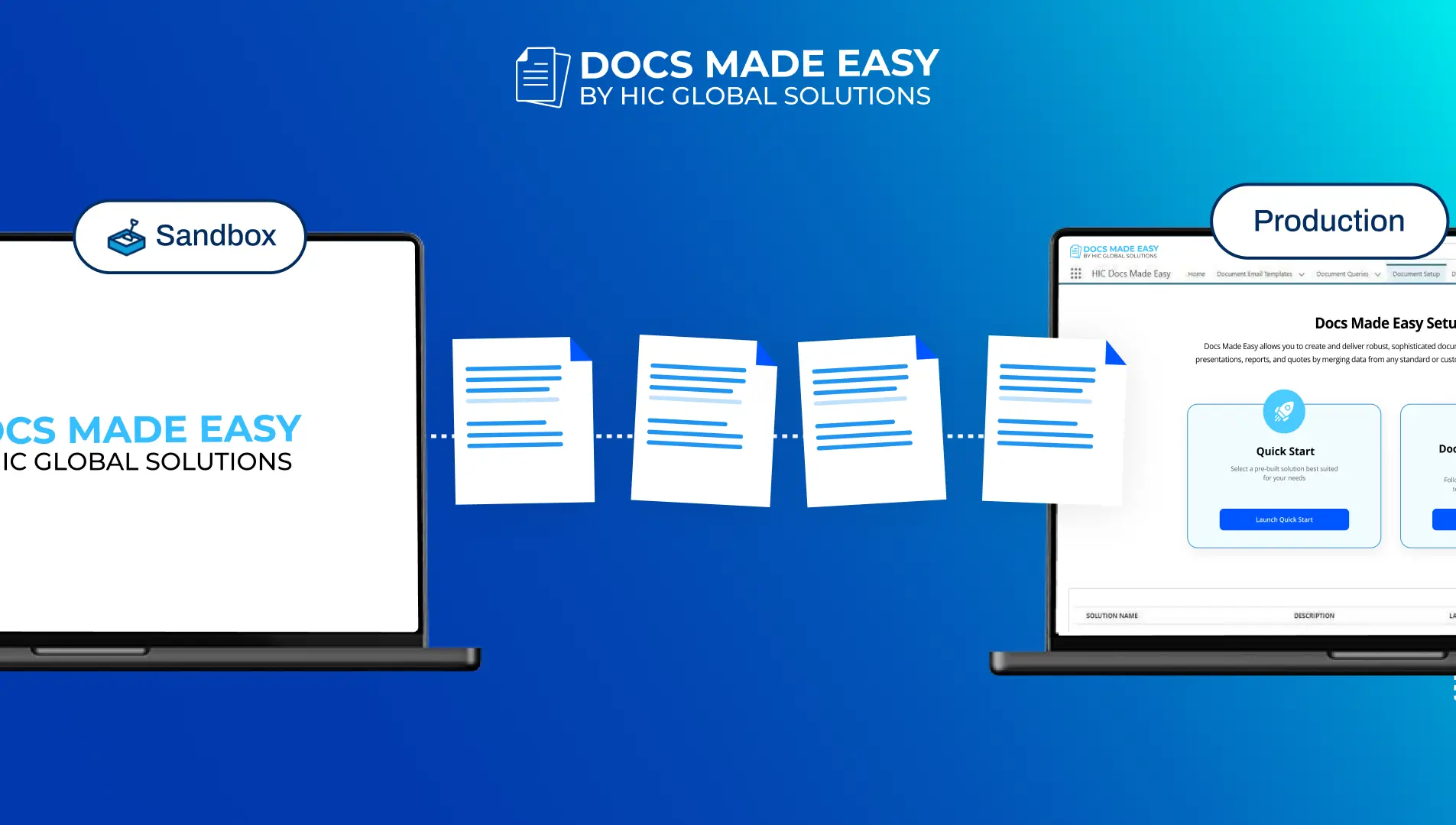
1. Document Solution Migration
Move your document templates, configurations, and settings smoothly between Salesforce environments, for instance, from a Sandbox to Production, without losing consistency.
2. Quick Document Merge
Need a document instantly? With Quick Document Merge, you can:
- Select Solution (button).
- Pick Templates.
- Generate documents or email them directly via the Quick Merge wizard.
All in just a few clicks, no advanced setup required.
3. Document Automation
Create documents on automation and send emails, without any coding, using Salesforce flow, Apex, Process Builder, and LWC. This helps users avoid repeated manual work and makes document tasks part of everyday Salesforce processes.
4. Document Collection Bundles
Group contract packages, onboarding kits, or multi-document sets into one consolidated packet that keeps everything aligned. You can:
- Edit recipients.
- Update email subjects and bodies.
- Generate all documents at once from your selected solutions.
5. Outbound Messages
When triggered by a flow or approval, record details and document links are sent automatically to other systems. This is useful for integrations, tracking, and audit purposes.
6. Bulk Document Merge
Generate and merge documents in bulk for tasks like invoices, contracts, or purchase orders. You can:
- Bulk merge with one click.
- Schedule batch runs.
- Automatically clear history for cleaner management.
Additionally, prebuilt templates, in-app customer support, cost efficiency, and more are the advanced functions that make Docs Made Easy the DocuSign alternative. To access advanced features businesses need to upgrade from the free to the pro plan. Now let’s take a closer look at the pricing plans and the advanced Pro features available.
Interested in Docs Made Easy Pro Features?
Here’s a simple breakdown of what you get across the pricing plans:
| Features | Basic (Free) | Pro ($9.99/user/mo) | Pro Plus (Contact Sales) |
|---|---|---|---|
| Document Merge & Preview | ✔️ | ✔️ | ✔️ |
| Unlimited Template Creation | ✔️ | ✔️ | ✔️ |
| Document Automation | — | ✔️ | ✔️ |
| Conditional Logic | — | ✔️ | ✔️ |
| Email Delivery | ✔️ Yes | ✔️ | ✔️ |
| Batch Document Generation | — Yes | ✔️ Yes | ✔️ |
| eSignature | — | Available | Available |
| Knowledge Base Help Center | Limited | Ulimited | Ulimited |
| Chat Support | Limited | ✔️ | ✔️ |
| Dedicated Customer Success Manager | Available | Available | Available |
| Multi-Format Input | Up to 1 | ✔️ | ✔️ |
| Multi-Format Output | Up to 2 | ✔️ | ✔️ |
| Third-Party Integration | — | ✔️ | ✔️ |
This makes Docs Made Easy not just a DocuSign alternative for eSignature for Salesforce, but the best tool for teams that need a document management system without high cost or complexity.
If you want deeper insights into features, technical specifications, or use cases, visit our official Docs Made Easy Pro Plan page for a comprehensive breakdown.
Conclusion
For teams using Salesforce who want both document management and eSignature capability, Docs Made Easy stands out as a strong DocuSign alternative. Its native Salesforce integration, flexible automation, and customizable workflow capabilities make it an appealing choice, especially for teams looking for free DocuSign alternatives or a more affordable long-term solution.
Whether you prioritize Salesforce workflows, cost-efficient signing solutions, or professional document generation, Docs Made Easy delivers a capable, user-friendly alternative that scales as your business grows.
Frequently Asked Questions
Related Blogs