How to Generate Bulk Documents in Salesforce?
Category :
Document Automation Document Generation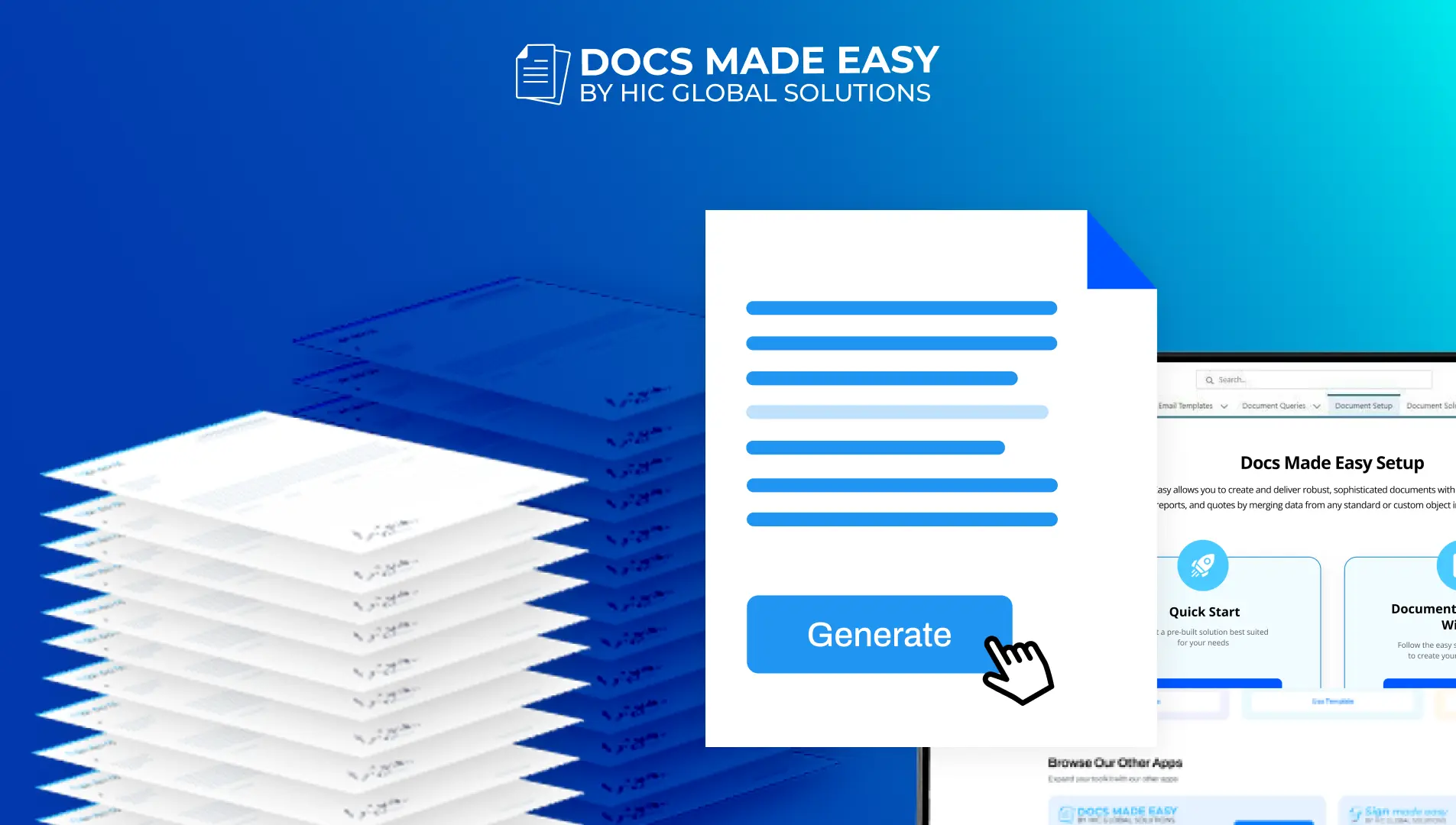

Salesforce DocsGen shouldn’t be complicated.
With Docs Made Easy, creating professional, Salesforce-powered documents is just a few clicks away.
Get Started Today!Generating documents in bulk has become simple with Docs Made Easy. Instead of creating files one by one, you can generate multiple documents in a single run directly from Salesforce. This means you can create multiple documents from different records at once, which simplifies bulk document generation in Salesforce. So, let’s get started with the quick steps.
How to Generate Bulk Documents in Salesforce?
Below are the simple steps to generate documents for multiple Salesforce records at once.
Step 1: To begin, log in to Salesforce.
Step 2: Now, open Docs Made Easy in Salesforce to access the document tools.
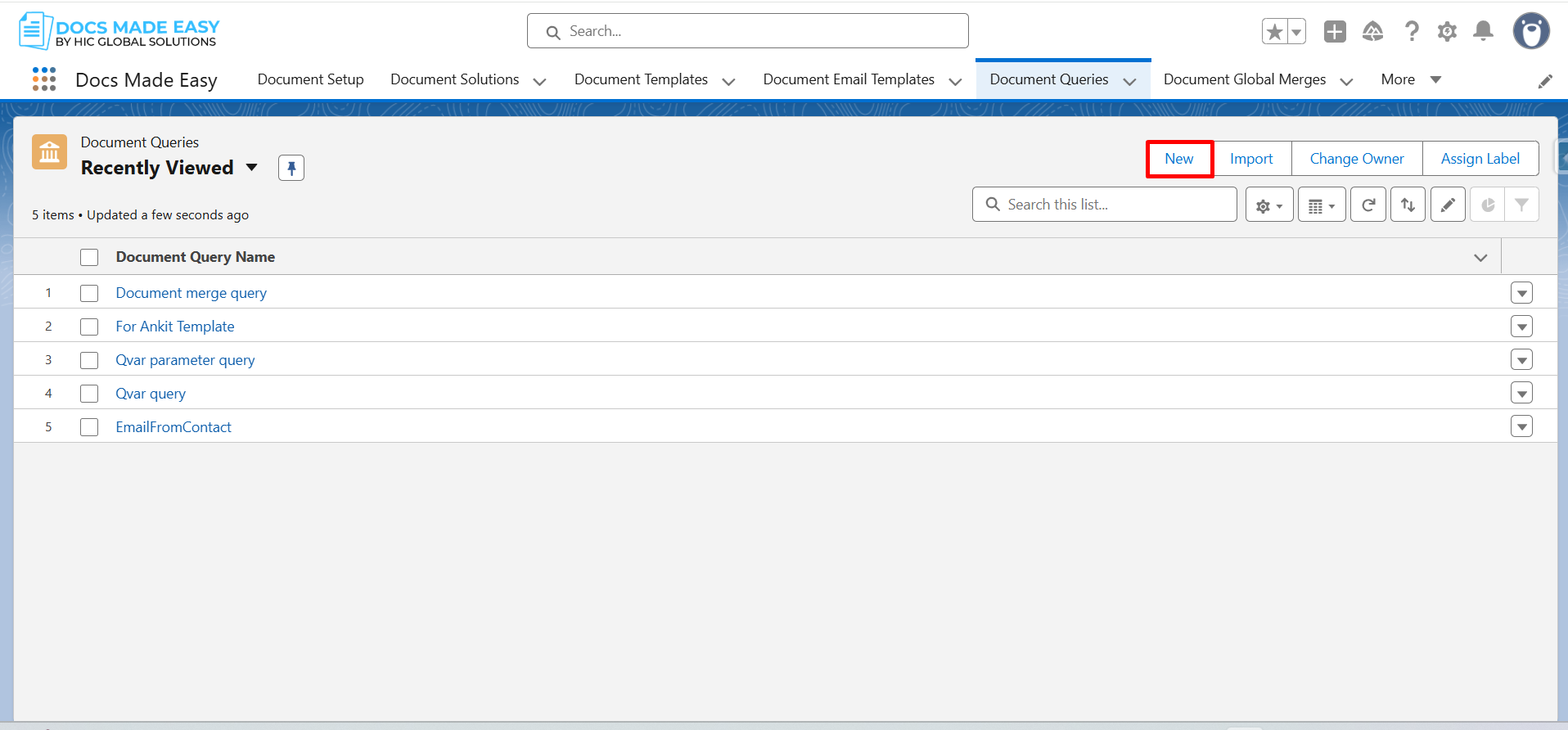
Step 3: Next, click Document Queries and then click New to create a query for the records you want to process.
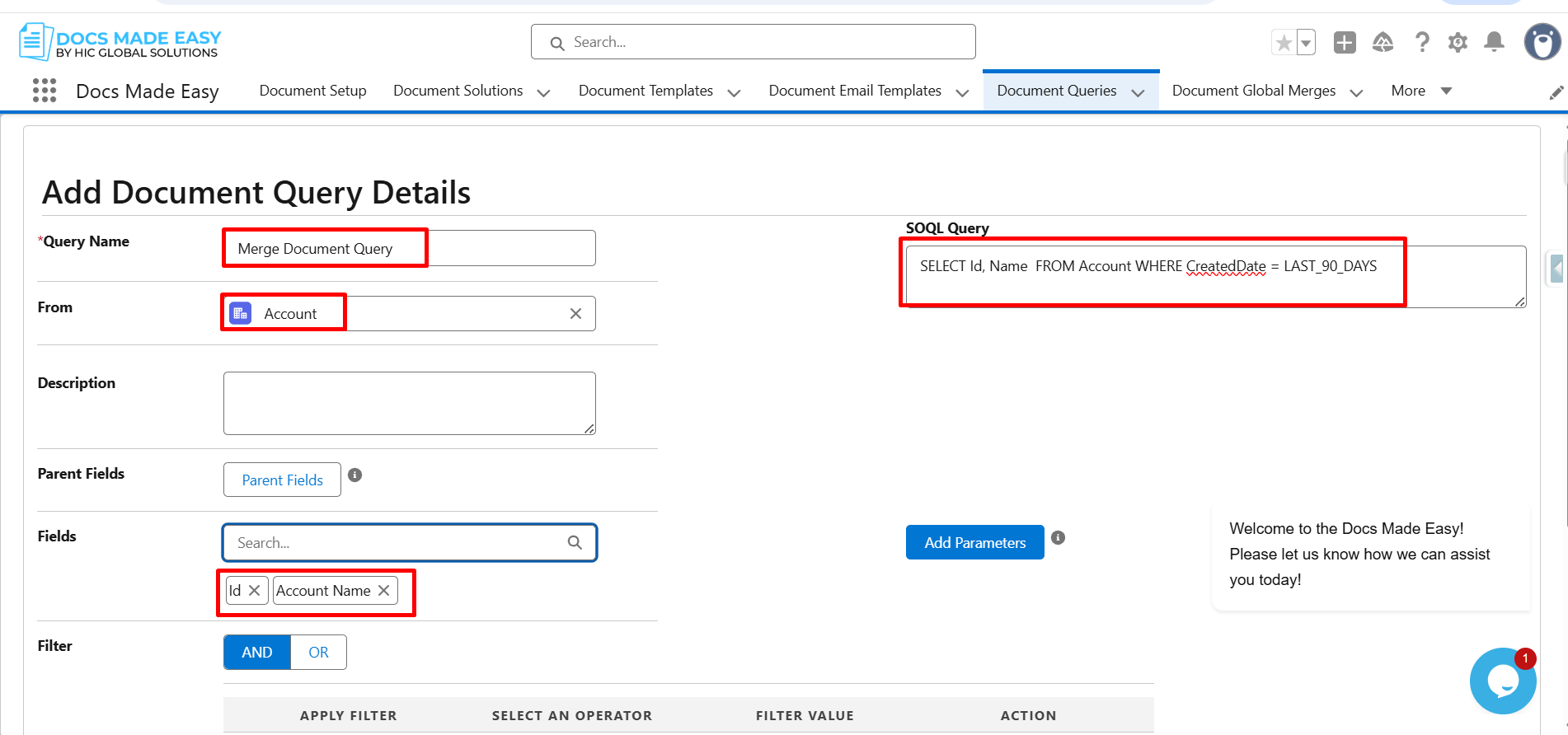
Step 4: In this step, enter the Query Name and select Account as the object. Furthermore, choose the required fields such as Id and Account Name, and then click Save.
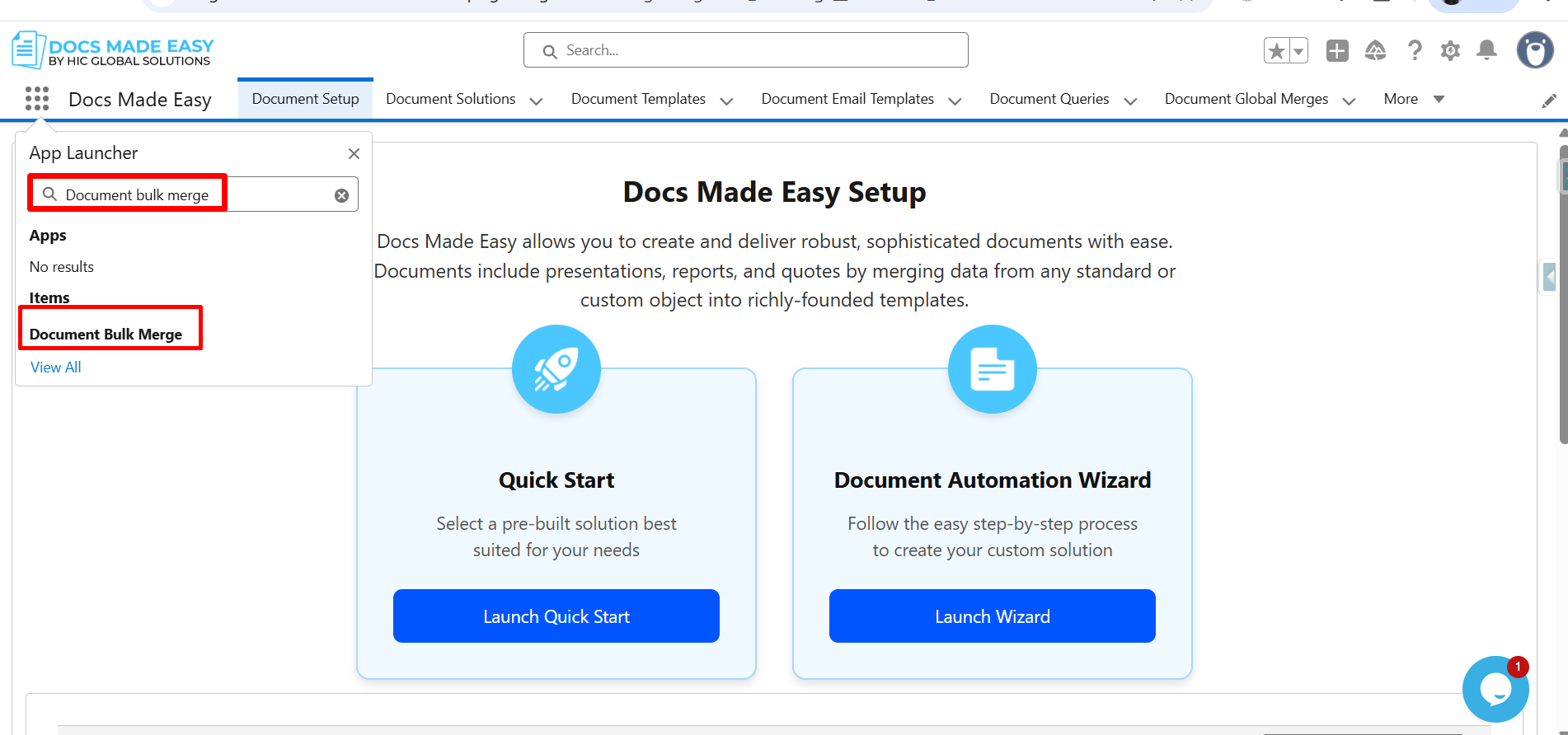
Step 5: Moving ahead, open the App Launcher and search for Document Bulk Merge.
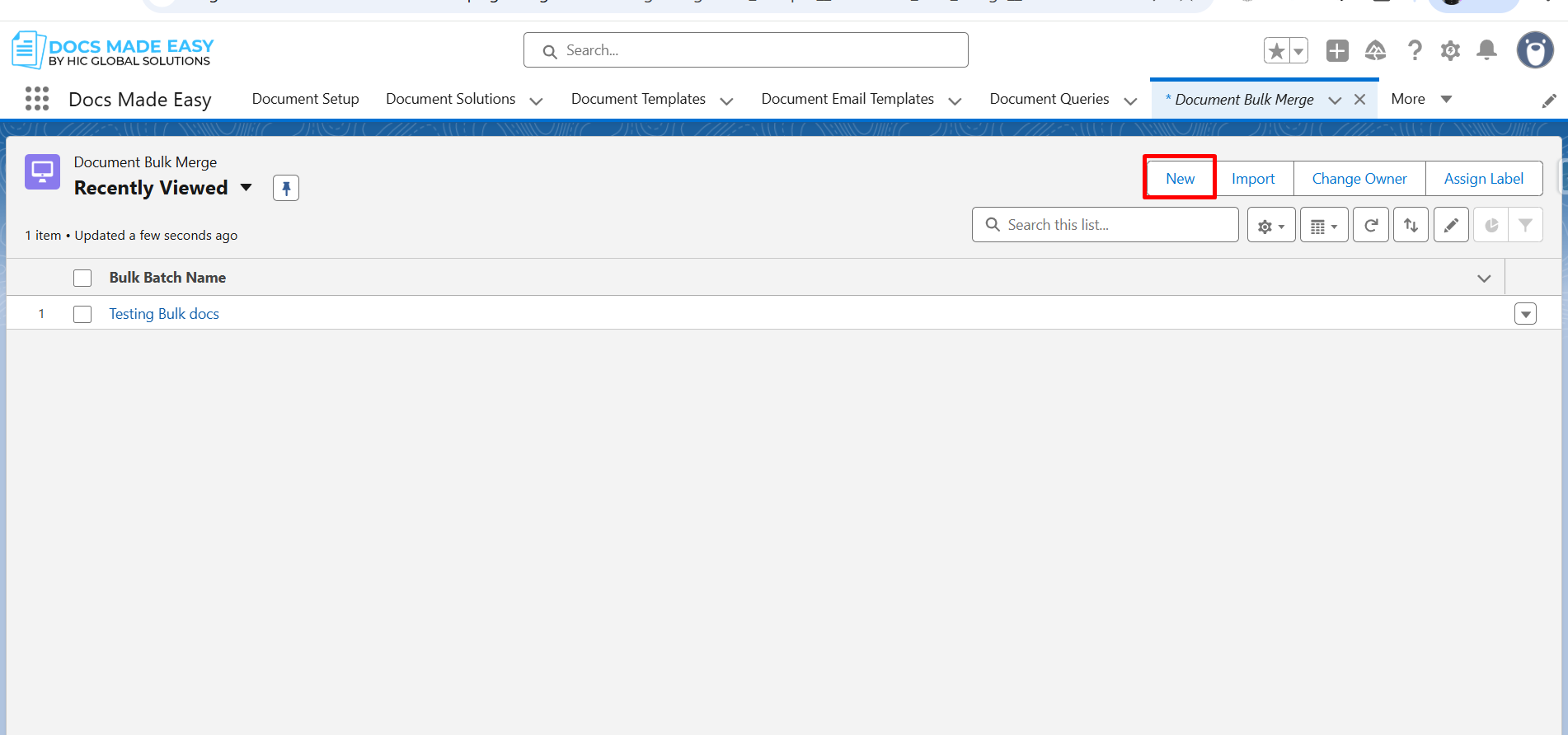
Step 6: Once the screen opens, click New to create a new bulk merge record.
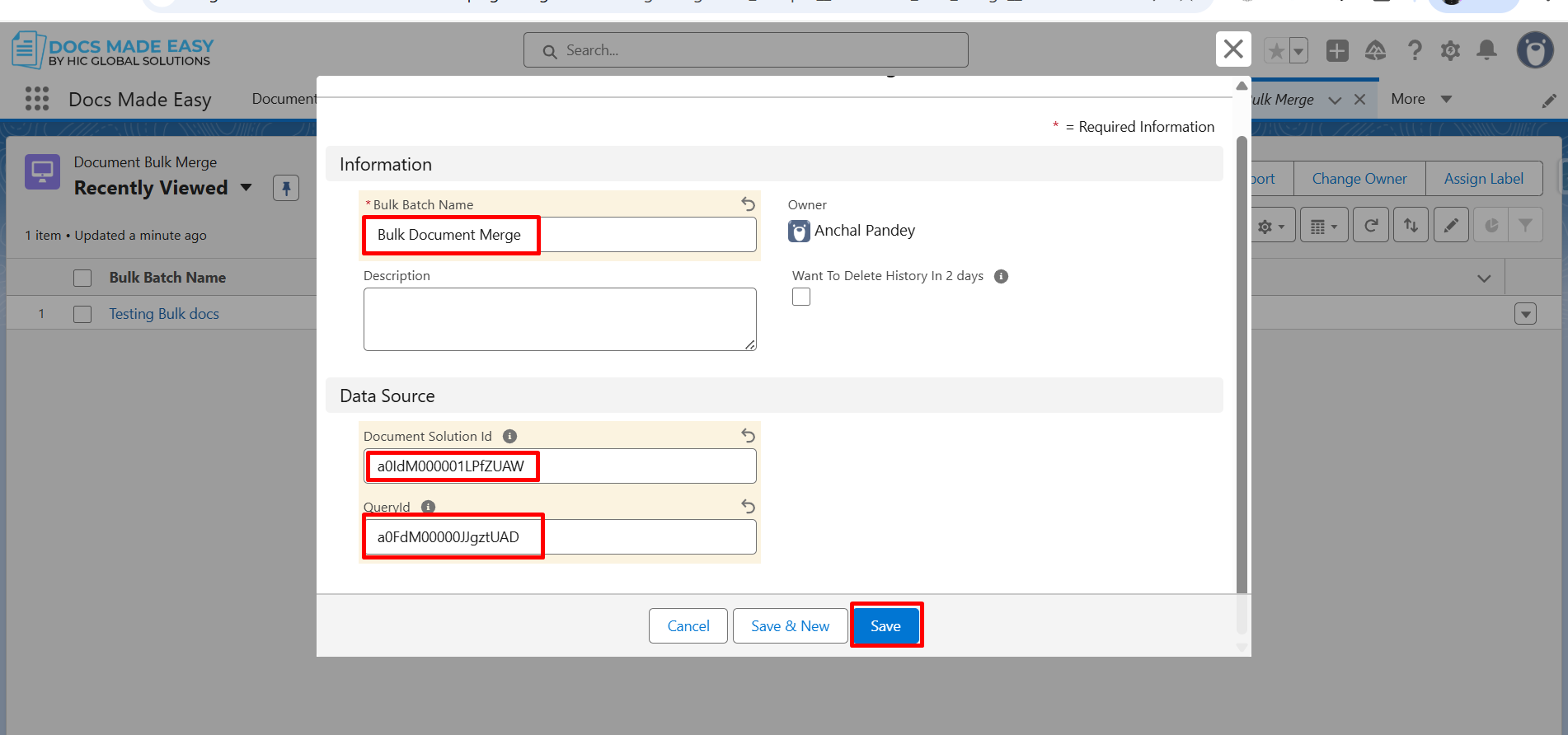
Step 7: Now, enter the Bulk Batch Name, Solution ID, and Query ID. After filling in these details, click Save to proceed.
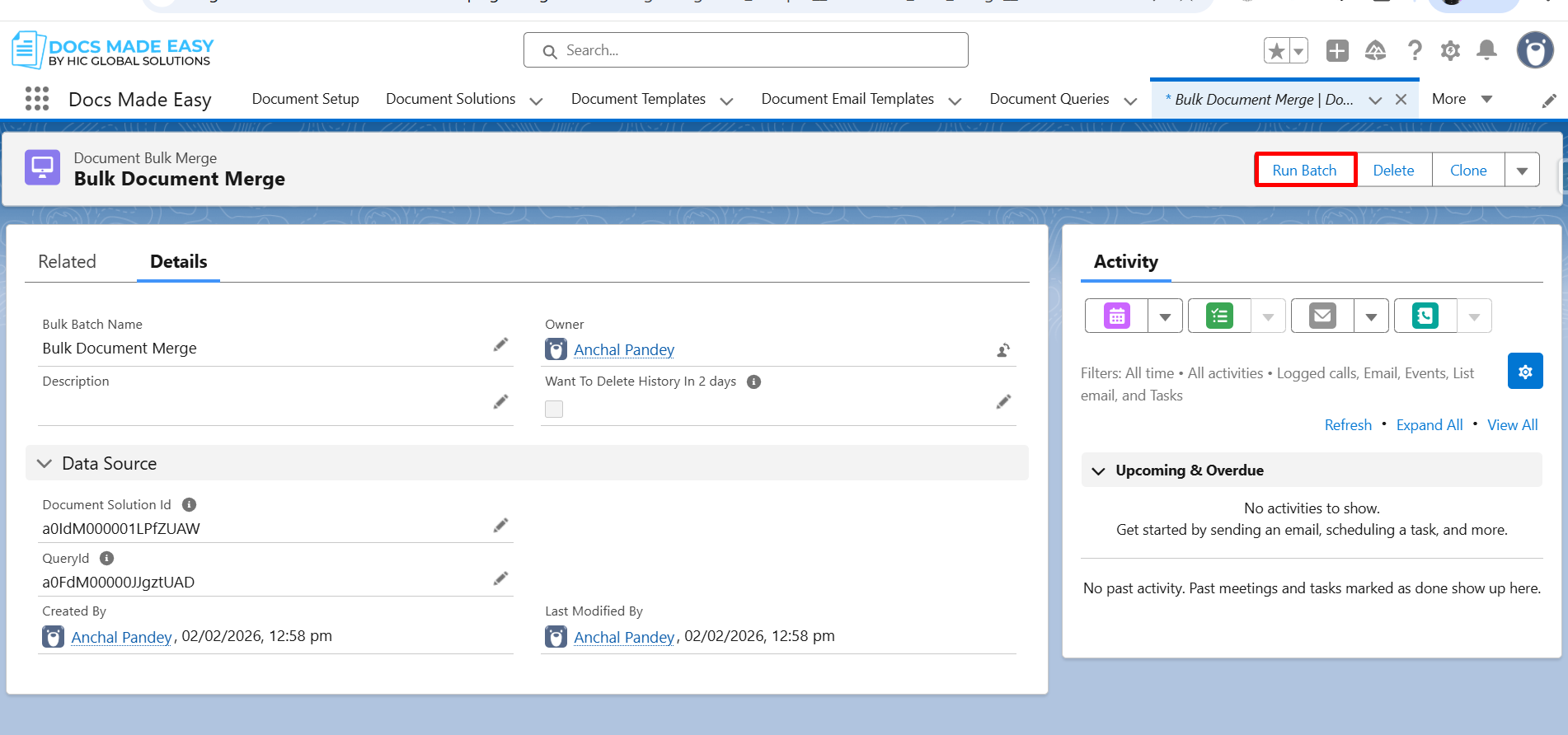
Step 8: Next, open the created Document Bulk Merge record. Here, click Run Batch to move forward.
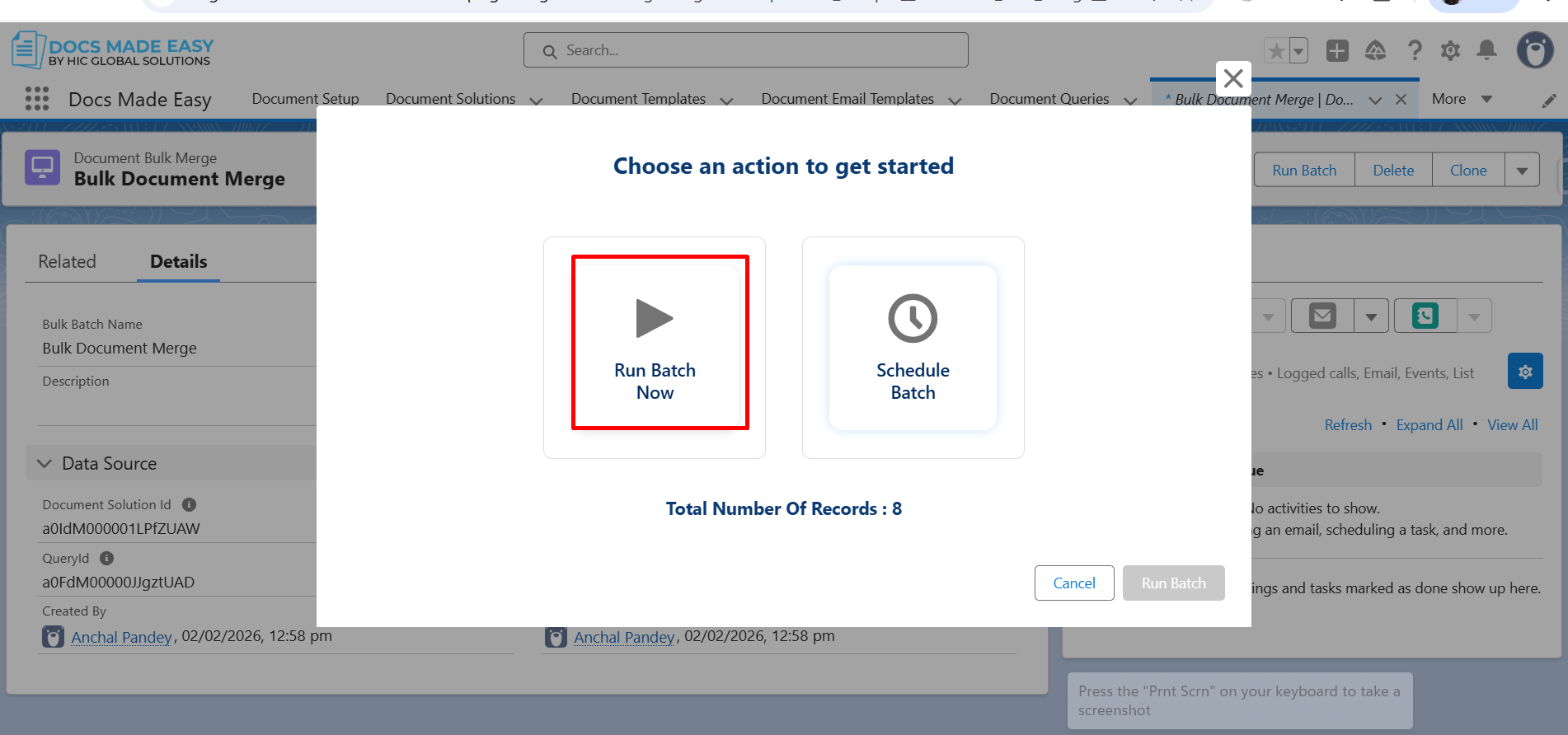
Step 9: At this point, choose an action to get started. If required, you can optionally select Schedule Batch to run the process later.
Step 10: Now, click Run Batch to start the execution.
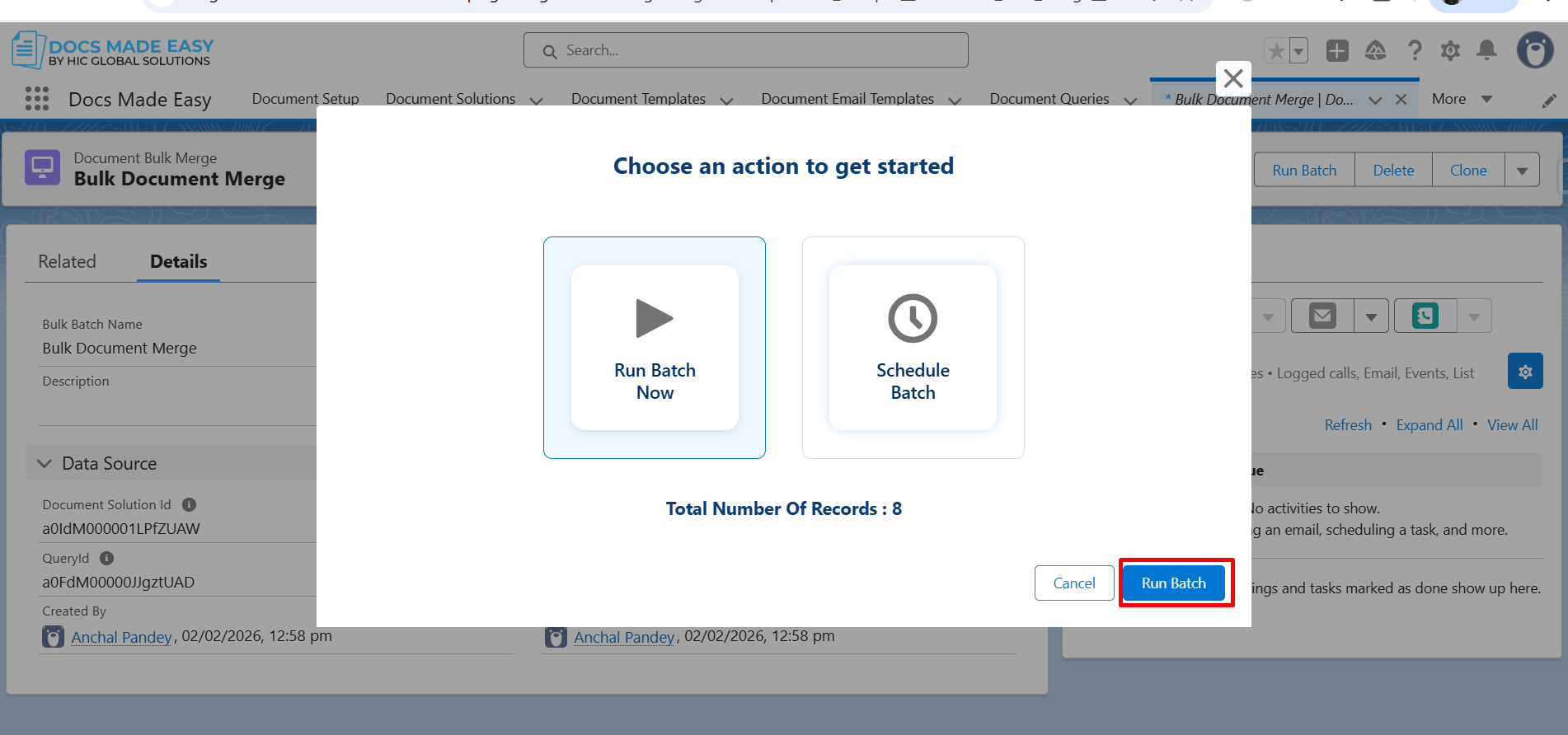
Step 11: After clicking Run Batch, the system begins Bulk Document Generation in the background.
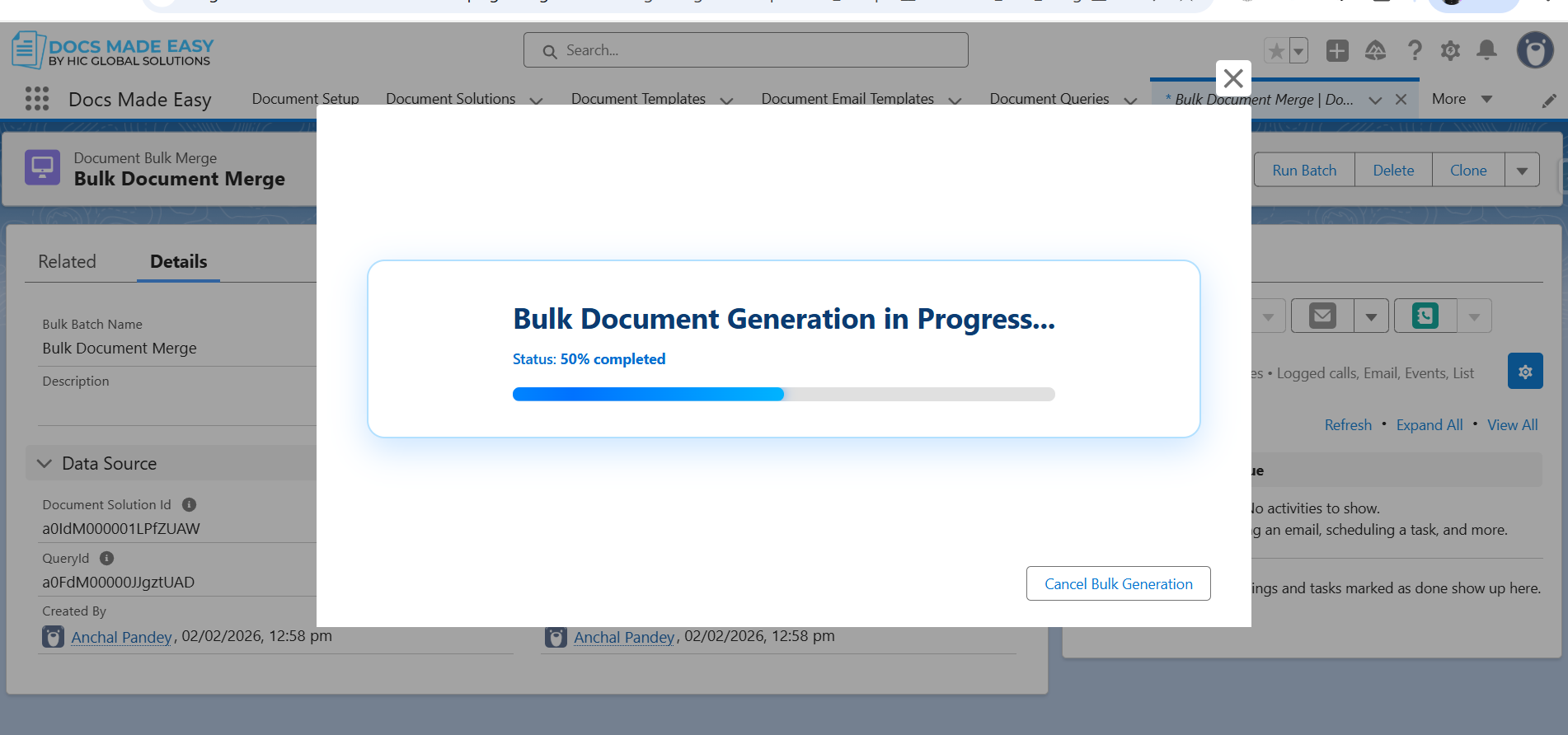
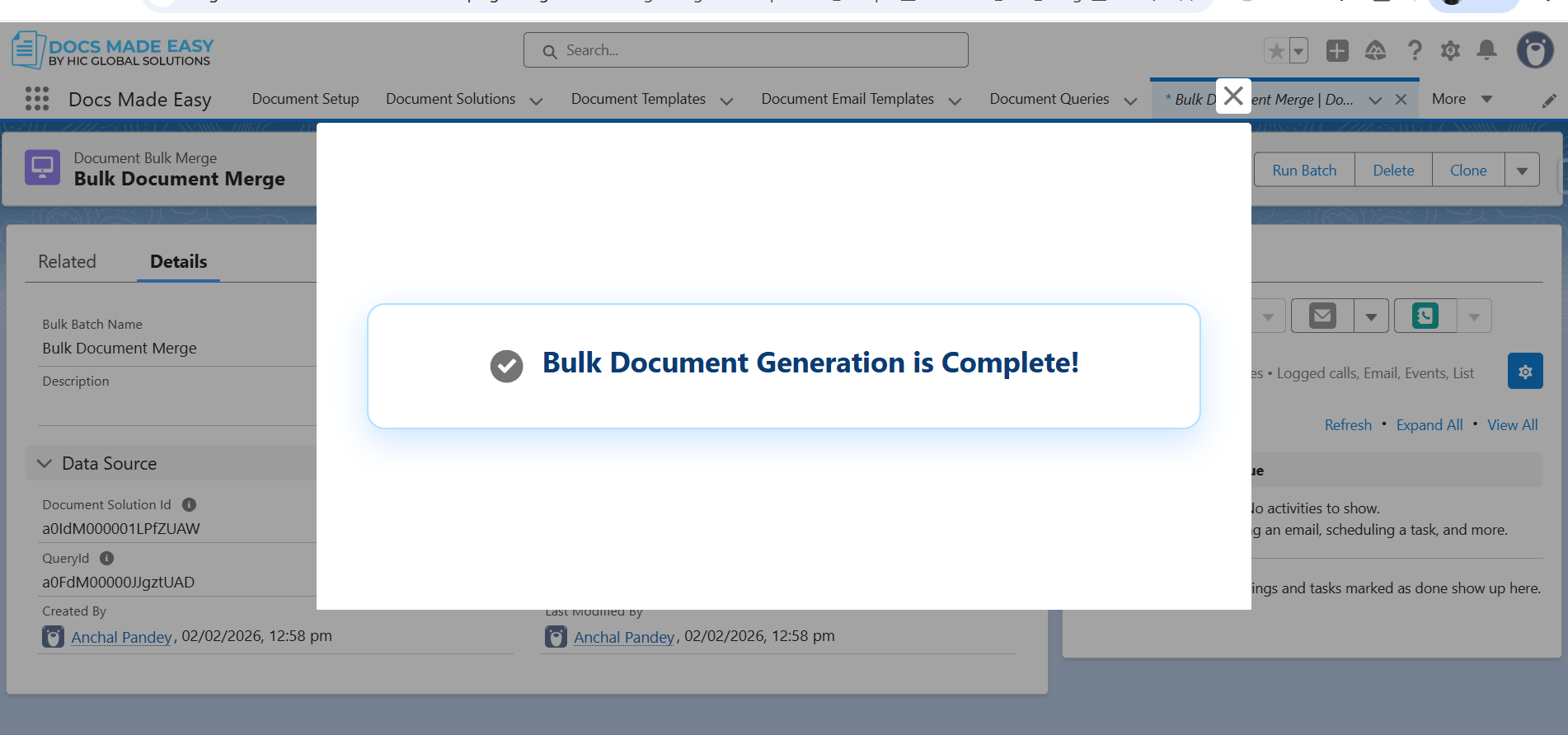
Step 12: Once the process is completed, a confirmation message, “Bulk Document Generation is Complete!” is displayed.
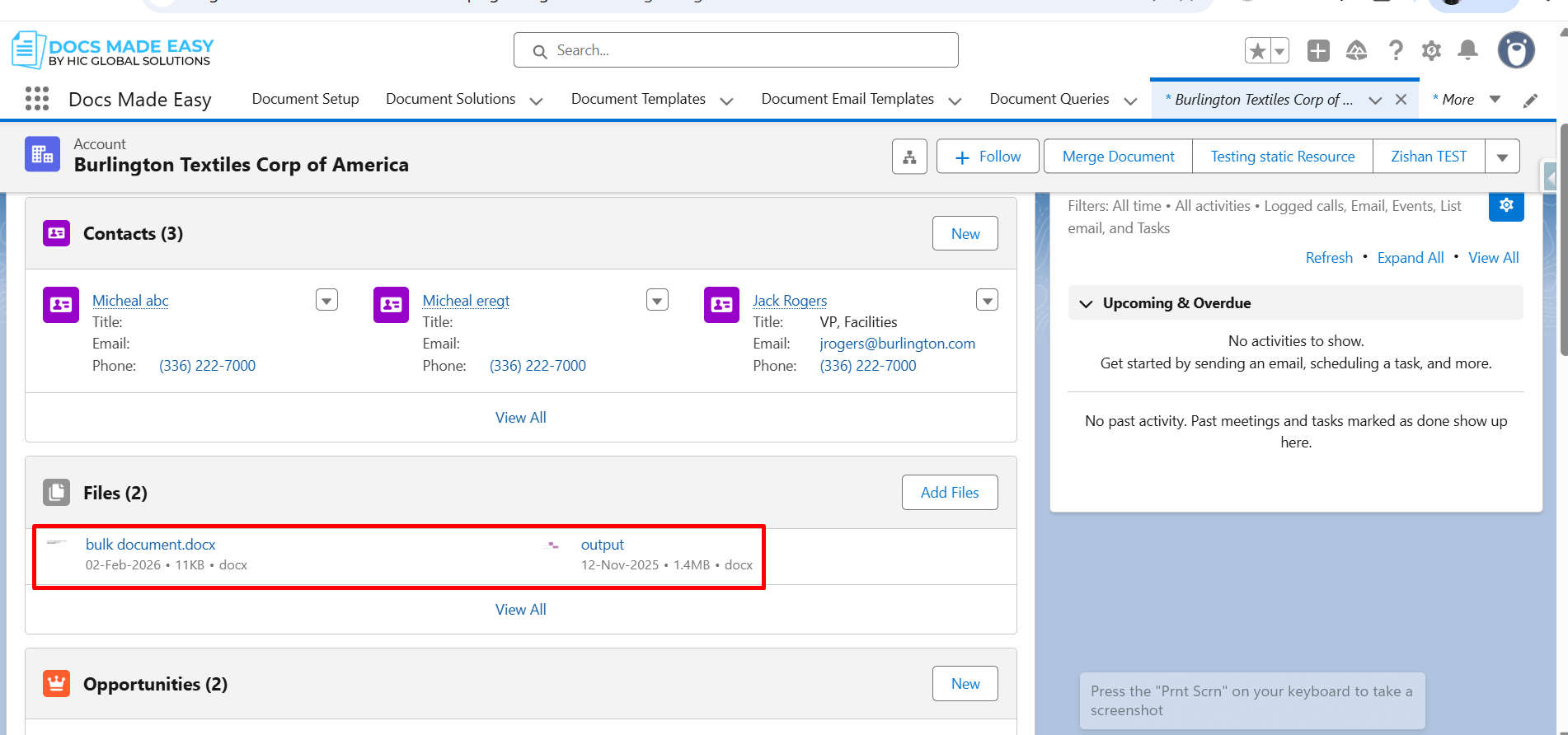
Step 13: Finally, the generated documents are automatically saved in the Files section of each Account record included in the (LAST_90_DAYS) query.
Conclusion
That’s it! This is how you can generate multiple documents in a few clicks with the best bulk document generation tool. In addition to this, Docs Made Easy offers advanced document automation, easy migration from Sandbox to Production, various ready-to-use templates, and more. This helps teams manage high-volume documents efficiently without manual work. So, if you’re looking for an all-in-one Salesforce document automation app, get started today.
Frequently Asked Questions
Related Blogs