How to Generate PDFs in Salesforce
Category :
Document Generation

Docs shouldn’t be complicated.
With Docs Made Easy, creating professional, Salesforce-powered documents is just a few clicks away.
Get Started NowCreating PDFs from Salesforce records is something many teams need almost every day. Whether it is an invoice, proposal, report, contract, quote, or another business document, manually moving Salesforce data into a document and then saving it as a PDF can quickly become repetitive.
This is where Docs Made Easy can help. It lets you use your Salesforce data, templates, and document workflows to create professional PDFs directly from Salesforce, without moving between different tools.
In this guide, we’ll walk through the exact steps for PDF generation from a Salesforce record using Docs Made Easy.
Steps to Create a PDF in Salesforce
Step 1: Open Docs Made Easy
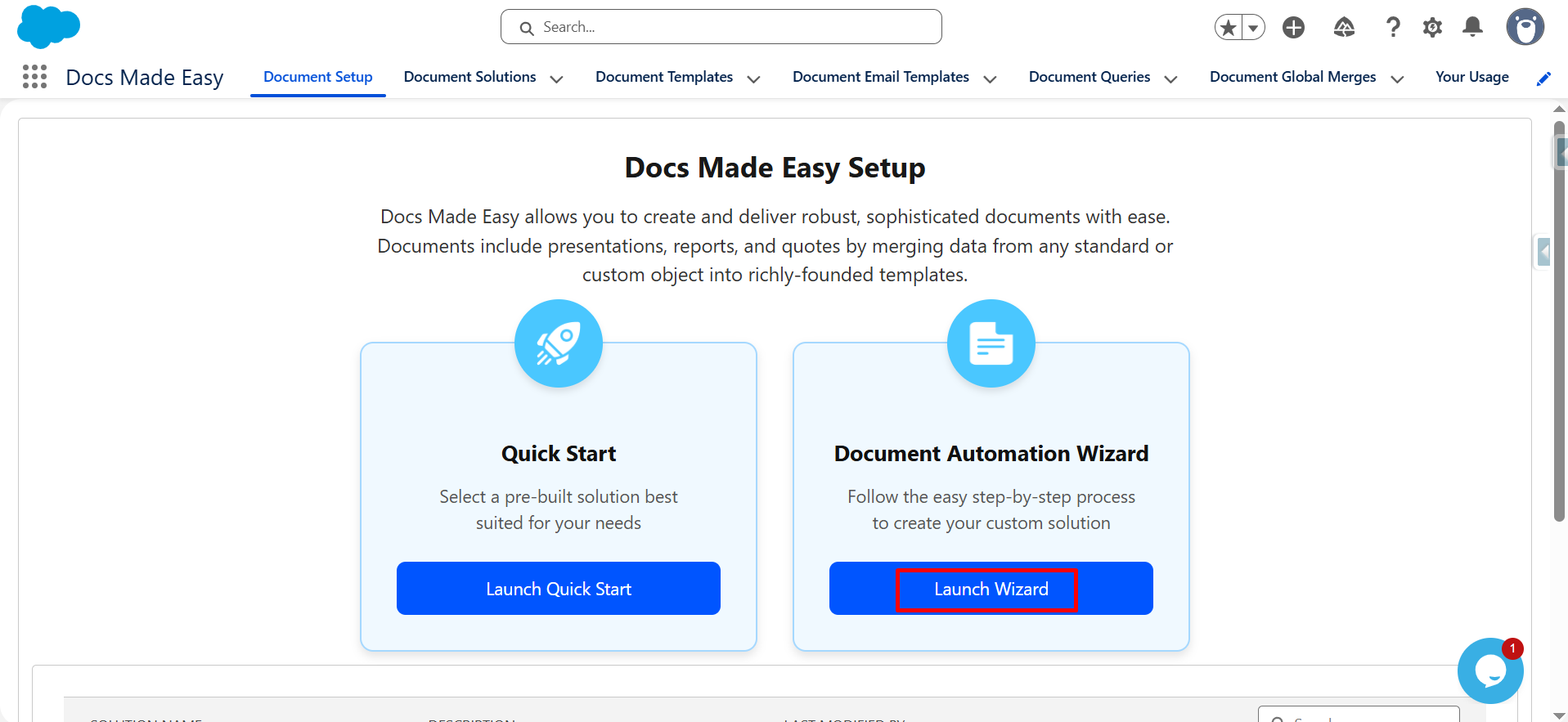
Click on the App Launcher (nine-dot icon) and search Docs Made Easy, navigate to the Document Setup tab and click Launch Wizard.
Step 2: Add Document Details
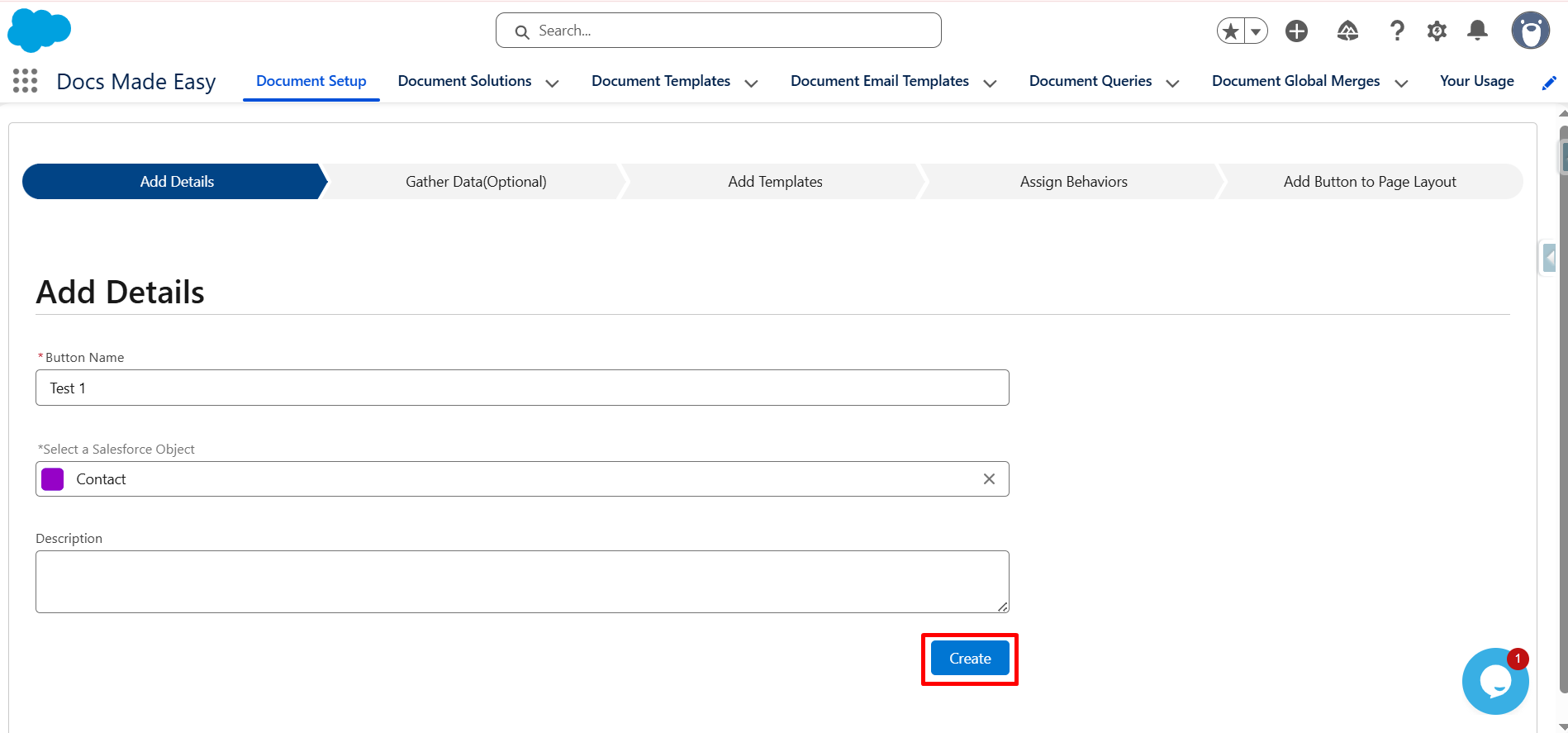
You’ve now entered the setup wizard. On the Add Details page, provide a name in the Button Name field and select the Salesforce object you want to generate documents from.
This is where you set up the record from which you will generate your document. Click Create to proceed with your PDF generation setup.
Step 3: Skip or Add Data
Now you will see the Gather Data (Optional) tab. Click the Next button.
This step allows you to gather additional Salesforce data for your document if required. You can skip it when the information you need is already available from the selected Salesforce record.
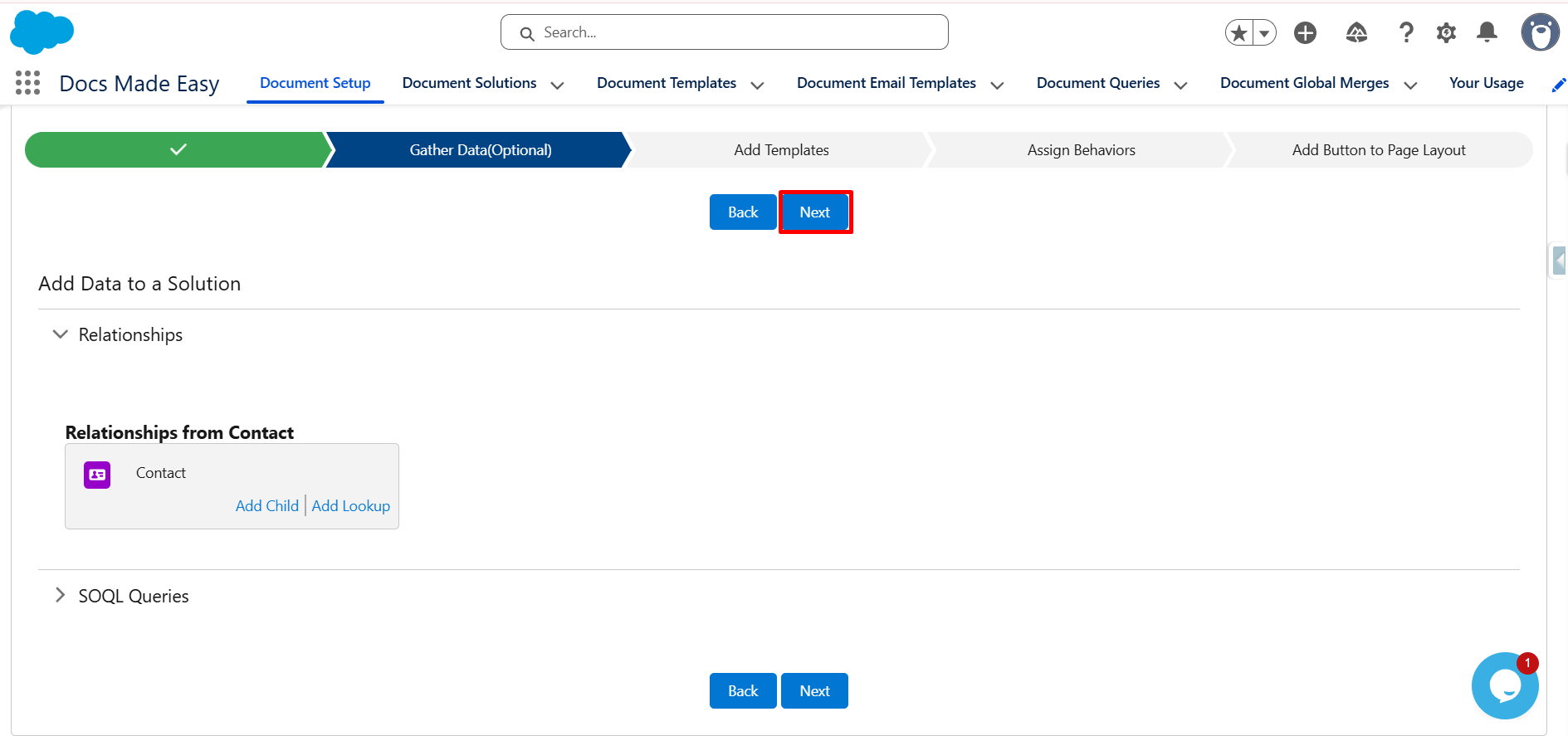
Step 4: Add Your Template
On the Add Template tab, upload the template or choose your desired template and click the Next button.
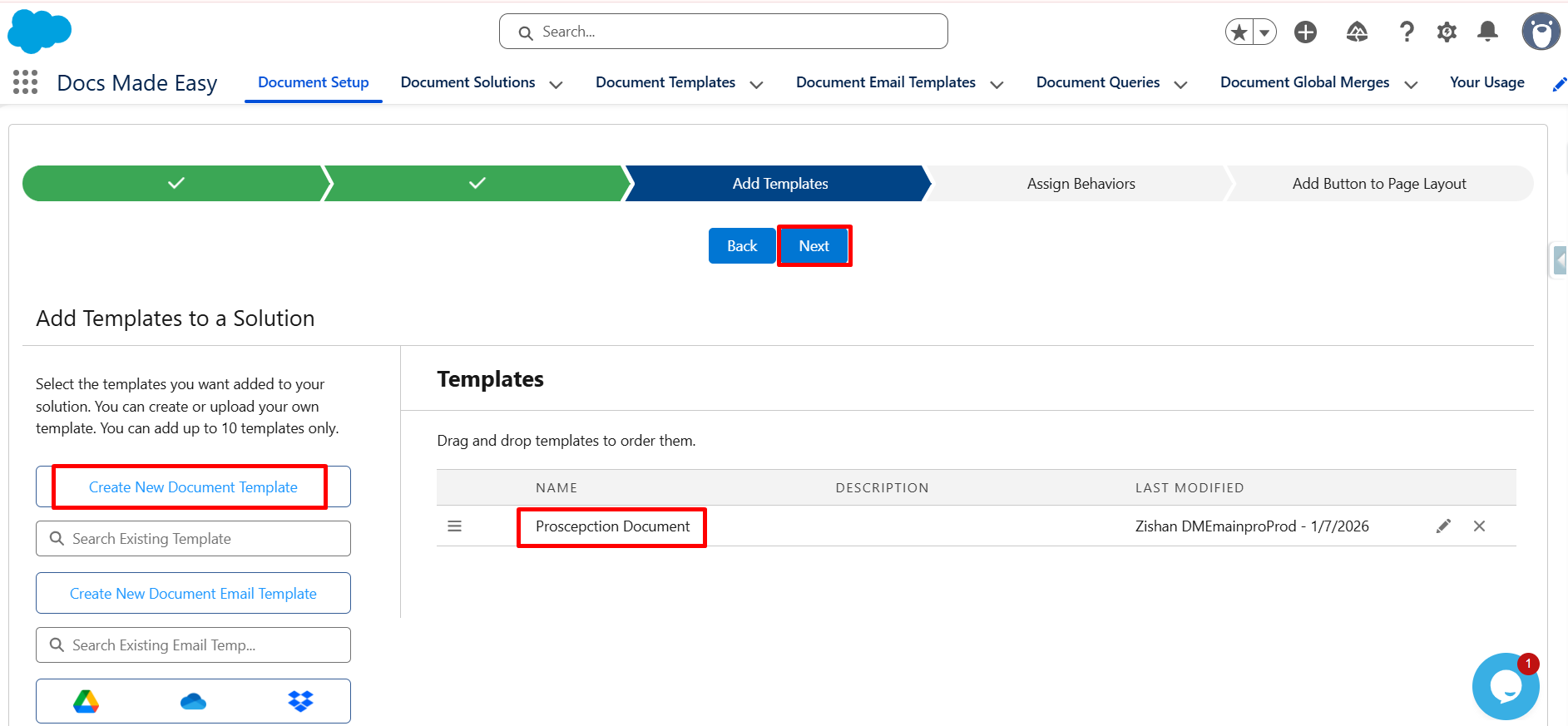
Step 5: Set the Button Behavior
After this step, you will see the Add the Assign Behavior tab. Set the button behavior according to your requirements and click the Next button.
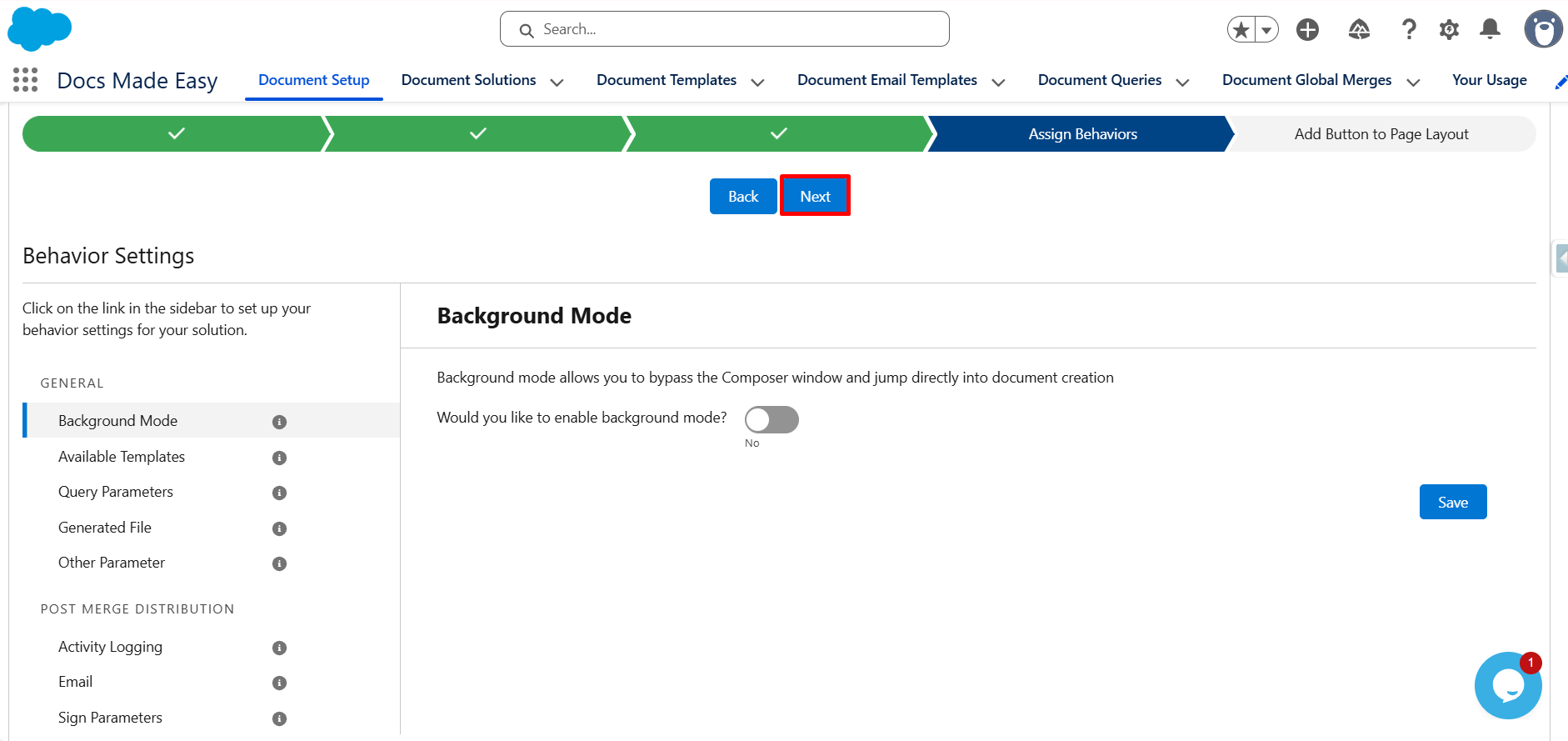
Step 6: Open the Page Layout
Then click Go to Page Layout and select the layout.
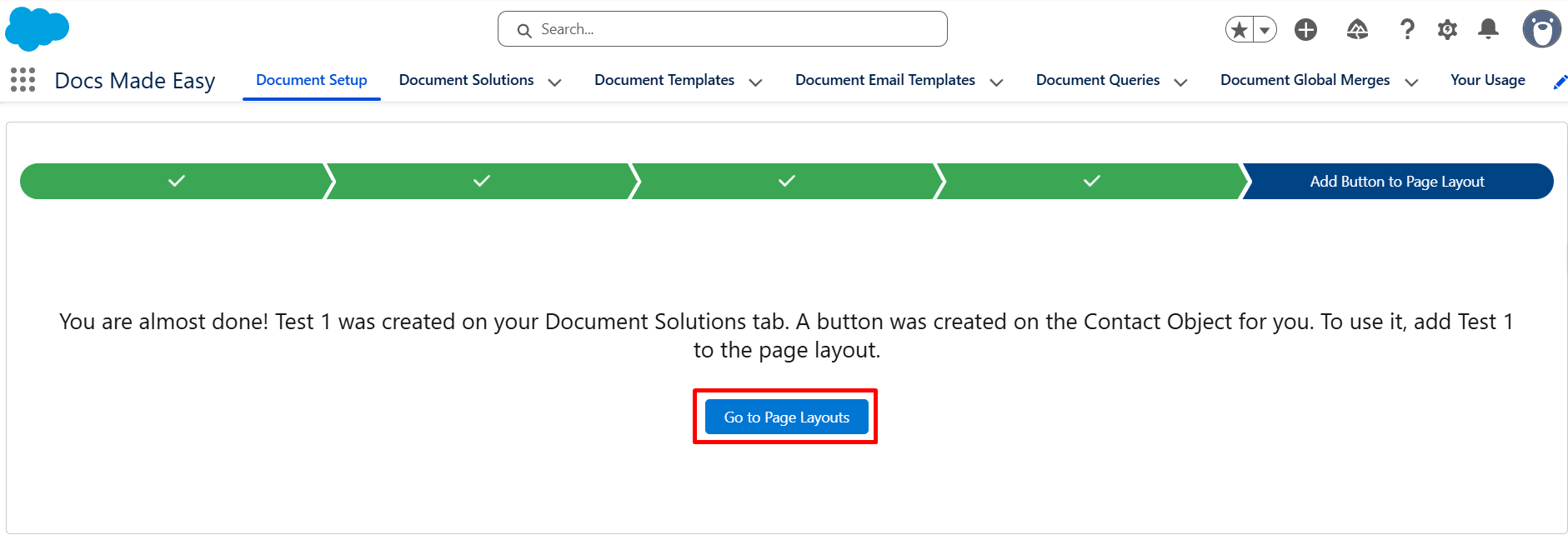
Step 7: Add the Solution to Lightning Actions
Finally, choose Mobile and Lightning Actions. Find your solution and drag it into the Salesforce Mobile and Lightning Experience Actions section.
Click Save.
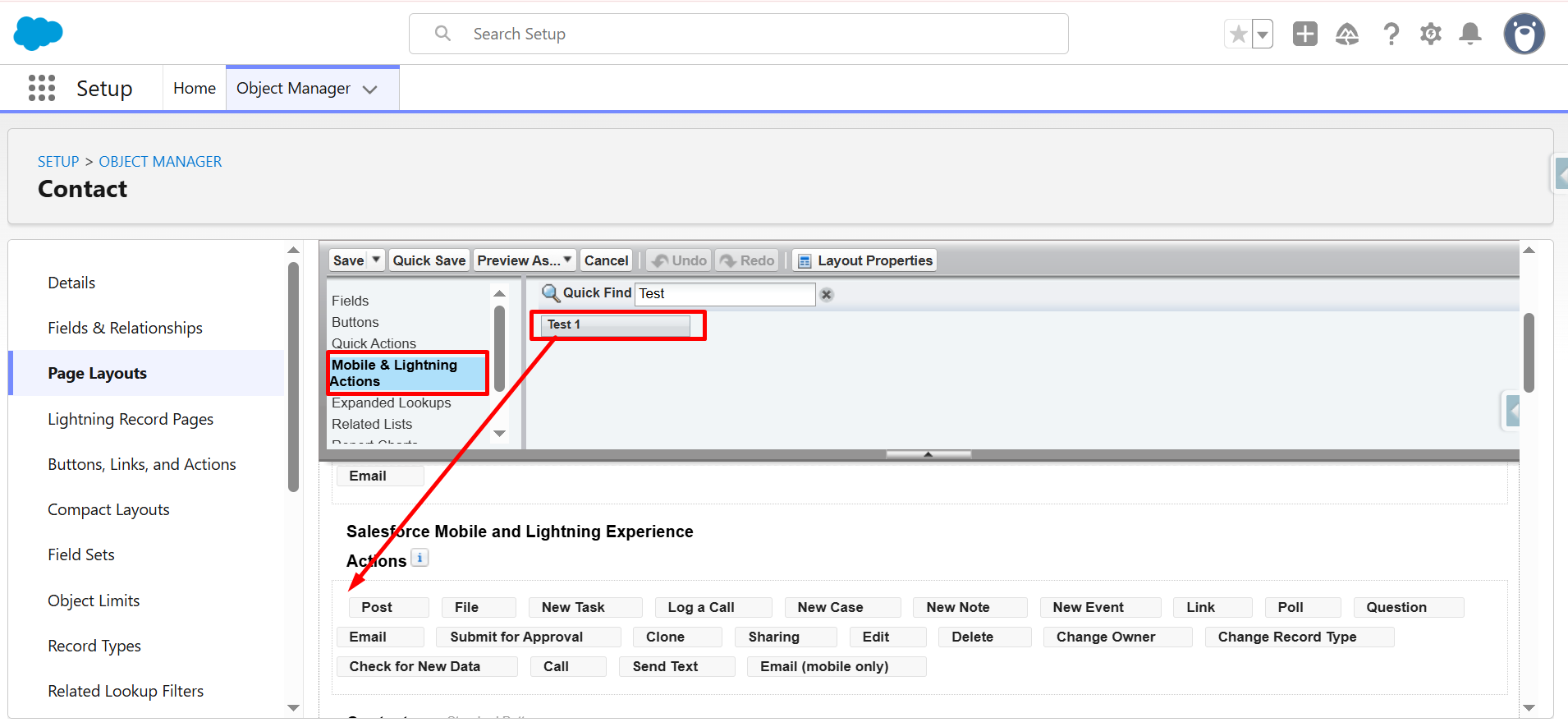
Your solution is now successfully created.
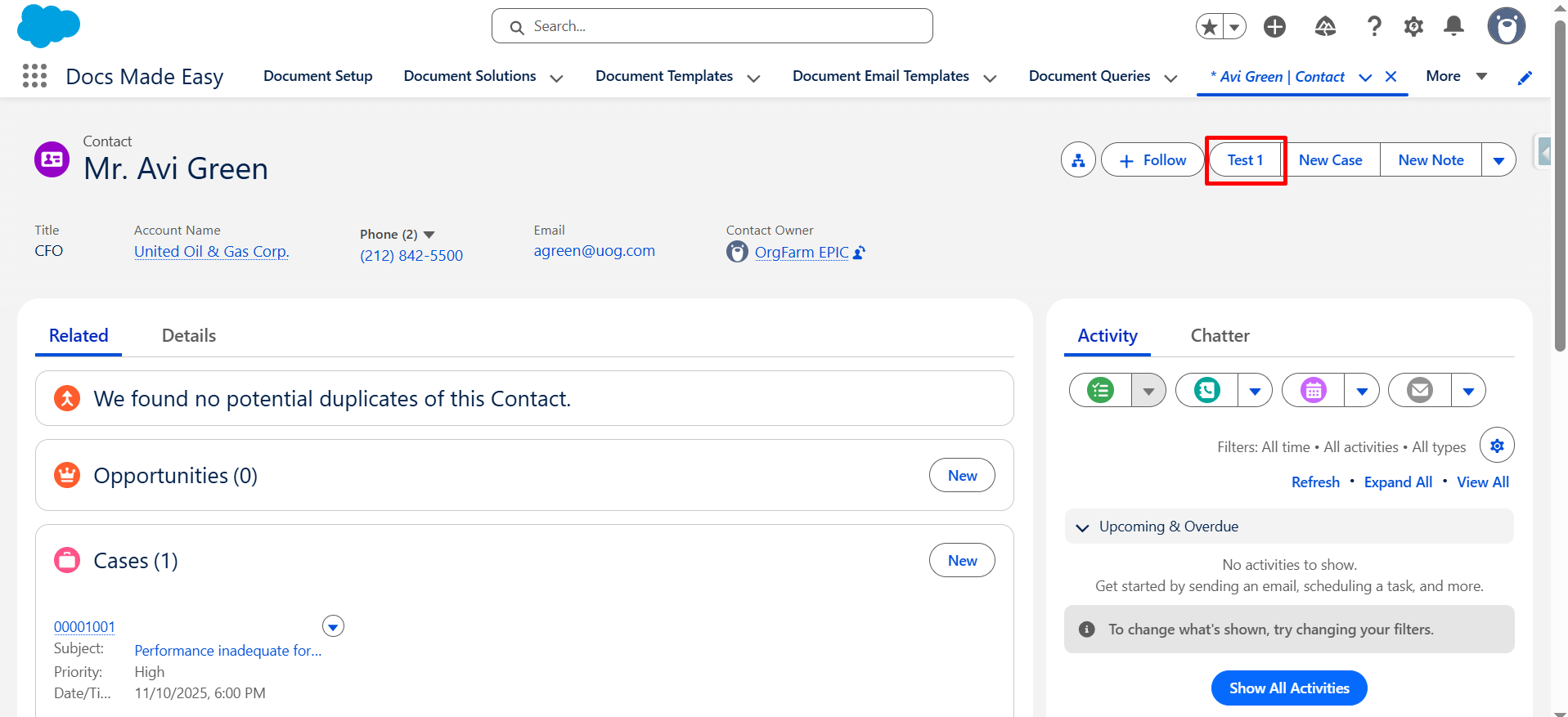
Head back to the App Launcher, search Contacts, and open any contact record. Your custom button will appear at the top-right corner.
This makes it easier for users to start Salesforce PDF generation directly from the relevant record instead of going through a separate document tool.
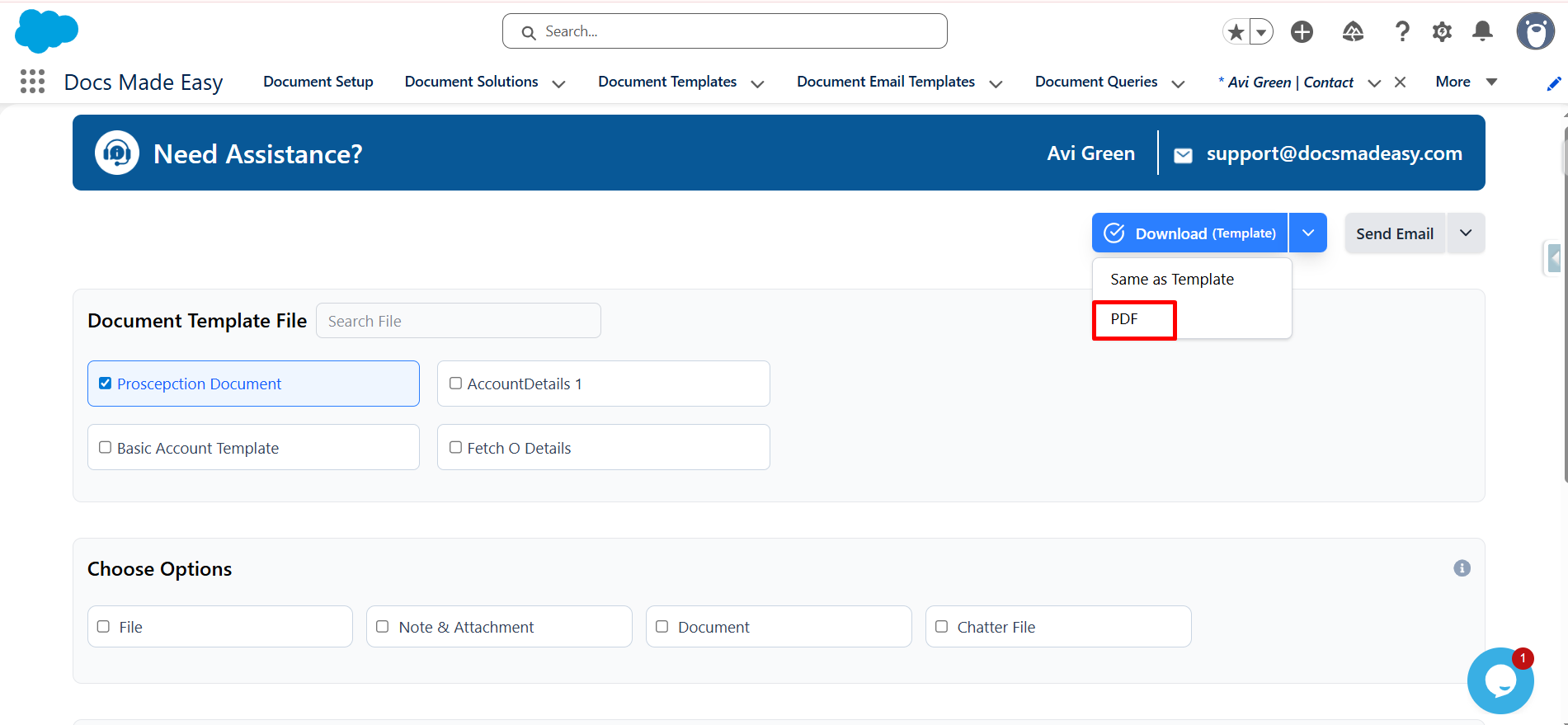
Step 8: Open the Docs Made Easy Composer
Click on the Dropdown button.
You will now see the Docs Made Easy Composer screen. Choose the PDF option.
From here, you can select PDF as the required output format and continue with the document generation process.
Step 9: Download the PDF
Click on the Download button.
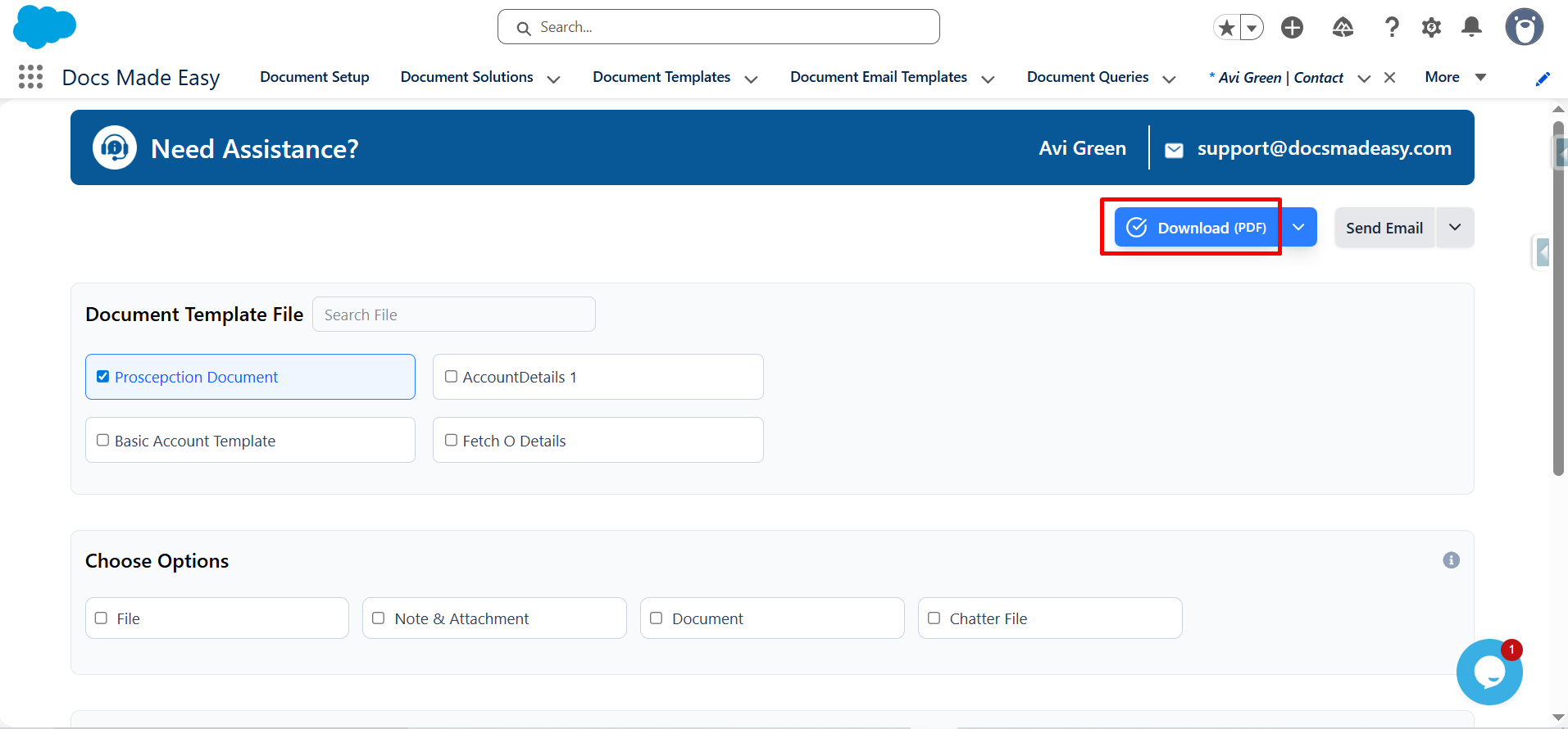
Your PDF document is now downloaded and ready to use.
With this setup, PDF generation in Salesforce can be handled directly from the record, using your Salesforce data and selected document template.
Why Create PDFs Using Docs Made Easy?
Creating a PDF from Salesforce is useful, but the bigger advantage is being able to keep the complete document process connected to your Salesforce workflow. Here are some of the reasons businesses use Docs Made Easy.
Built Natively Inside Salesforce
Docs Made Easy is built for Salesforce, so your document generation process stays connected to your Salesforce records and data. You can generate documents from Salesforce objects and use your existing CRM data in your templates instead of copying information into another tool.
This gives teams a more connected way to handle documents while keeping their work within the Salesforce environment.
Generate and eSign Documents in One Workflow
PDF creation does not always end with downloading the document. Many documents need to be reviewed and signed as the next step.
With the Docs Made Easy eSignature integration with Sign Made Easy, you can generate documents and move them into an eSignature workflow without taking the process outside Salesforce. Signed documents can also be attached back to Salesforce records for easier tracking.
This makes it possible to connect document generation and signing as part of the same workflow.
Automate More Than Just PDF Creation
You do not always need to manually generate every document. Docs Made Easy can work with Salesforce automation such as Flow, allowing document generation and email delivery to become part of an automated process.
It also supports bulk document generation for multiple records, which is useful when your team needs to create a large number of documents together.
With these Salesforce document generation capabilities, teams can move from creating one document at a time to building workflows that handle repetitive document tasks automatically.
Get Support When You Need It
Setting up document templates and Salesforce workflows can sometimes feel like a lot, especially when your documents have different fields, rules, or formatting requirements.
Docs Made Easy provides a knowledge base, setup guides, FAQs, and support resources. For businesses that need more hands-on assistance, its support plans also include options such as dedicated customer support, template creation, setup assistance, training, and ongoing help.
So, you are not left figuring everything out yourself after installing the app.
Businesses Are Moving to Docs Made Easy
- Schumacher medTech Group GmbH – moved from Conga to Docs Made Easy, migrating more than 40 templates without downtime or data loss.
- Halifax Linen Service – moved from Conga to Docs Made Easy and Sign Made Easy to simplify document generation and eSignature workflows.
- My Mountain Mover – moved from Conga Sign and Conga Composer to Docs Made Easy for document generation and signing.
With businesses already making the switch to Docs Made Easy, the platform is becoming a trusted choice for Salesforce document generation. Docs Made Easy is also featured among the top 3 document generation tools on LinkedIn and has been featured by Salesforce in its article, further making it a trustworthy choice for businesses looking to simplify their document workflows.
Wrapping Up
Creating a PDF does not have to mean exporting Salesforce data, opening another application, formatting the document, and then saving it again.
With Docs Made Easy, you can create document templates, connect them with Salesforce data, generate PDFs from Salesforce records, automate repetitive document workflows, and continue into eSignature when needed.
Whether you are creating a single customer document or generating documents in bulk, the idea is simple: keep your document workflow connected to Salesforce and let automation handle the repetitive work.
Ready to simplify your document workflow? Explore Docs Made Easy and start creating documents directly from your Salesforce environment.
Watch Demo Video
Frequently Asked Questions
Related Blogs
Top 7 Benefits of Integrating Docs Made Easy with Salesforce Revenue Cloud
Managing revenue today involves much more than creating quotes and sending contracts. Businesses need a connected process that handles pricing,…
Salesforce Documentation Best Practices: How to Reduce Admin Dependency and Scale Faster
As businesses grow in Salesforce, managing documentation often becomes difficult. At first, teams can easily manage workflows, approvals, automations, and…
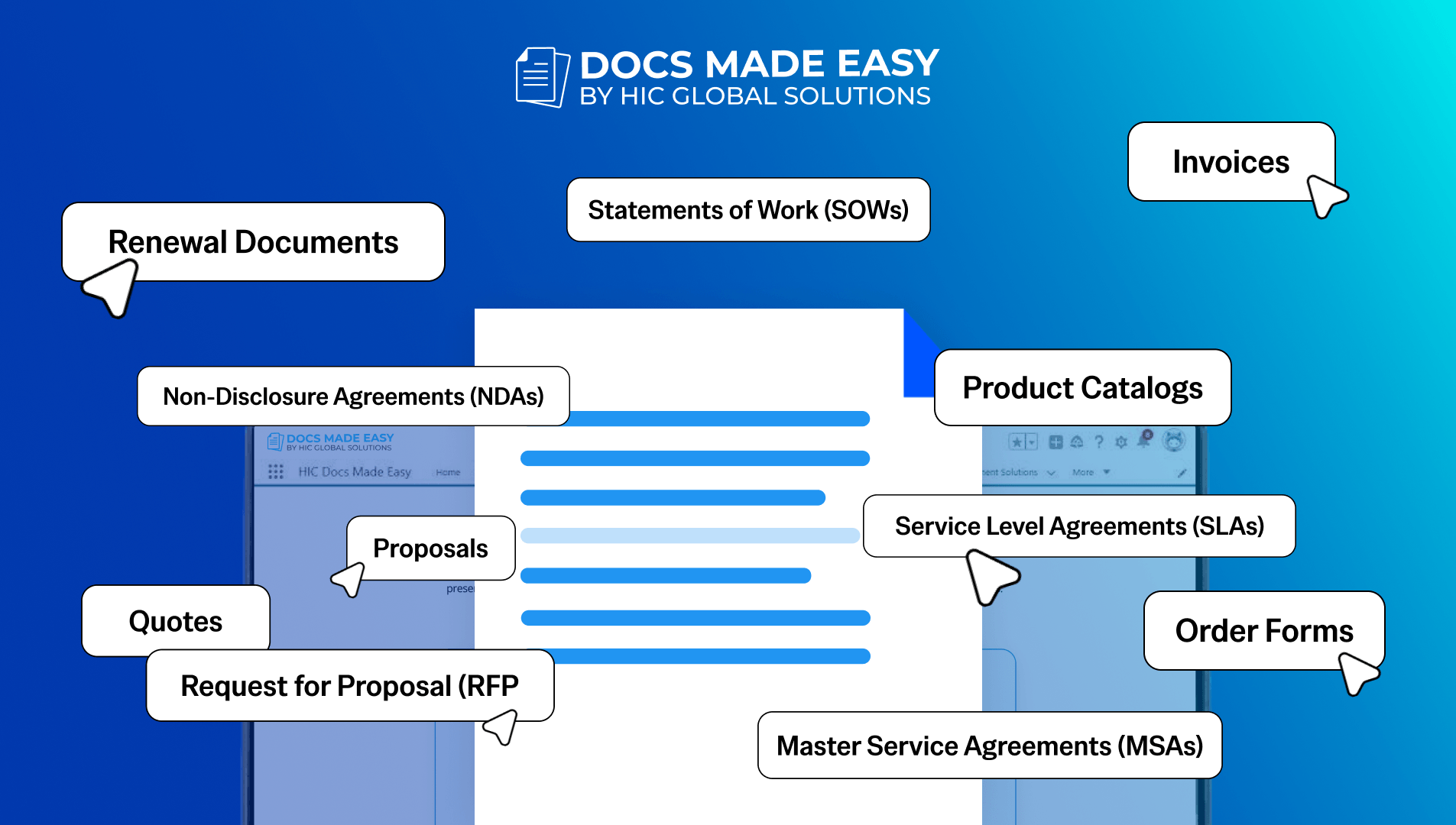
15 Salesforce Document Types That Drive Revenue
Team work with documents almost every day, but many businesses still underestimate how much these documents actually affect revenue. A…