Power Up Your Salesforce Document Automation with Pro
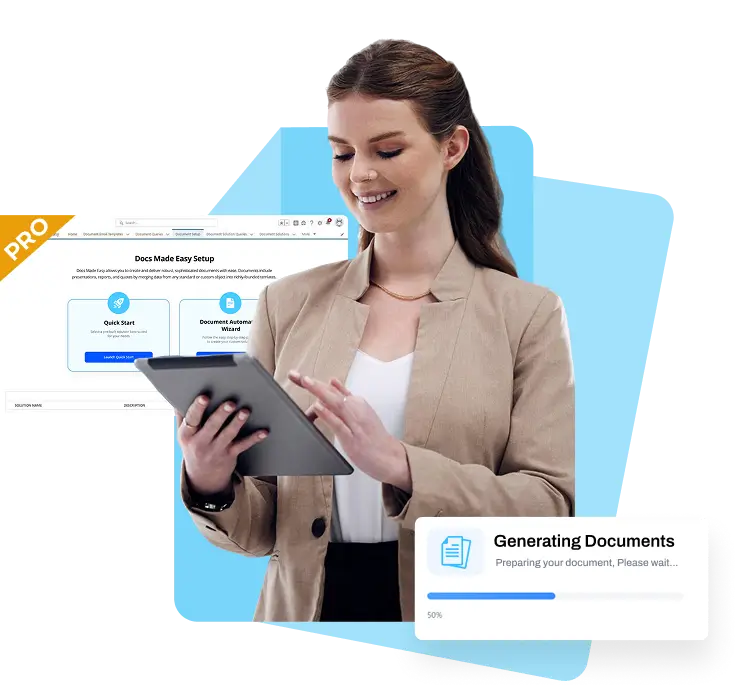
Transform your ideas into beautifully generated documents with Docs Made Easy Pro. It's your time to move beyond the basics and upgrade to the best with Salesforce document automation - all without code!

Upgrade anytime. Built for growing Salesforce teams.
Flexible Pricing for Salesforce Docs

Package Details

Choose a plan that fits your workflow, From individuals to teams.

Basic

Free*

Limited to 50 docs/month & 500 docs/year

Try Now

Pro

$9.99*

user/month - Billed Annually

Pro Plus

Let's Talk

Flexible Billing

Contact Sales

Trusted by

World’s leading organization

Document Merge & Preview
Unlimited Template Creation
Global Compliance-SOC 2 Type II, HIPAA, GDPR
Email Delivery
Supports Dynamic Image from Web
Add Clickable Hyperlinks
Knowledge Base Help Center
Reasonable Usage Policy
Limited Unlimited Unlimited
Chat Support
Limited
Renewal Notifications
Document Automation
Conditional Statement
eSignature
Available
Batch Document Generation
Available
Multilingual Support
Available
Dedicated Customer Success Manager
Available
Available
Private Server
Available
Available
Multi-Format Input
up to 1
Supports Multi Format
Multi-Format Output
up to 2
Supports Multi Format
Experience/Community Cloud User Enablement
Available
Available
Third-Party Integration
Available
Available

Docs Made Easy vs Conga Composer: Which One Is Better?

Features

Logo
    Document Generation
    Supports File Formats (Like PDF, Excel, HTML, PowerPoint, Word)
    Template Builder
    Supports eSigning
    Flexible Customization
    Quick Customer Support
    User-Friendly Interface
    Free-Basic Plan
    Cost-Efficient
    Seamless Integration

    Unlock Pro-Level Salesforce Document Automation Features


    Move your document templates, configurations, and settings from Sandbox to Production without losing any data with Solution Migration. This helps teams continue Salesforce document automation without rebuilding documents after deployment.

    • All field mappings, buttons, and configurations stay exactly the same during the move.
    • Document automation continues to work the same way across Salesforce environments.

    Create documents in seconds directly from a Salesforce record using Quick Document Merge, without any complex setup or technical steps. Select a solution button, choose a template, and generate the document immediately.

    • Documents can also be emailed directly from the Quick Merge wizard available on the record layout.
    • This makes document automation for Salesforce users rely on faster for everyday document tasks.

    Automatically generate documents using Salesforce Flow, Apex, Lightning Web Components (LWC), and Process Builder as part of your document automation process. Documents can be created when a record is updated, approved, or meets defined conditions.

    • Emails with generated documents are sent automatically through the same flow.
    • This turns manual work into intelligent document processing inside Salesforce.

    Group multiple documents into a single, organized collection and generate them together using Pro. Create contract bundles, onboarding kits, or project file sets, and open these collections directly from a Lightning component.

    • Email recipients, subject lines, and email content can be edited before sending the documents.
    • This allows the document automation app to handle related documents in one step.

    Send documents for eSignature directly from Docs Made Easy Pro without switching between tools. Recipients can view documents in their preferred language using multilingual support.

    • The signing status is updated and tracked on the Salesforce record.
    • This keeps Salesforce document automation simple, from document creation to signing.

    Generate documents for multiple records at once using Bulk Merge. Perfect for high-volume use cases such as invoices, purchase orders, or contracts. Bulk merges can be run instantly or scheduled to run later.

    • Document history can be deleted automatically after processing.
    • This supports high-volume document automation and intelligent document processing at scale.

    Premium Support For Docs Made Easy Pro

    Round-the-clock Personal Assistance Tailored To Your Needs.

    Dedicated Customer Support Is Available 24/7 For Any Queries Or Issues.

    Priority Assistance For Smooth Workflow Maintenance.

    Frequently Asked Questions

    Yes. Docs Made Easy Pro delivers reliable Salesforce document automation with stable PDF rendering that preserves templates, branding, spacing, and layout consistency.
    Performance issues and data inconsistencies block growth. Docs Made Easy Pro supports high-volume Salesforce document automation without slowing down workflows or compromising accuracy.
    Docs Made Easy delivers reliable, scalable Salesforce document automation with accurate data handling, consistent output, and business-friendly configuration without overcomplicating your Salesforce setup.
    Deploying automation across orgs can be tricky, but Docs Made Easy Pro provides Solution Migration to move templates, mappings, and settings from Sandbox to Production without rebuilding anything. All configurations remain intact, ensuring continuity.
    Templates are created with merge fields to pull Salesforce data into documents. Docs Made Easy Pro allows unlimited templates that can be previewed, customized, and saved for instant use in both single and bulk document generation.
    Yes. Conditional statements let sections of your document appear only when certain criteria are met. Docs Made Easy Pro supports dynamic, personalized documents without the need for multiple template versions.
    You can send documents for secure eSignature directly from Salesforce. Docs Made Easy Pro tracks signing status automatically, supports multiple languages, and ensures a seamless workflow from generation to signature.
    Grouping multiple documents into a single package makes distribution easier. With Docs Made Easy Pro’s Document Collections, you can generate contract bundles, onboarding kits, or project file sets in one step and edit email recipients, subject lines, and content before sending.