Bulk Document Generation in Salesforce: Solving Enterprise‑Scale Challenges with Best Practices
Category :
Document Generation

Docs shouldn’t be complicated.
With Docs Made Easy, creating professional, Salesforce-powered documents is just a few clicks away.
Get Started Now“Automation applied to an efficient operation will magnify the efficiency”, a principle that rings especially true when it comes to document generation in enterprise Salesforce environments.
When organizations start with a few Salesforce records, generating a contract or a sales quote manually or with basic tools feels manageable. But the moment volume grows, hundreds, thousands, or tens of thousands of documents, that simple task suddenly becomes the biggest operational drag in the company. This is where bulk document generation isn’t just a nice‑to‑have feature; it’s a strategic necessity.
In this long, deep, we’ll explore:
- What bulk document generation really means in Salesforce
- The measurable impact and fast‑growing market supporting it
- The toughest challenges at scale
- Best practices that enterprises swear by
- Where document generation in Salesforce fits into business operations
- Why choosing the best bulk document generation tool matters
All grounded in real data, real research, and the real challenges organizations navigate daily.
Let’s start with a sense of scale.
Market Reality: Huge Growth in Salesforce Document Generation Adoption
The Salesforce CRM document generation software market, which includes tools that automate document creation directly from Salesforce data, was valued at around USD 1.11 billion in 2024 and is expected to grow to about USD 1.23 billion in 2025. Moreover, this market is projected to expand to more than USD 3.5 billion by 2035 with a robust CAGR of about 11% over the next decade.
What does this rapid growth tell us? A few things:
- Document automation isn’t just a trend; it’s becoming infrastructure.
- Organizations of all sizes are integrating directly with Salesforce to eliminate manual paperwork.
- Technologies like e‑signatures, cloud storage, compliance workflows, and AI‑assisted templates are now mainstream in this space.
In particular, more than 68% of enterprises have already implemented document automation within Salesforce to support workflows like sales proposals, contracts, and onboarding documents.
This broad adoption shows that document generation in Salesforce isn’t a fringe improvement; it’s an operational strategy.
What “Bulk Document Generation” Really Means
Before we go deeper, let’s define what we’re talking about.
Bulk document generation refers to the process of automatically creating large volumes of documents, often hundreds or thousands, in a single, repeatable job, based on real Salesforce data. Unlike single‑record pushes (e.g., generating one contract at a time), bulk jobs are:
- Batch‑driven, not interactive
- Scalable, capable of processing large data sets
- Automated end‑to‑end, from merge to delivery
- Reliable, even when template complexity grows
Doing this incorrectly just once in a production environment can result in:
- Tons of failed documents
- Inconsistencies in the merge data
- Wasted IT hours
- Irritated customers
That’s why bulk document generation is a category all its own, with unique hurdles and opportunities.
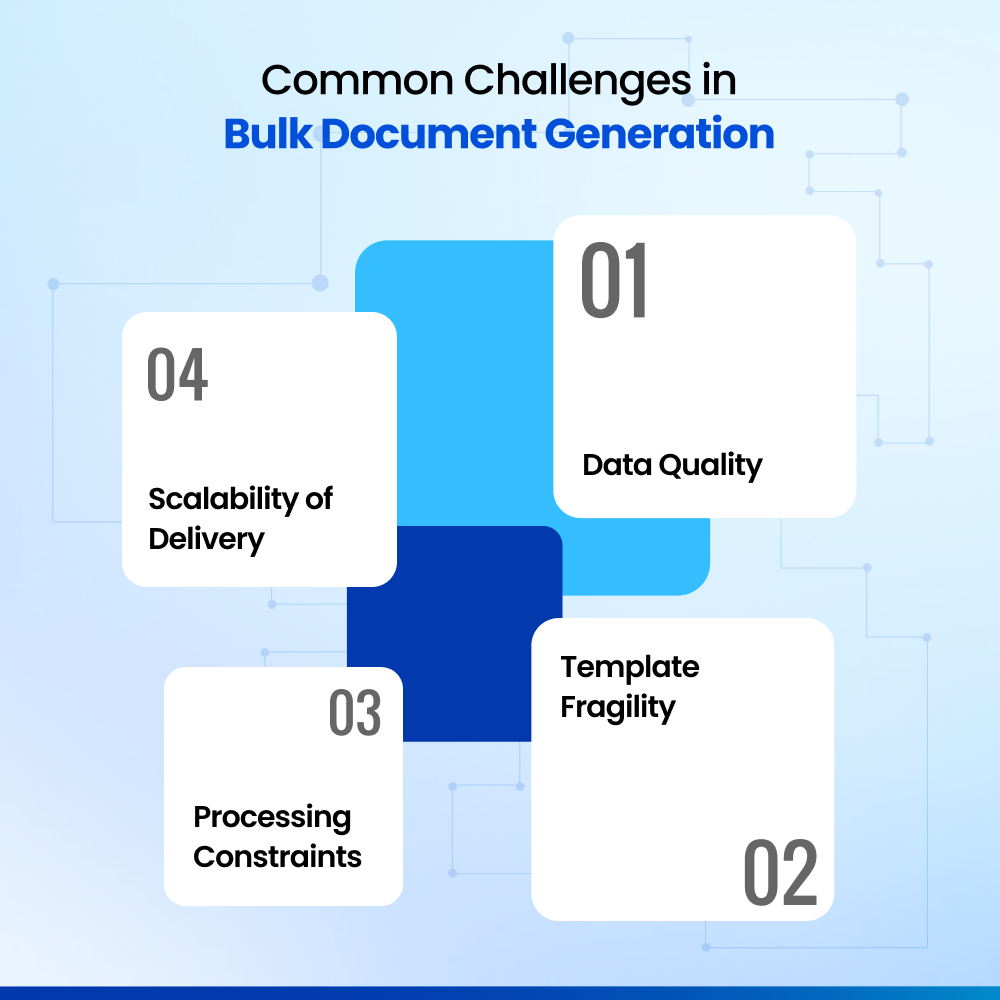
The Real Challenges of Bulk Document Generation
When volume enters the picture, many hidden issues suddenly become urgent:
1. Data Quality Problems Become Amplified
If a single record is missing a field, it’s a minor error. If that missing field is in hundreds of documents, everyone carries a problem.
In practice, teams often discover:
- Inconsistent field values
- Mismatched lookup references
- Improper formatting (dates, currency, names)
This is one reason Salesforce admins stress data accuracy before any bulk merge task begins, once you automate hundreds of documents, data errors don’t stay quiet.
2. Template Fragility Under Load
Templates that work perfectly for one document often fail at scale.
For example:
- Conditional blocks break
- Nested data renders incorrectly
- Page breaks appear in unintended places
This is not a “styling issue.” It’s a reliability issue, one that undermines confidence in automated processes.
3. Processing and Performance Constraints
Salesforce has limits, API call limits, batch sizes, and execution time boundaries. If a tool isn’t optimized for volume, it will hit those limits quickly, causing job failures or partial outputs.
This is why the best bulk document generation tool must be architected for scale, not just convenience.
4. Scalability of Delivery (Not Just Creation)
It’s one thing to generate the documents; it’s another to deliver them:
- Email attachments
- Portal uploads
- E‑signatures
- Salesforce record linking
Automation must cover the entire lifecycle, not just the merge; so let’s move ahead and explore why Salesforce document automation truly matters at scale.
Why Salesforce Document Automation Matters at Scale
We often talk about “efficiency,” but the real impact is measurable in business outcomes:
- Organizations report up to 55% improvement in operational efficiency when document creation and workflows are automated rather than manual.
- In the U.S., around 49% of document processes are now automated, compared to fewer than 10% a decade ago.
- Cloud‑based processes are estimated to reduce turnaround time by more than 30% for mid‑size and large enterprises.
That’s the real impact, not marketing talk.
And when every document can be automatically merged and delivered without human intervention, tasks that used to take weeks now finish in hours, with improved accuracy and compliance.
How Bulk Document Generation Works in Practice
A typical bulk document automation workflow in Salesforce looks something like this:
Record Selection
Identify records that need documents (e.g., all closed‑won Opportunities this quarter).
Batch Preparation
Break records into manageable batches based on volume and performance limits.
Template Merge
Map Salesforce fields to template placeholders and run the merge logic.
Document Creation
Generate PDF/Word files with guaranteed data accuracy.
Storage & Organization
Save documents against specific records, maintain naming conventions, and link to related objects.
Delivery
Use email or portal workflows to send out documents with logging.
Logging & Monitoring
Record success/failure outcomes and follow‑up retries if necessary.
At scale, each stage must be predictable, and the right tool makes this possible.
Template Design Considerations for Bulk Document Generation
Good template design is an art and a science. For bulk scenarios:
- Avoid overly complex conditional logic unless needed; it increases run time and error risk.
- Ensure missing data doesn’t break outputs; placeholders should gracefully degrade.
- Plan pagination and repeating sections carefully. Bulk repetition is where many templates first fail.
- Test with real data sets, don’t rely on small test records for validation.
Bulk templates must anticipate variation and handle it without exception.
Best Practices for Bulk Document Generation
Here are the best practices to generate documents in bulk successfully:
Validate Data First
Before running large jobs, run checks for missing or inconsistent fields. Bulk jobs reveal data flaws quickly; fix them first.
Build Bulk‑Ready Templates
Design templates so they won’t collapse under repeated merges. Avoid deeply nested logic without testing.
Use Batch Jobs, Not One Run
Break large lists into manageable segments so limits aren’t exceeded and errors remain contained.
Monitor Every Run
Logs must be visible. Success counts without retries are essential. Errors should be actionable.
Automate Delivery Too
Bulk creation without bulk delivery doubles the workload. Plan both together.
Keep Rollback Options Ready
Failures happen; design ways to reprocess only failed subsets.
These aren’t hypothetical best practices; they are what enterprise admins do every week when managing high document volumes.
Choosing the Best Bulk Document Generation Tool
When you’re evaluating solutions for bulk document generation, look beyond simple single-record merge capabilities. The best bulk document generation tool will include:
- Native Salesforce integration
- Real bulk/batch processing support
- Error logging and retry mechanisms
- Automated delivery workflows
- Template lifecycle and versioning support
Market research indicates that about 70% of new Salesforce CRM deployments now include at least one document automation solution as part of the onboarding package, reflecting how common document workflows have become. The most successful deployments are in sales proposals and contracts, with invoices and onboarding packs making up the rest.
That kind of adoption only happens when tools handle bulk tasks reliably, not just handle single records well.
That’s what separates “good enough” from “enterprise ready.”
Where Docs Made Easy Fits in Your Automation Strategy
In a world where document generation in Salesforce needs to be scalable, reliable, and automated, tools like Docs Made Easy sit at the heart of enterprise workflows.
Generate and merge documents for multiple records at once
Customers can create hundreds or thousands of documents in a single run, making it ideal for high-volume use cases like invoices, contracts, purchase orders, and onboarding packs without manual repetition.
Trigger Bulk Merge with a single click, directly from Salesforce
Bulk document generation can be initiated with one click inside Salesforce, allowing users to start large merge jobs instantly without switching tools or relying on technical teams.
Schedule batch jobs to run in the future
Customers can schedule bulk document generation to run at a specific time, ensuring documents align with billing cycles, renewals, or operational timelines while reducing peak-hour system load.
Automatically delete document history
Document history can be automatically cleaned up after execution, helping organizations keep their Salesforce org organized, reduce storage usage, and maintain long-term system performance.
By providing Salesforce-native trigger-based generation with batch support, structured storage, and automated delivery, solutions like this help organizations eliminate hours of manual work and reduce error rates dramatically.
In Closing: Bulk Document Generation Isn’t Optional
Bulk document generation in Salesforce is no longer optional; it’s foundational. As organizations scale, document workflows become central to how deals close, customers are onboarded, invoices are issued, and compliance is maintained.
The difference between success and struggle lies in choosing the best bulk document generation tool, one that is built for Salesforce, designed for volume, and proven in real enterprise environments.
Docs Made Easy fits naturally into this reality. By combining Salesforce-native bulk merge, scheduled batch processing, structured document management, and automated cleanup, it helps organizations move from manual effort to predictable, scalable operations.
The goal isn’t just generating documents faster.
It’s building systems that work reliably at scale, protect accuracy, and give teams time back to focus on growth, not repetitive tasks.
Frequently Asked Questions
Related Blogs