How to Migrate Document Solution from Sandbox to Production?
Category :
How To

Docs Made Easy Proudly Featured by Salesforce
Built to simplify document workflows while enhancing productivity inside Salesforce.
Explore Now!Moving a document solution from Sandbox to Production is an important step when your configuration is ready for real-time use. However, without a structured document solution migration process, you can’t do it right! With Docs Made Easy it’s just a click away. So, let’s jump directly to the point and get started with the steps for a smooth migration.
Step 1: First, log in to your Salesforce org and open “Setup.”
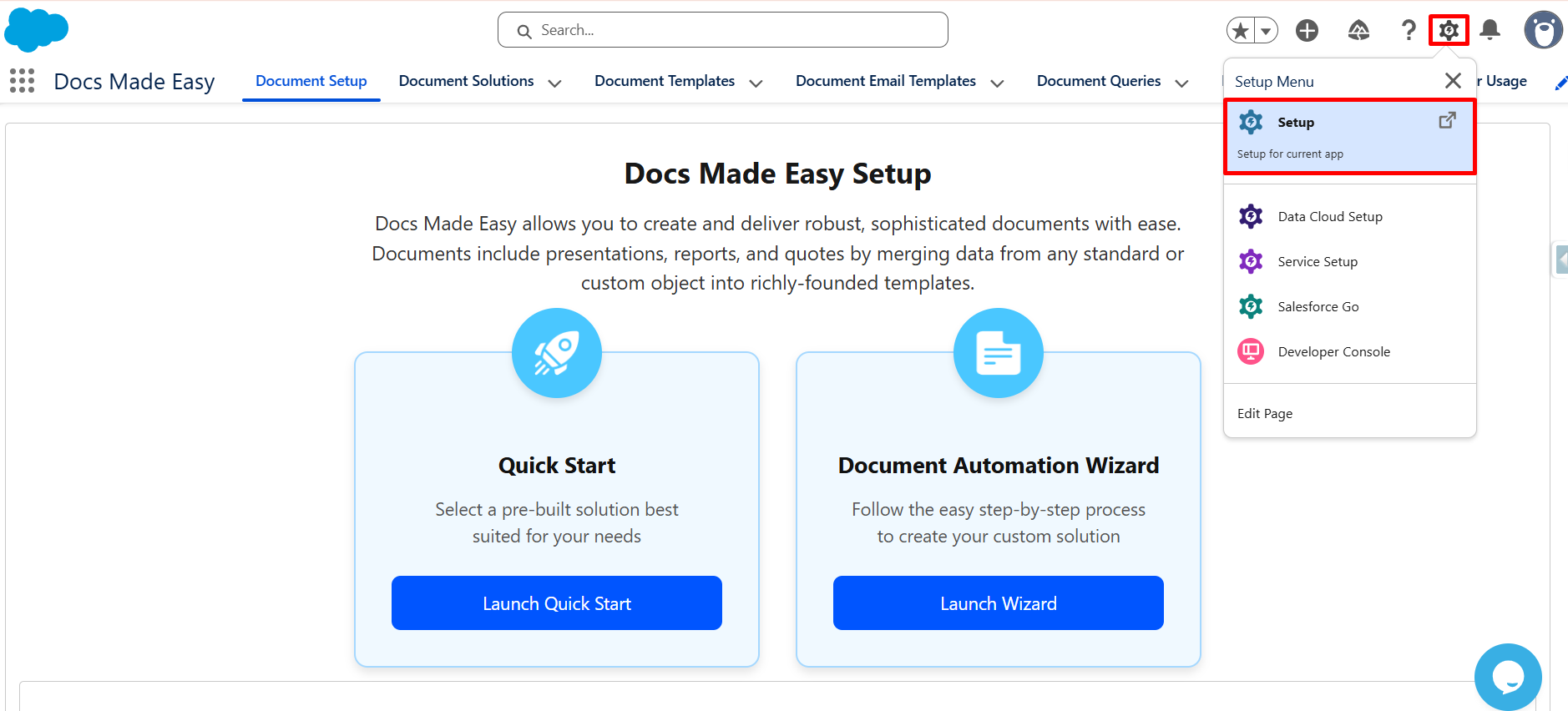
Step 2: Now search for the Document Solutions object in Setup so you can access its configuration.
Step 3: Next, from the left panel, click on “List View Button Layout”.
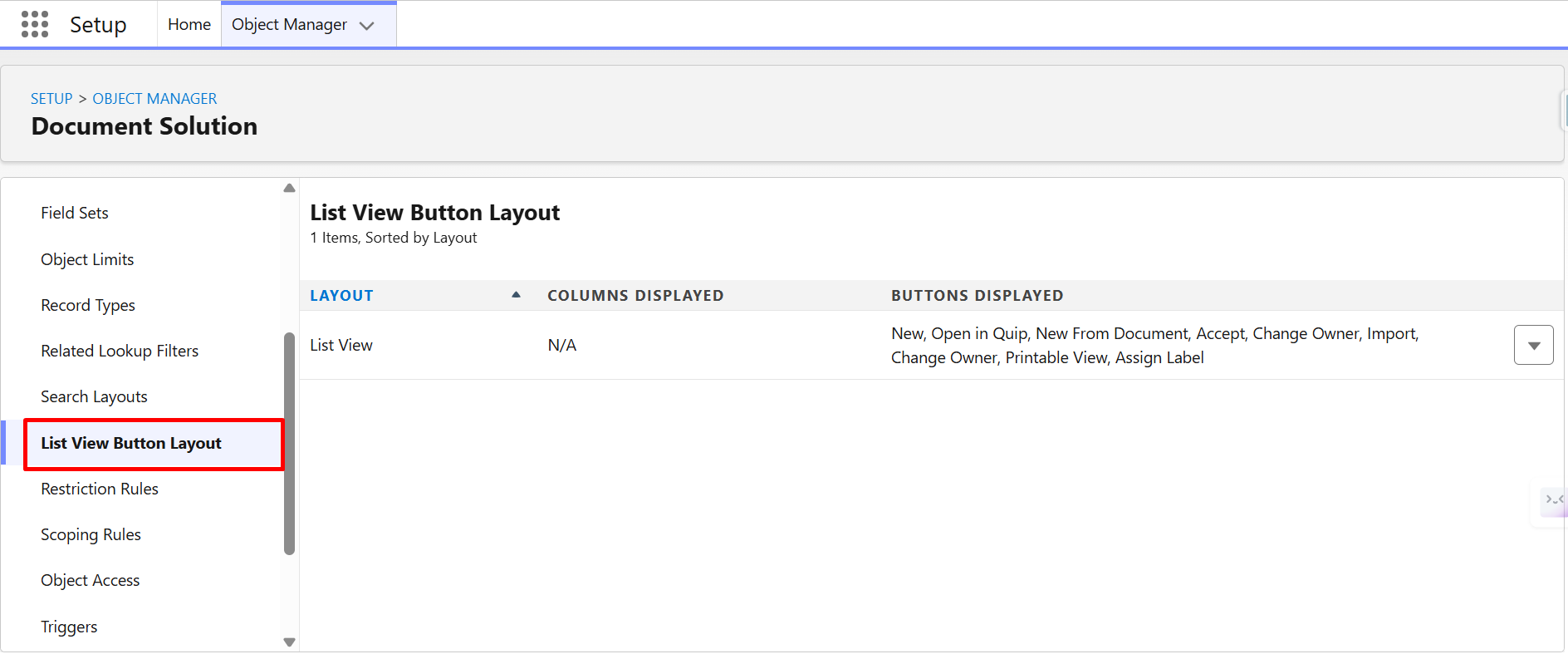
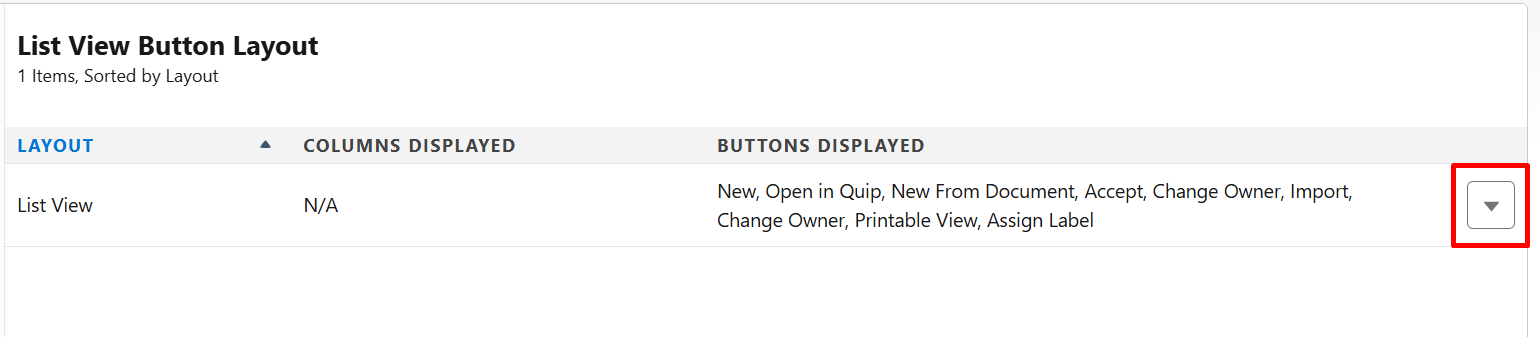
Step 4: After that, click on the “Dropdown Icon” to see the available options.
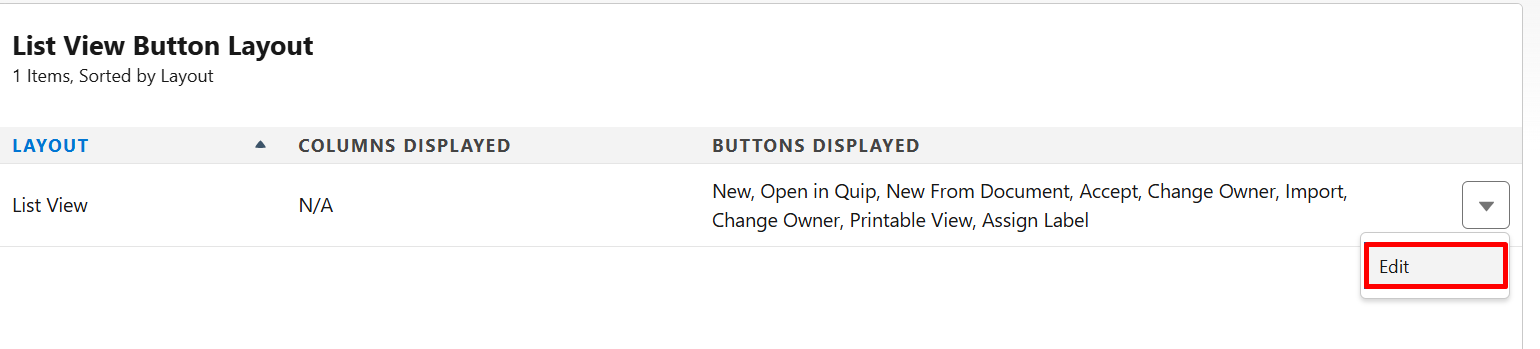
Step 5: Then click on “Edit” to modify the button layout.
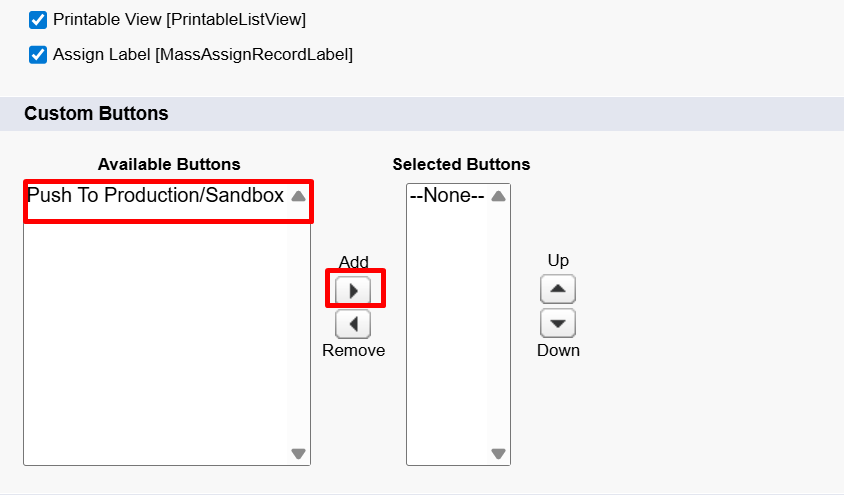
Step 6: Proceed further by selecting “Push to Production/Sandbox” from Custom Buttons and move it to the Selected Buttons section so it becomes visible in the list view.
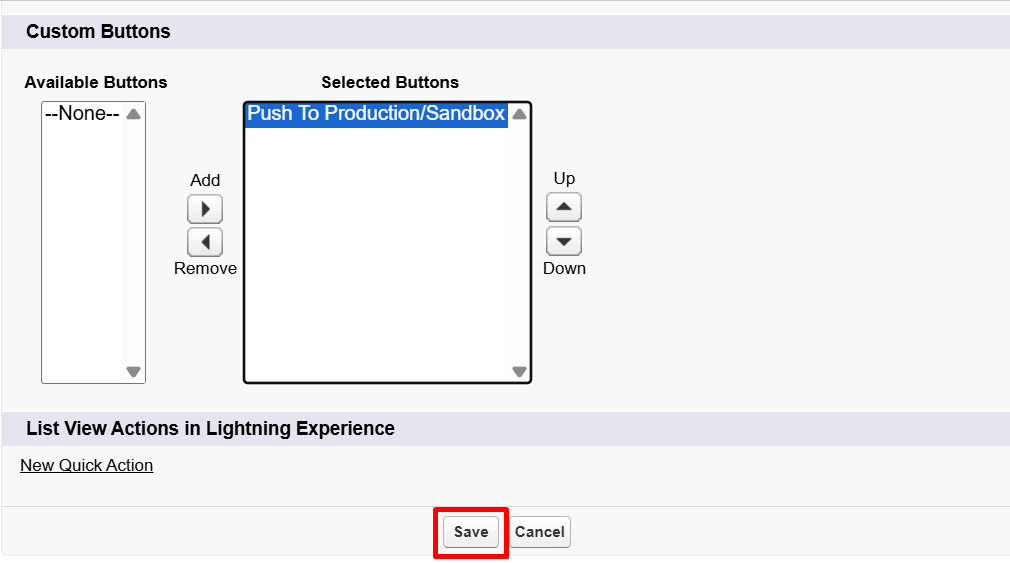
Step 7: Once done, click “Save” to apply the changes.
Step 8: Now move back to the “Document Solution” object, either from the Docs Made Easy app or through the App Launcher.
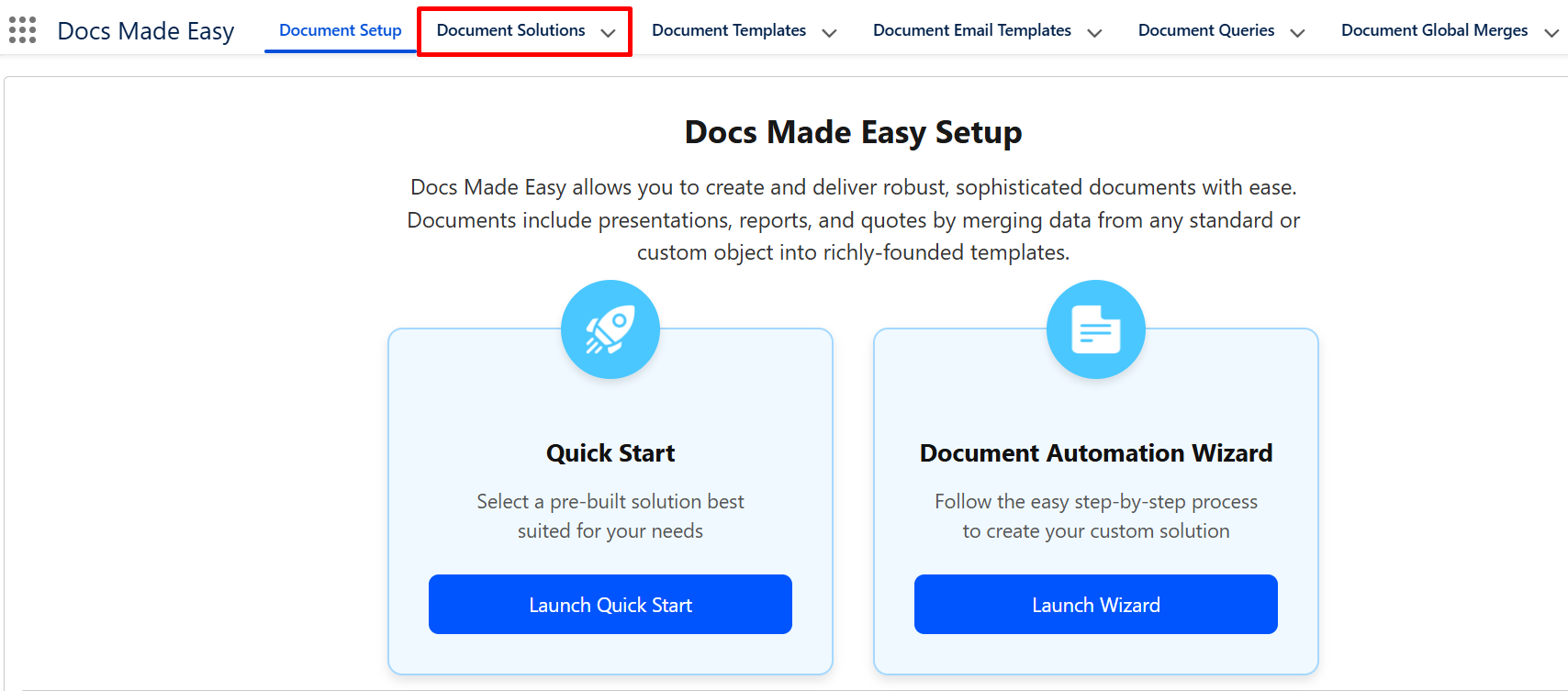
Step 9: Next, select the document solutions that you want to migrate from the list view.

Step 10: After selecting the records, click on the “Push to Production/Sandbox” button available at the top-right corner.

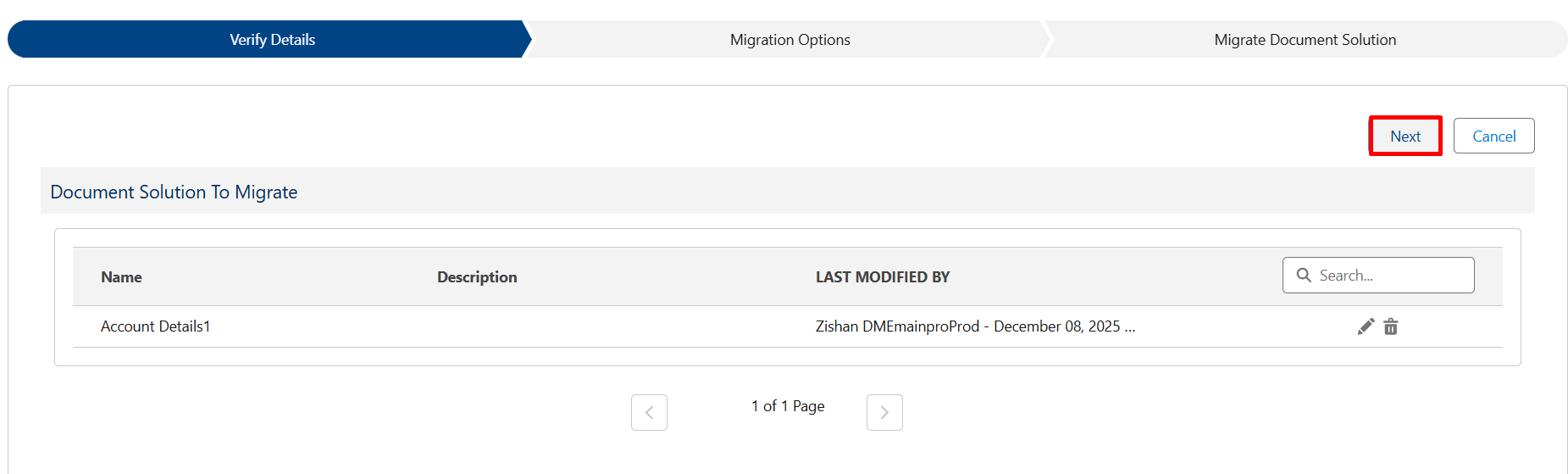
Step 11: On the Verify Details page, review the selected document solutions carefully and click “Next” to continue.
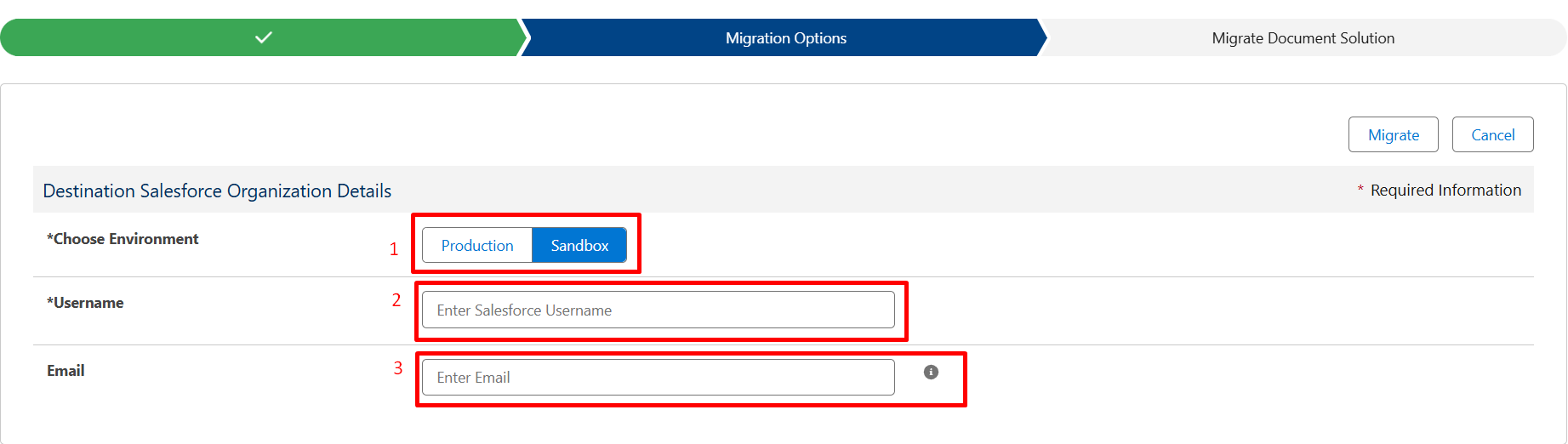
Step 12: Now, in the Final Setup section, choose the “Environment” where you want to migrate your document solution. Furthermore, enter the “Username” of the target org where the migration should take place.
Additionally, if you want to receive a confirmation, enter your “Email” address (this step is optional).
Step 13: Once everything is confirmed, the migration process will start automatically.
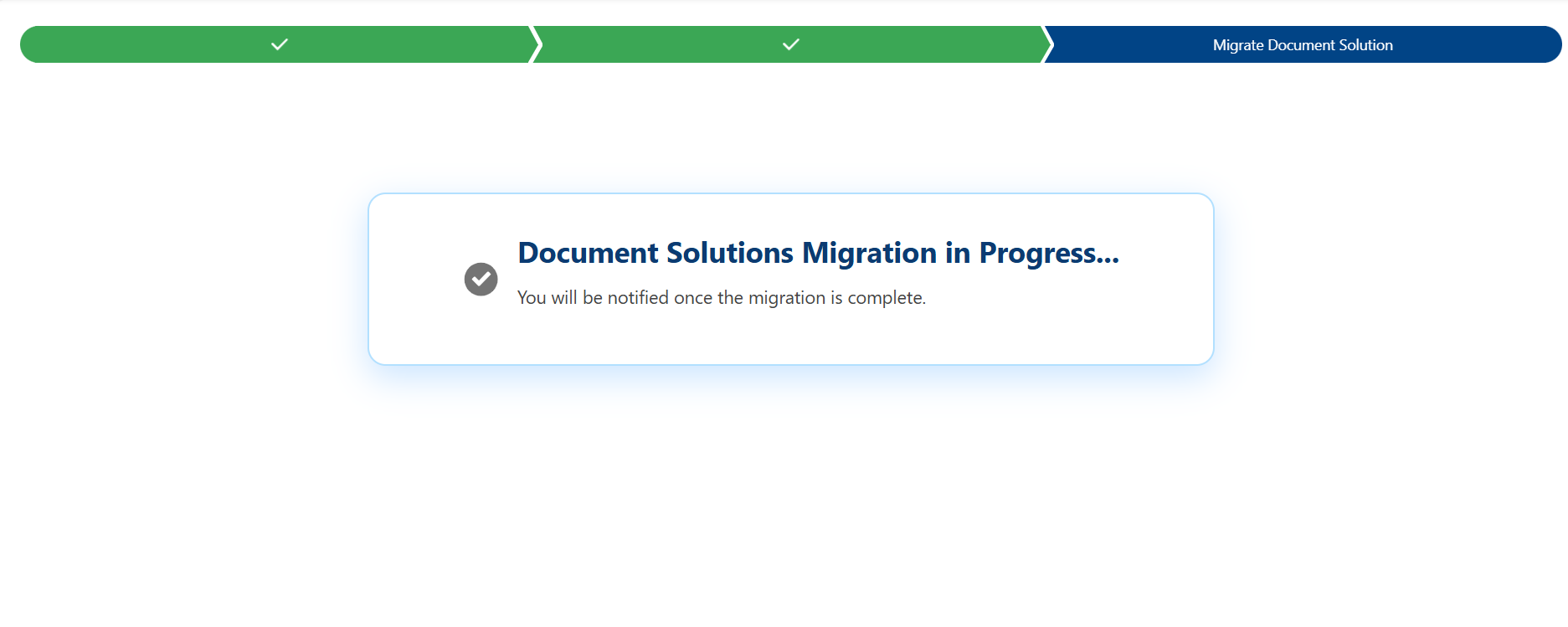
Step 14: Finally, you will receive an email notification once the migration is successfully completed.
Note: To use the Migration feature, Docs Made Easy Pro must be installed in both orgs.
Conclusion
So, this is how you can move your document solution from Sandbox to Production in a structured way without losing any data. Docs Made Easy is the best Salesforce document solution and document automation app, ensuring all your documents and configurations remain intact while supporting consistency across environments, so install the app now.

Frequently Asked Questions
Related Blogs
How to Generate & Send Documents for eSign in Salesforce
Sending a document for signature directly from Salesforce can make the approval process much easier, especially when you want to…
How to Generate Salesforce Documents Using Quick Document Merge
Creating Salesforce documents does not have to involve multiple steps or moving between different tools. With Quick Document Merge, you…
How to Create a Scope of Work (SOW) in Salesforce with Docs Made Easy
Creating a Scope of Work manually can take time, especially when information needs to be collected from Salesforce and added…