How to Generate Salesforce Documents Using Quick Document Merge
Category :
How To

Docs shouldn’t be complicated.
With Docs Made Easy, creating professional, Salesforce-powered documents is just a few clicks away.
Get Started NowCreating Salesforce documents does not have to involve multiple steps or moving between different tools. With Quick Document Merge, you can generate documents directly from a Salesforce record, use the required template, and save the final document with the record.
Salesforce document generation becomes much easier when the required solution and template are already set up. It reduces extra steps and makes the document creation process quicker. Here are the steps to generate a document using Quick Document Merge.
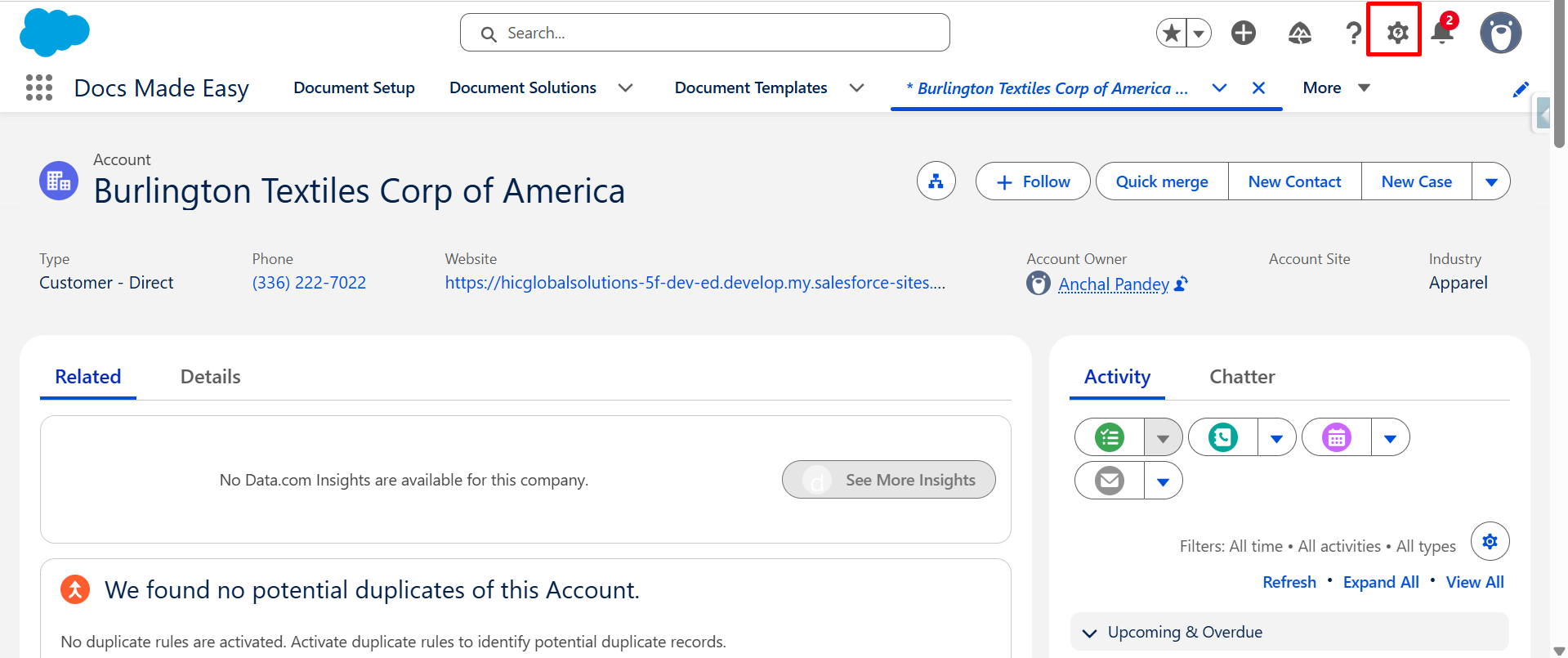
Step 1: Open any Salesforce record, like Account, and click on the Gear icon.
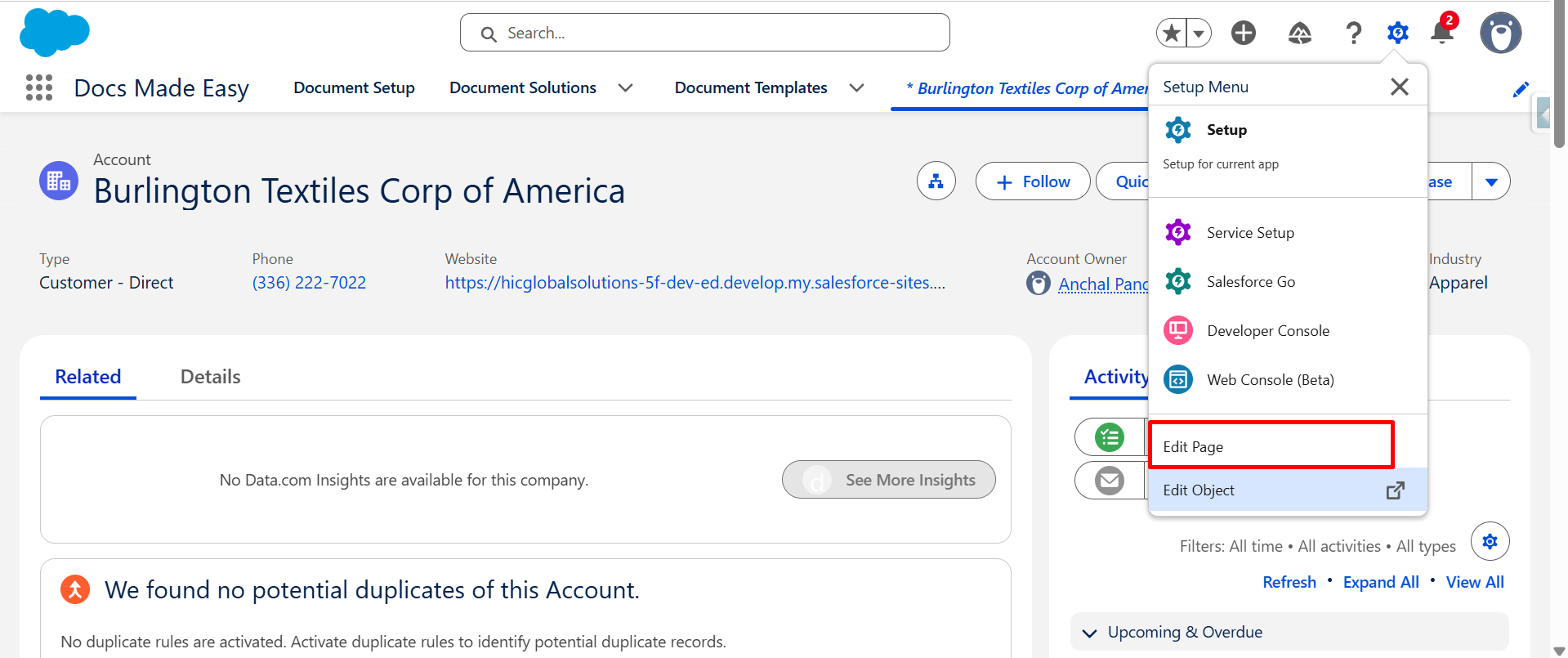
Step 2: Now, click on the Edit page.
Step 3: From the Components section, drag and drop the Quick Document Merge component onto the Account record page.
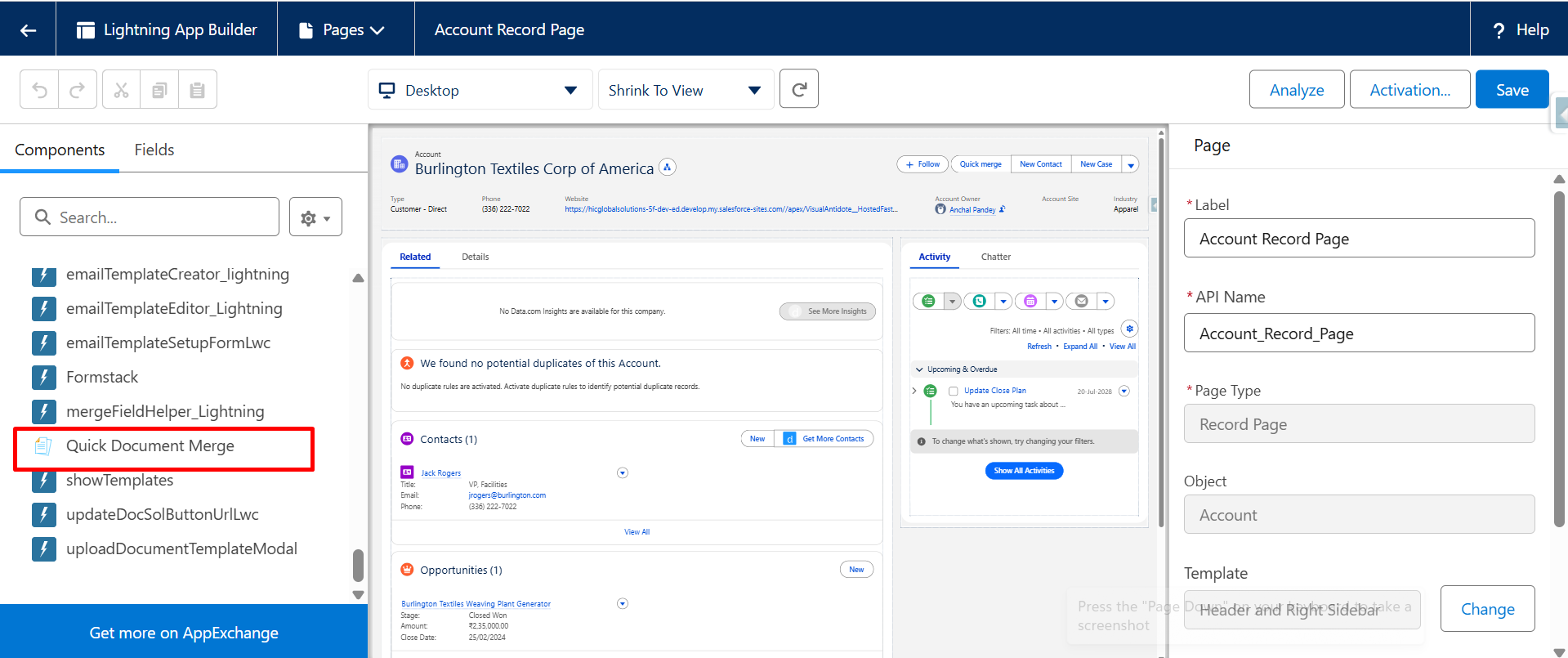
Step 4: Here, the component has been placed successfully onto the Account record page.
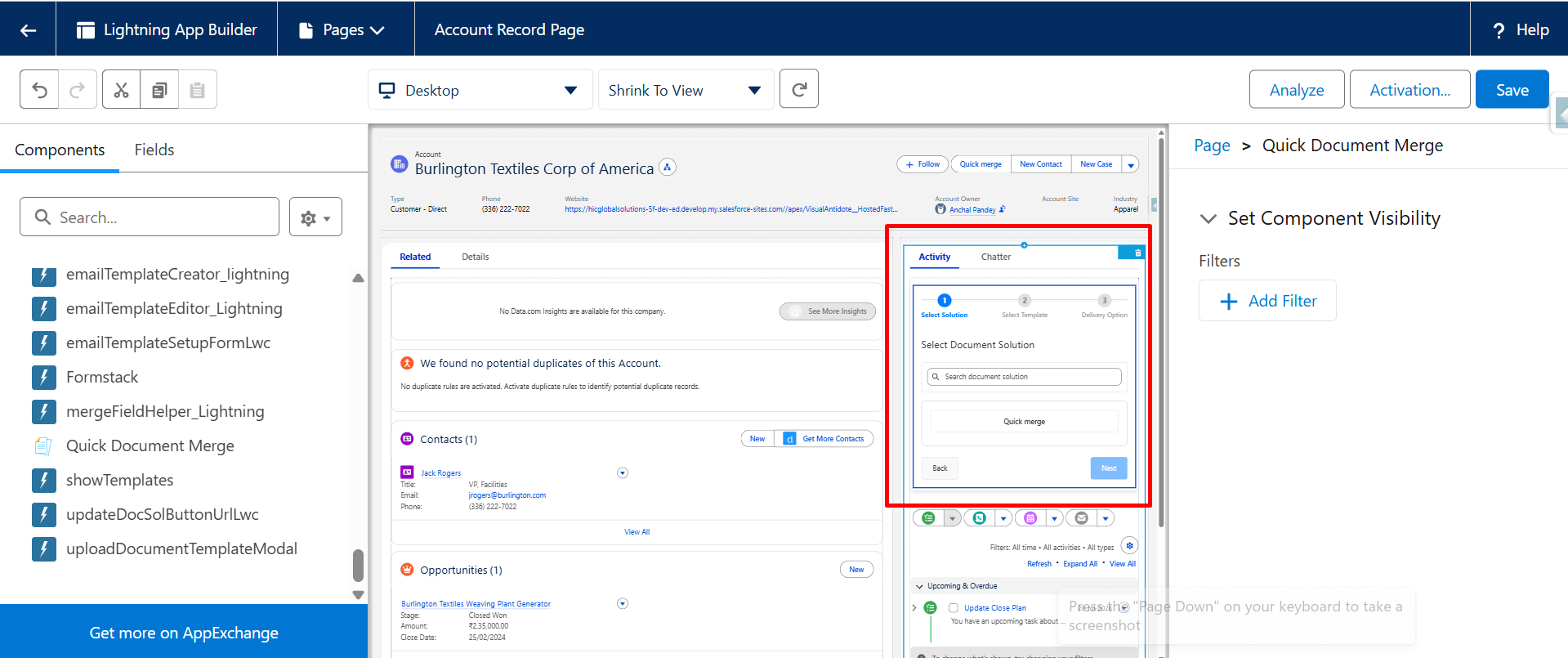
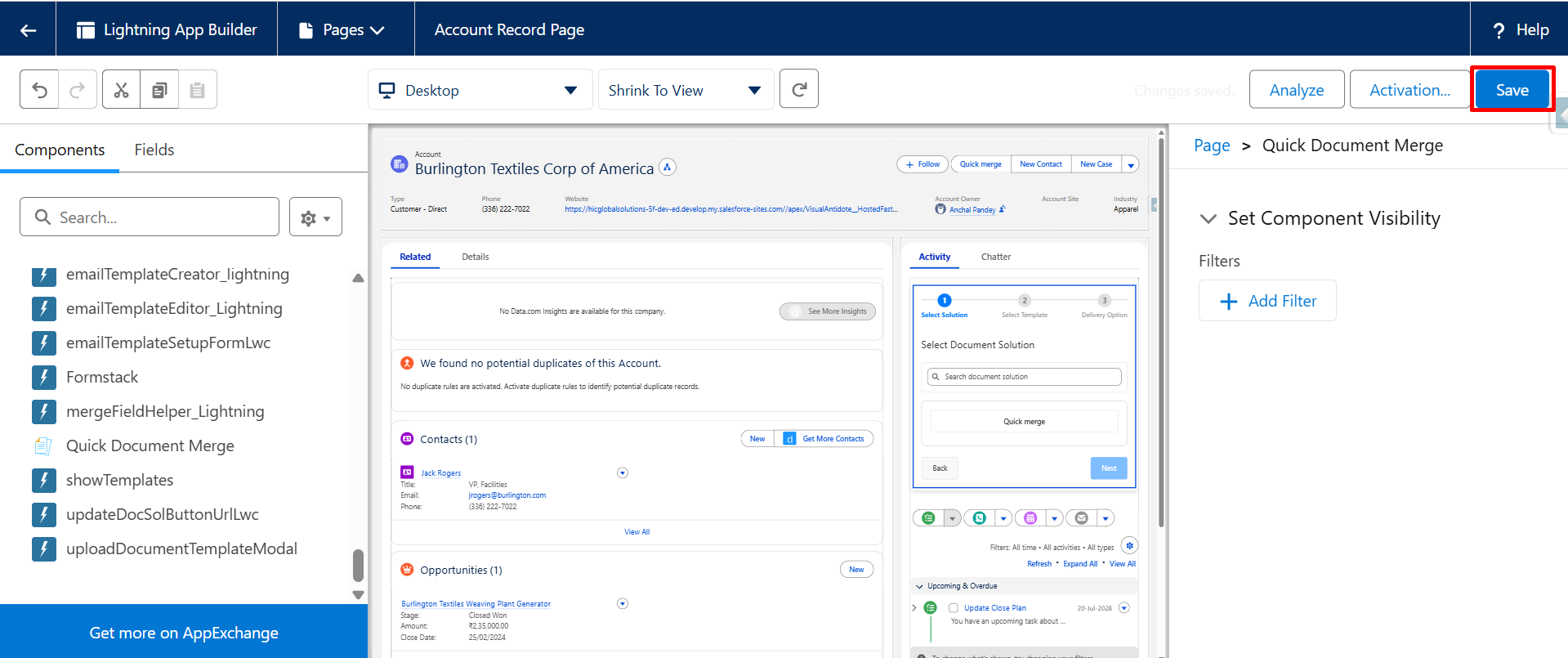
Step 5: Now, click on Save.
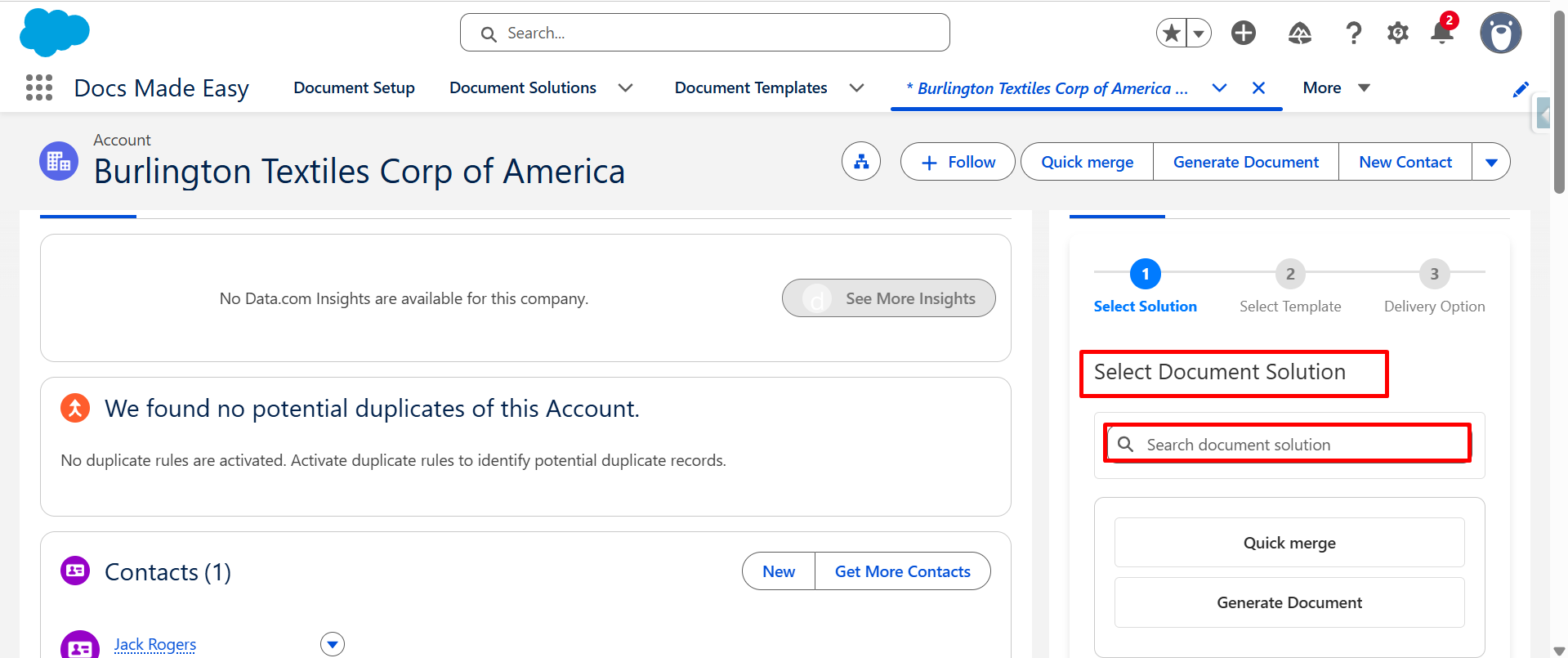
Step 6: From Select Document Solution, search for the required solution.
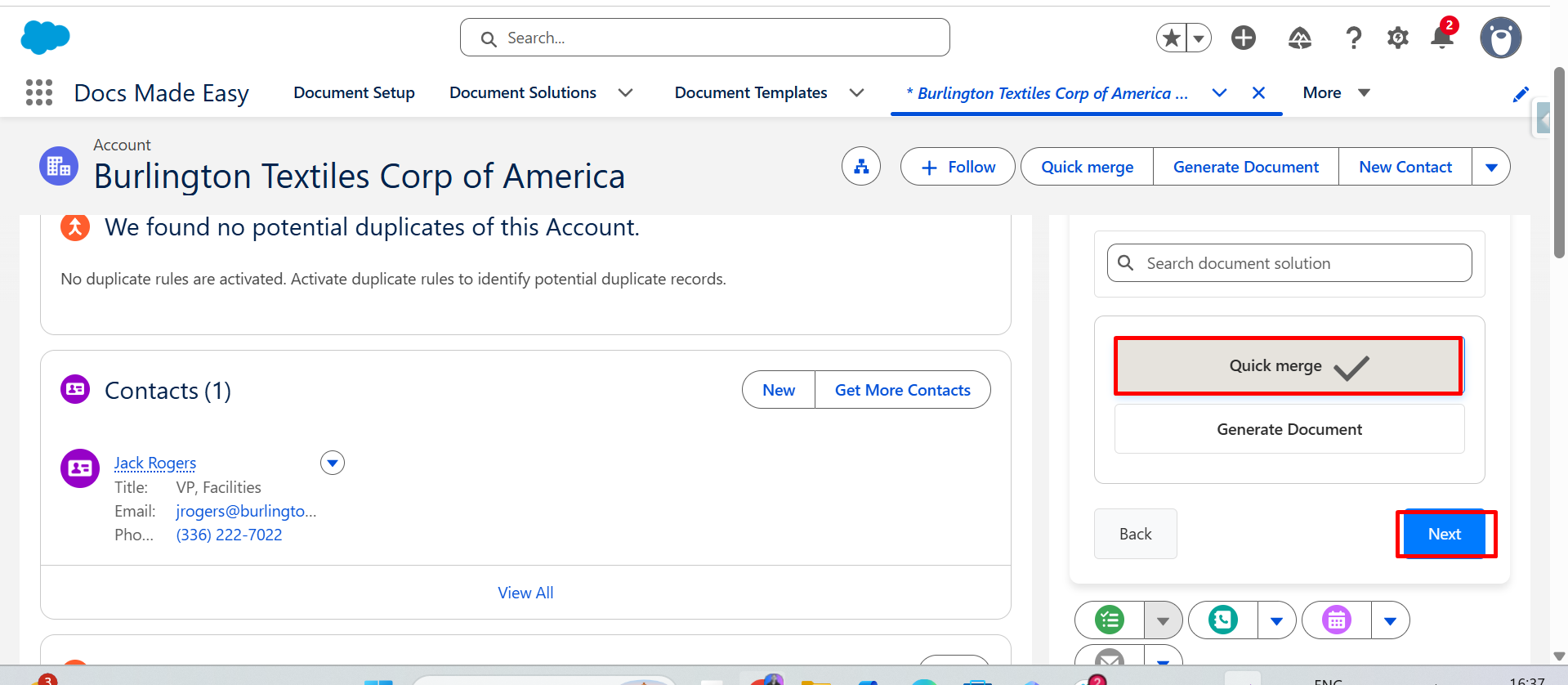
Step 7: Select the required solution; after that, click on Next.
Step 8: The template that is available in the selected solution will be displayed. Then click on the Next button.
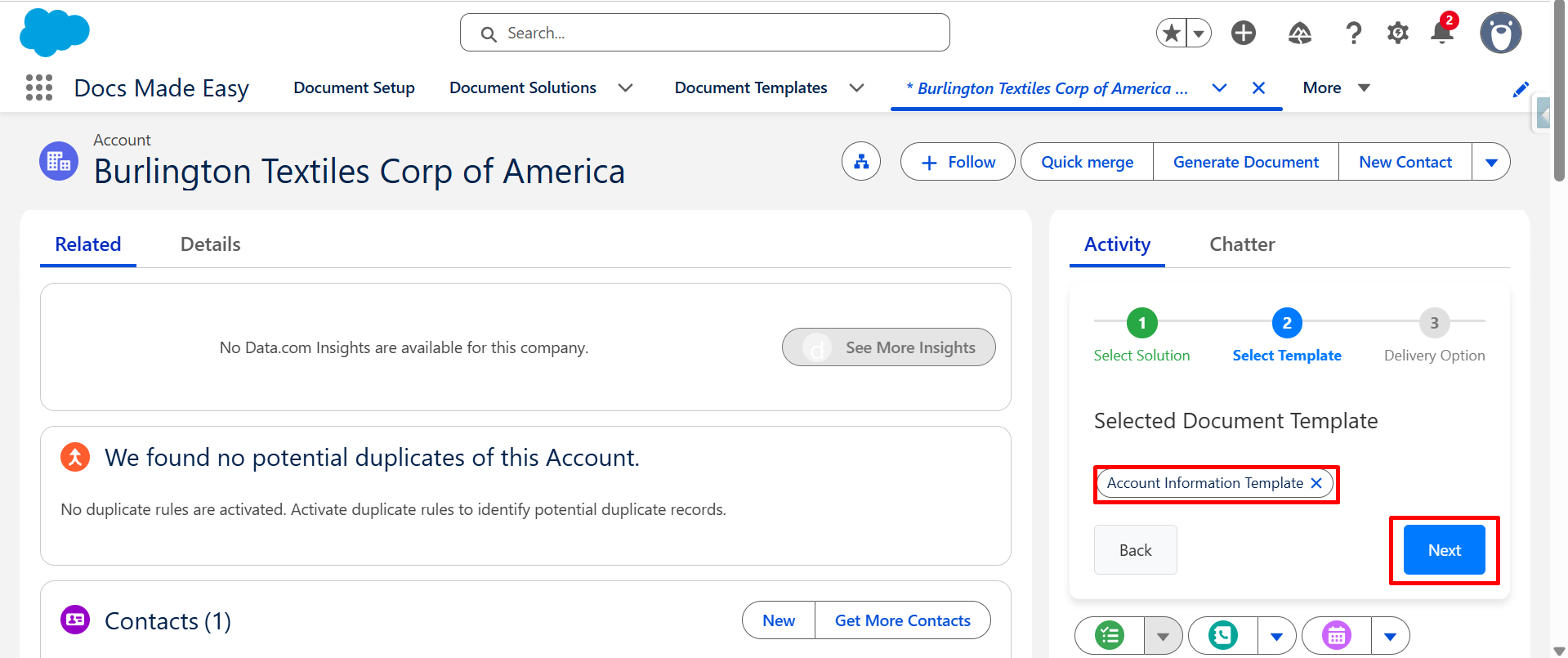
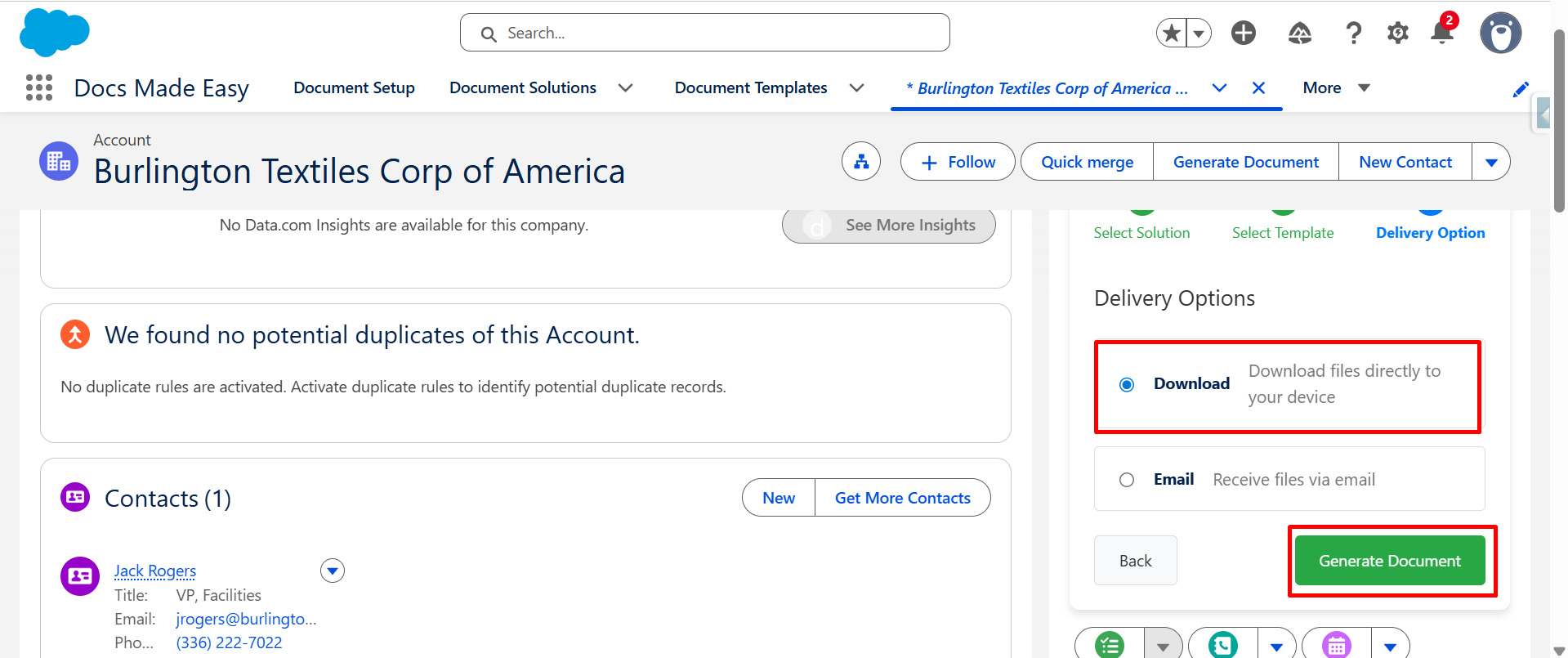
Step 9: Select the required Delivery Option.
- Currently, the Download option is selected, so the generated document will be downloaded directly to your system.
- Now click on the Generate document button.
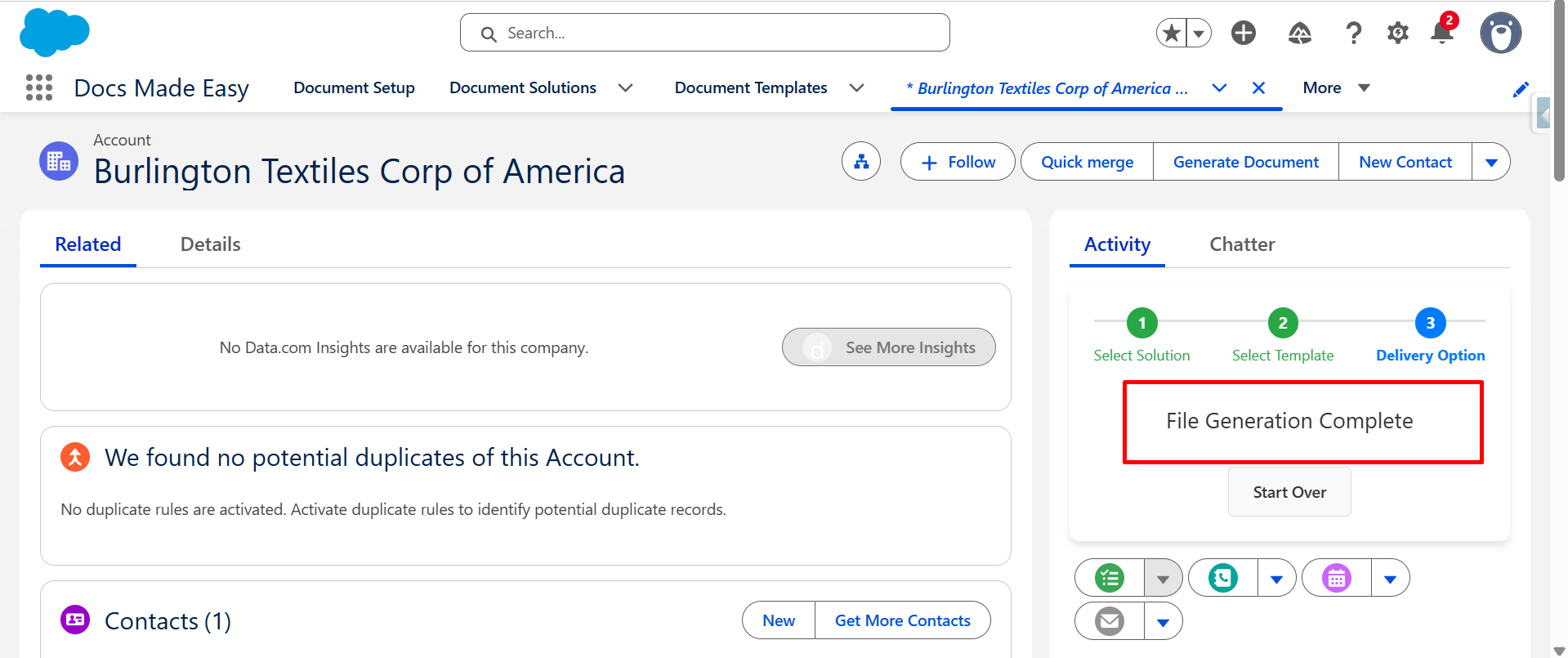
Step 10: After the document is generated successfully, the File Generation Complete message will be displayed.
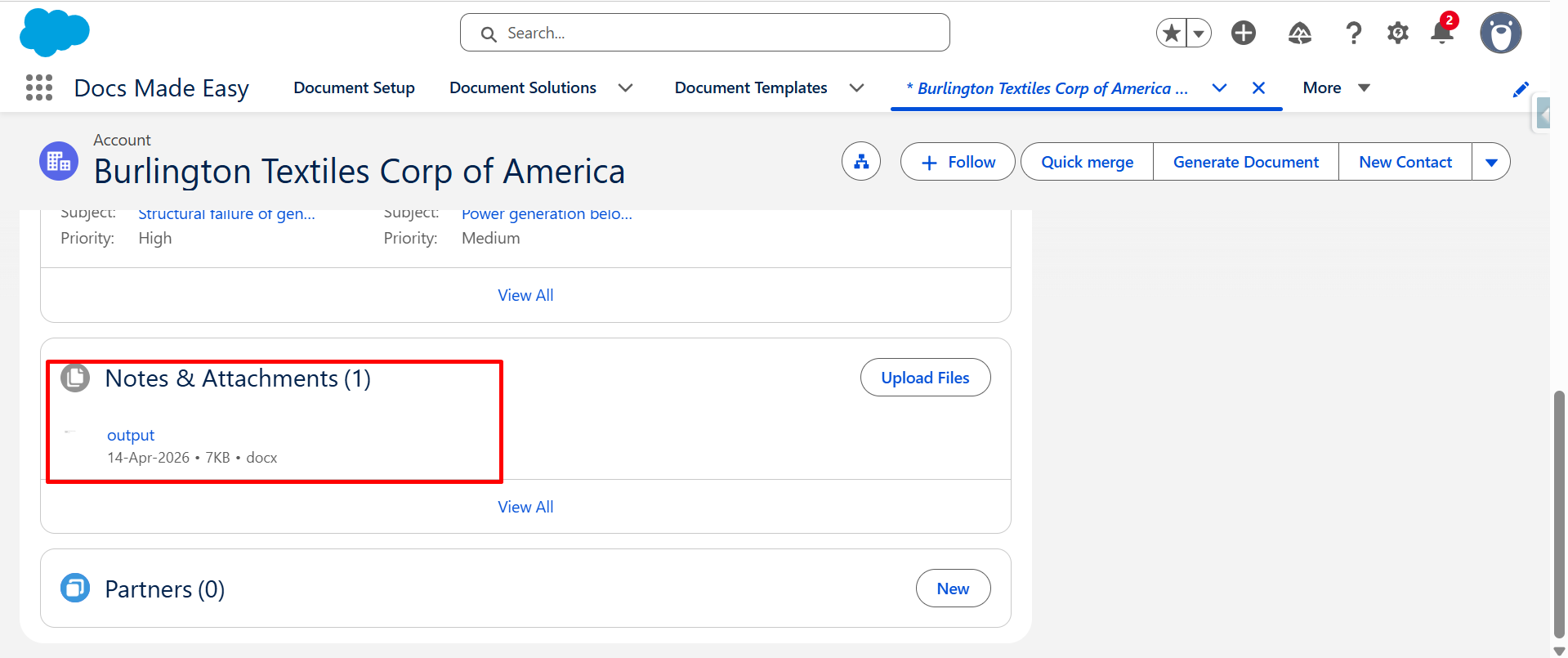
Step 11: The merged document will also be available in the Notes & Attachments section of the record.
Step 12: Open the generated document and review the merged details.
Conclusion
With Salesforce document solutions like Quick Document Merge, teams can create documents directly from Salesforce records without going through unnecessary steps. The process is simple and keeps the generated document connected to the record.
This makes document quick merge useful when you need to create and review documents quickly from Salesforce. It saves time, reduces manual work, and keeps the overall process easier to manage.
Frequently Asked Questions
Related Blogs
How to Generate & Send Documents for eSign in Salesforce
Sending a document for signature directly from Salesforce can make the approval process much easier, especially when you want to…
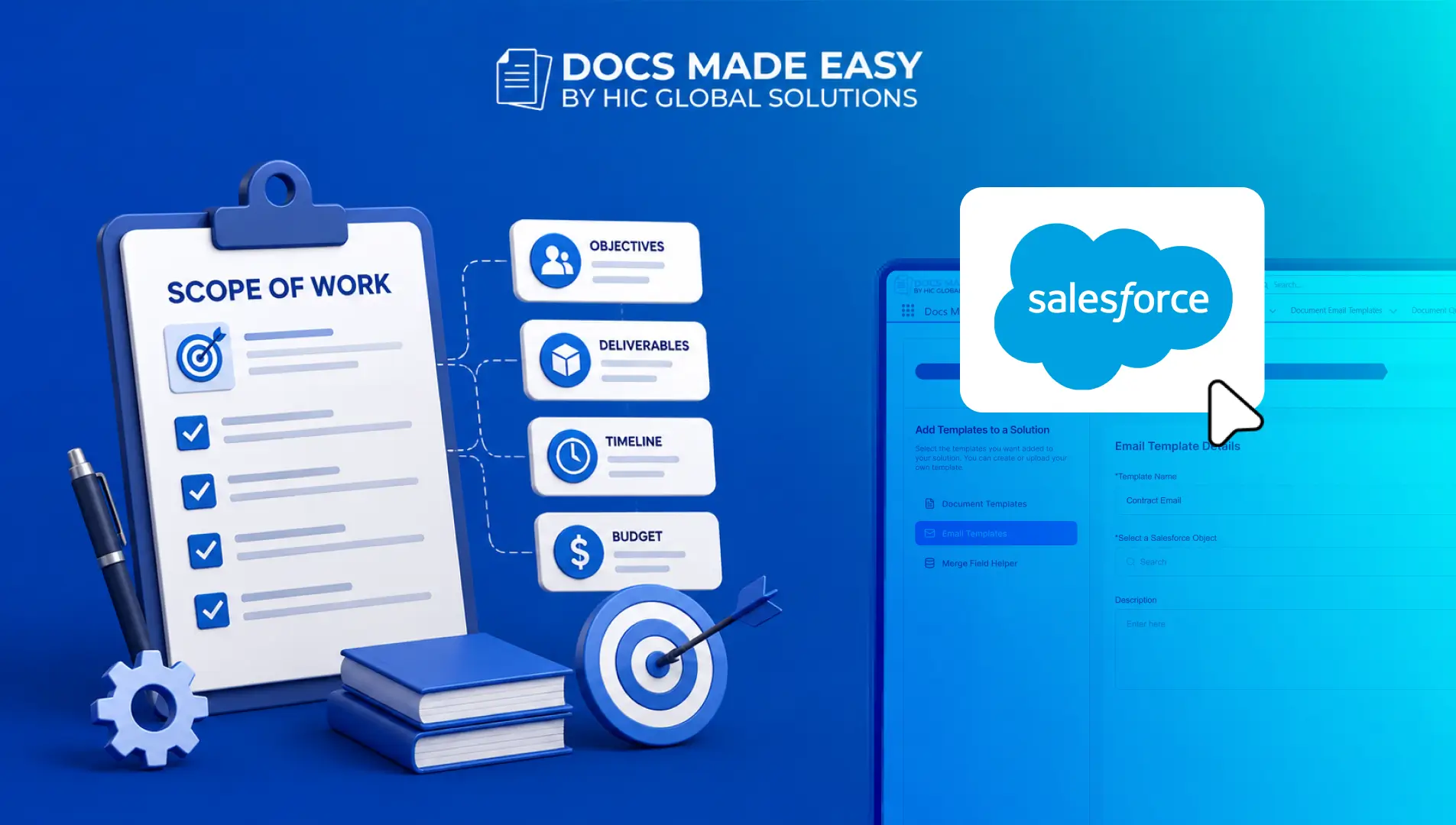
How to Create a Scope of Work (SOW) in Salesforce with Docs Made Easy
Creating a Scope of Work manually can take time, especially when information needs to be collected from Salesforce and added…
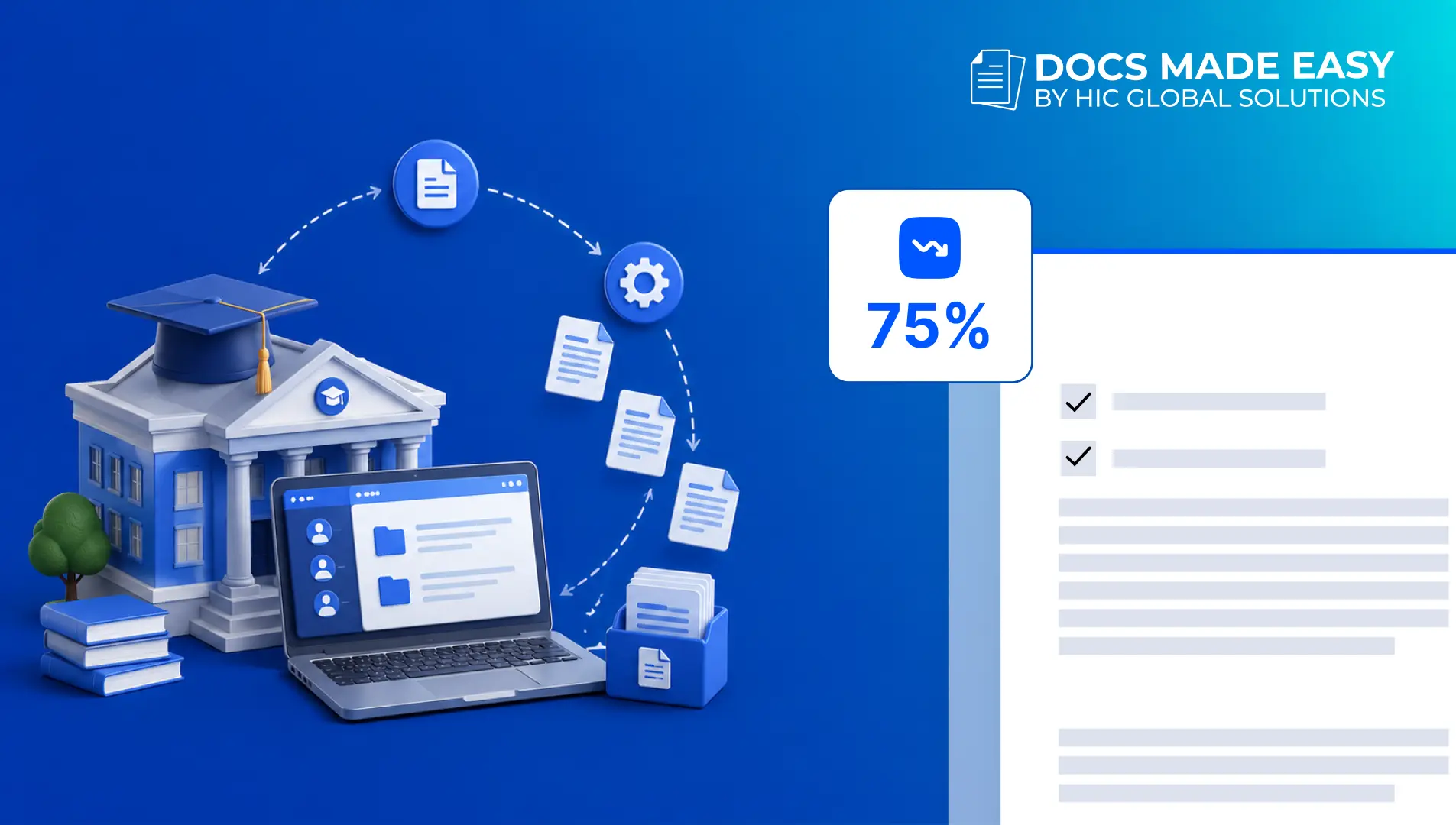
How Universities Reduce Administrative Work by 75% Using Automated Document Generation
Universities have a lot going on. Admissions, enrollment, student records, certificates, agreements, invoices, reports, and then there are probably ten…