Dynamic Document: The Future-Ready Shift in Salesforce Document Generation
Category :
Document Generation

Docs shouldn’t be complicated.
With Docs Made Easy, creating professional, Salesforce-powered documents is just a few clicks away.
Get Started NowAnyone who works inside Salesforce-driven environments understands a persistent tension: documents rarely keep pace with the data that created them. Numbers shift, approvals adjust, and information evolves far faster than the exported file sitting on someone’s desktop.
Users tolerated this disconnect for years: while the system evolved, the document remained static. This is where the Dynamic Word concept comes in.
The emergence of the Dynamic Word concept in Salesforce document generation finally addresses this longstanding misalignment. Essentially, it refers to dynamic documents that automatically update themselves using Salesforce-linked placeholders (merge tokens) to pull fresh data every time a document is generated.
Instead of leaving documents stranded in a static state, it creates a channel for them to stay aligned with the record they originated from.
It’s a subtle change but a significant one. In this blog, we will walk through what the Dynamic feature means for Salesforce document generation. Explore the best document automation tool and key features that set it apart.
What Is Dynamic Word and How Does It Relate to Documents?
A Dynamic Word in Salesforce is an intelligent, template-driven document framework that, in real time, connects Microsoft Word with Salesforce data. With the help of merge tokens or placeholders such as {{Account.Name}} and {{Contact.Email}}, within a Word template, automatically shows text, tables, images, files, and related records directly from Salesforce. This generates updated Salesforce documents such as contracts, quotes, reports, etc.
Think of Dynamic Word as a smart bridge between Salesforce and Microsoft Word, a bridge that keeps both sides in sync without you typing anything twice. So, Dynamic Word solutions typically rely on Salesforce-integrated add-ins that support bi-directional synchronization, ensure data integrity, and allow users to build templates using Word’s native interface.
What Dynamic Word Actually Does
- Pulls Salesforce data instantly into Word
- Let’s you build templates using Word’s familiar interface
- Ensures data consistency across your documents
- Supports batch generation for multiple records at once
A Dynamic Word is a component of the broader Dynamic Document concept in Salesforce. The Dynamic Document concept goes a step further; it ensures the entire document stays aligned with the record it came from. Instead of producing a static file that becomes outdated the moment Salesforce changes, Dynamic Documents keep everything in sync, making your templates smarter, your workflows cleaner, and your final documents.
How Dynamic Word Enhances Salesforce Document Generation
In straightforward terms, Dynamic Document allows a document to follow the most current truth in Salesforce. You can reopen it, refresh the content, and maintain accuracy without reconstructing the entire file. It adapts in a way that feels intuitive, almost overdue.
And there’s a reason the demand for something like this has quietly built up. According to the Drexel Lebow Center’s 2025 data‑integrity outlook reports, inadequate data‑quality processes are a major challenge, and many respondents rate their data quality as “average at best.”
Also, the Salesforce PDF generation tool allows users to create Microsoft Word templates with placeholders that automatically pull live data from an external source, such as Salesforce or any database or solution, and populate them in the template.
Metadata helps the template understand the structure of your Salesforce data: objects, fields, and relationships, so each placeholder pulls the right information automatically.
Where Dynamic Document Elevates Day-to-Day Work
As teams grow and workflows scale, the need for dependable, real-time information inside documents becomes impossible to ignore. A data‑quality report by WinPure shows that 70% of organizations have duplicate or inconsistent records, significantly hampering data reliability. Let’s check out how dynamic documents elevate businesses.
1. Ends the Revision Cycle
The old routine – download, adjust, resend, revise finally breaks.
A simple refresh ensures the content aligns with the current record, saving both time and energy.
2. Reduces Version Confusion
With a single source of truth feeding the document, there’s far less uncertainty.
Teams can rely on the text they’re reviewing because it mirrors what Salesforce holds at that moment.
3. Supports Human Editing Rhythm
People rarely complete documents in one sitting. Dynamic documents shape them in intervals, like a paragraph before a meeting, a revision later in the day, and a final check in the evening.
Dynamic Word accommodates that rhythm, keeping the underlying data intact through every update.
4. Strengthens Trust in Content
When everyone is working with synchronized, accurate content, collaboration becomes smoother.
Misalignment decreases, and discussions shift to decision-making instead of clarifications.
Now moving forward toward more innovations in Salesforce document management tools that might take place in the upcoming years.
Future Innovations Likely to Shape Salesforce Document Generation
Below are realistic, high-impact advancements that align with both current and futuristic Salesforce patterns and broader workflow evolution. These aren’t abstract predictions; they reflect natural progress the ecosystem is already edging toward.
1. Templates That Interpret Object Relationships Automatically
Template creation has traditionally required manual mapping.
Modern document engines already identify:
- Commonly linked fields,
- Recurring child-object patterns,
- Key details are typically included in documents for each record type.
This transforms template design from a structured setup exercise into something far more intuitive and supportive.
For example, if you are creating an Opportunity template, the system can automatically detect Opportunity Products and pull them in as a table, without you manually defining that relationship.
2. Intelligent Compliance Awareness Built Directly Into Templates
Industries governed by regulations often face risk when required clauses are missing or outdated.
Current document tools can quietly flag:
- Missing legal or regulatory sections,
- Outdated phrasing,
- Region-specific requirements,
- Mandatory disclaimers tied to record type or product.
It’s a natural extension of automated document logic, and one that significantly reduces operational exposure. With intelligent compliance logic embedded in your Word template, you can ensure automatic compliance in the final document.
For instance, if the contract is for a U.S. customer, the template automatically includes the FDA-required disclaimer.
3. Professionally Structured Record Summaries Generated Automatically
Converting Salesforce data activity into concise, client-ready summaries can be laborious.
Today’s document systems already compile:
- Timeline overviews,
- Financial snapshots,
- Case or service histories,
- Renewal indicators,
- Milestones and open actions
For instance, when you generate an Account Review document, the system can automatically produce a “Last 12 Months at a Glance” section that summarizes all interactions, deals, and open items of that specified duration.
4. Documents That Carry Their Own Rationale and Change History
As documents pass through teams, the reasoning behind changes often disappears.
Today’s tools can automatically include:
- Contextual explanations,
- Update reasoning,
- Version insights,
- Relevant field changes from the originating record.
The document does not carry heavy change logs, but it does carry meaningful context with it.
For example, if a discount percentage is changed in the quote, the document can add a small note explaining the adjustment, such as: “Updated due to revised renewal terms.”
5. Documents That Trigger Workflows Instead of Just Concluding Them
Documents now participate actively in workflows rather than merely reflecting them.
For example:
- Updating a clause may initiate an approval.
- Altering terms could schedule a follow-up task.
- Adjusting conditions might update linked records.
- Finalizing a section could initiate a renewal or billing process.
This transforms documents from passive outputs into dynamic actions within the Salesforce environment.
So, in point, when HR updates the “Offer Accepted” field inside the offer letter document, Salesforce automatically creates the employee onboarding checklist and alerts the IT team to prepare the new hire’s laptop.
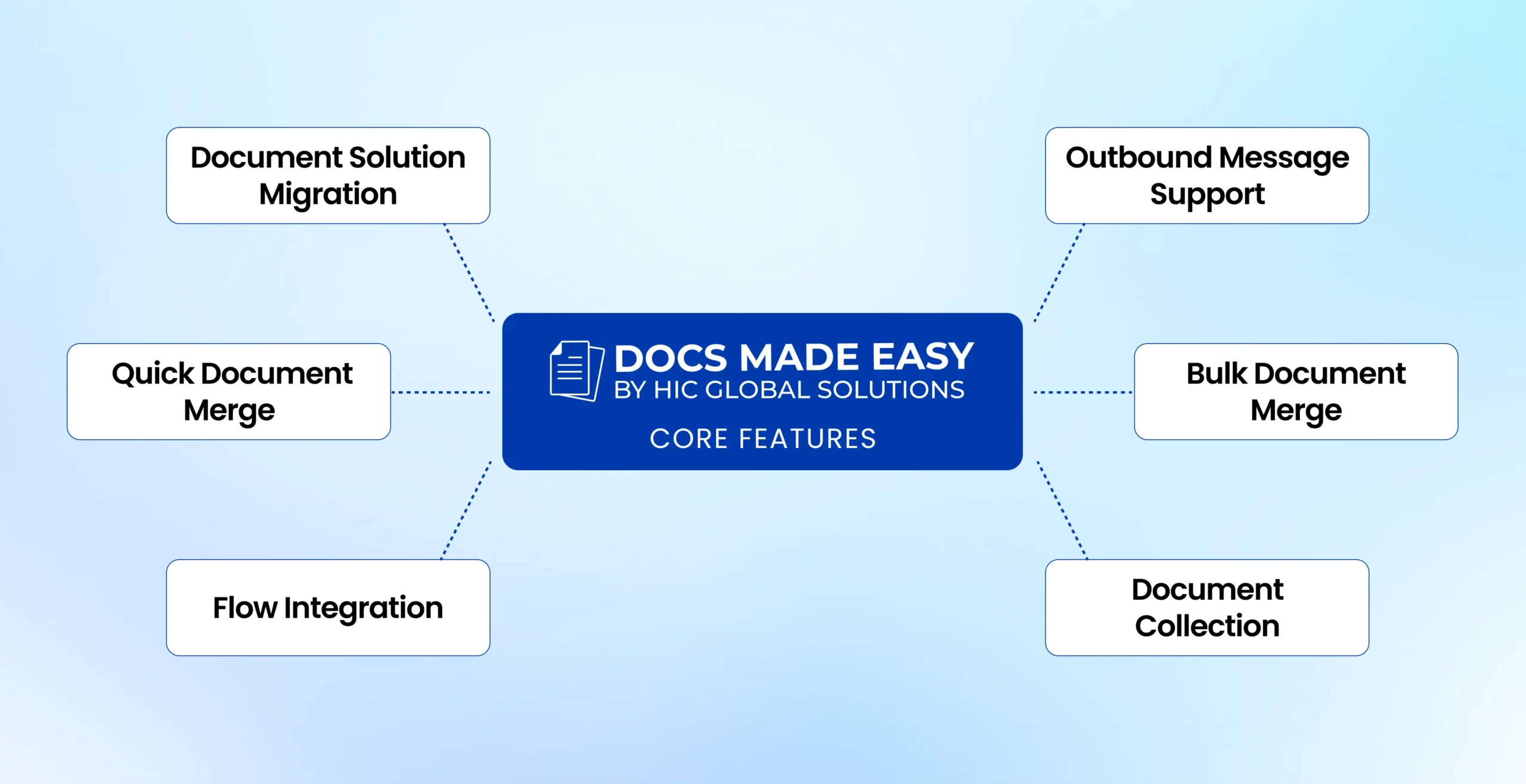
Documents today can do so much more than just sit in a folder; they can summarize data, trigger actions, etc. The best way to make this a reality is with Docs Made Easy, the tool that brings all your Salesforce document processes to life.
Docs Made Easy App: Current Capabilities and Ongoing Innovations
Every industry reaches a point where staying still becomes the most expensive decision. In document automation, that moment arrived long ago. As Salesforce continues to shift, expand, and embrace newer layers of intelligence, tools built on top of it must keep pace, not slowly, but consistently and with purpose.
With Docs Made Easy, the best Salesforce document generation tool, the approach has always been centered around one idea: keep the customer ahead of the curve, not chasing it. While the world is moving toward smarter, more adaptive document workflows, we’ve already integrated many of those advantages into our product, and we continue refining them as new possibilities emerge.
Dynamic documents and their automation are something that is rapidly changing the Salesforce workflow. To meet user expectations, Docs Made Easy provides advancements, especially in areas like dynamic document behavior and deeper workflow intelligence, adopting them in a way that brings tangible value.
The best part of this Salesforce document generation tool is that, as users often need to generate a document and get it signed in one seamless flow, this solution works hand-in-hand with the eSignature for Salesforce solution: Sign Made Easy. It allows you to generate documents and collect eSignatures directly within Salesforce.
Technology is moving quickly, so we don’t aim to overwhelm customers with unnecessary complexity. Instead, we work toward a product that feels natural inside the Salesforce ecosystem, something that grows with your org rather than forcing you to adjust to it.
A Final Perspective
Dynamic Word is more than a feature; it represents a shift toward documents that stay aligned, responsive, and relevant. It corrects a long-standing disconnect between static files and living data.
And the next few years will continue moving in this direction: documents that understand context, adapt gracefully, and quietly enhance the accuracy and flow of work.
Choosing the best Salesforce document generation is essential to avoid any inaccuracy at the end; you can choose Docs Made Easy to perfectly align your business needs. to open a new era of intelligent automation, where documents don’t just update, they anticipate what comes next.
Frequently Asked Questions
Related Blogs