How to Configure Document Solutions Parameters Using a Formula Field in Salesforce
Category :
How To

Docs shouldn’t be complicated.
With Docs Made Easy, creating professional, Salesforce-powered documents is just a few clicks away.
Get Started NowManaging multiple document templates in Salesforce can become challenging when different records require different document outputs. With document solutions, users can dynamically control template selection by using formula fields and parameter configurations.
This guide explains how to create a solution, configure the required Salesforce settings, and add a formula field API name in document solutions parameters. By using Salesforce document generation, businesses can automate document creation while ensuring the right templates are generated based on record-specific requirements.
Before starting, make sure you have created the required formula field and have access to configure Salesforce objects, layouts, and templates.
Steps to Configure Document Solutions Parameters
Follow these steps to create a solution and add the formula field API name in Document Solutions Parameters:
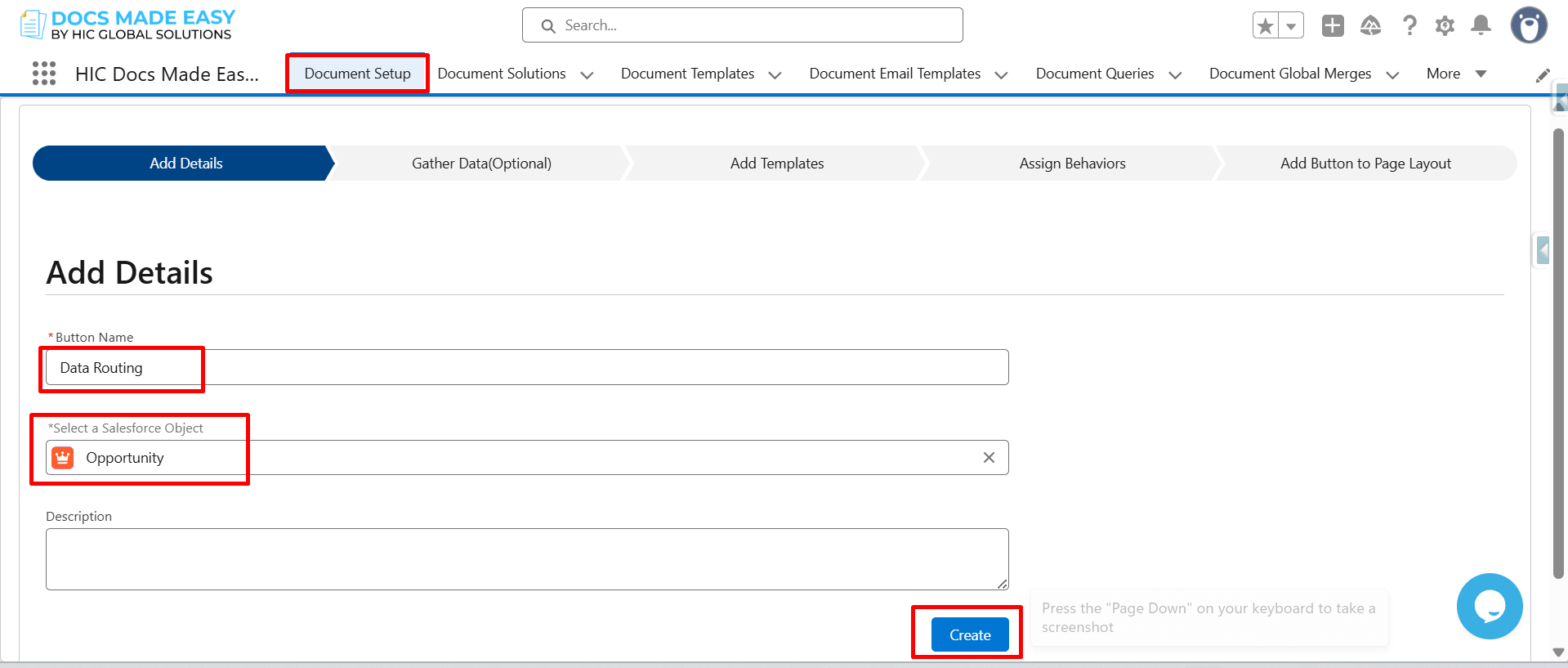
Step 1: Enter the Button Name, select the Salesforce Object, and click Create.
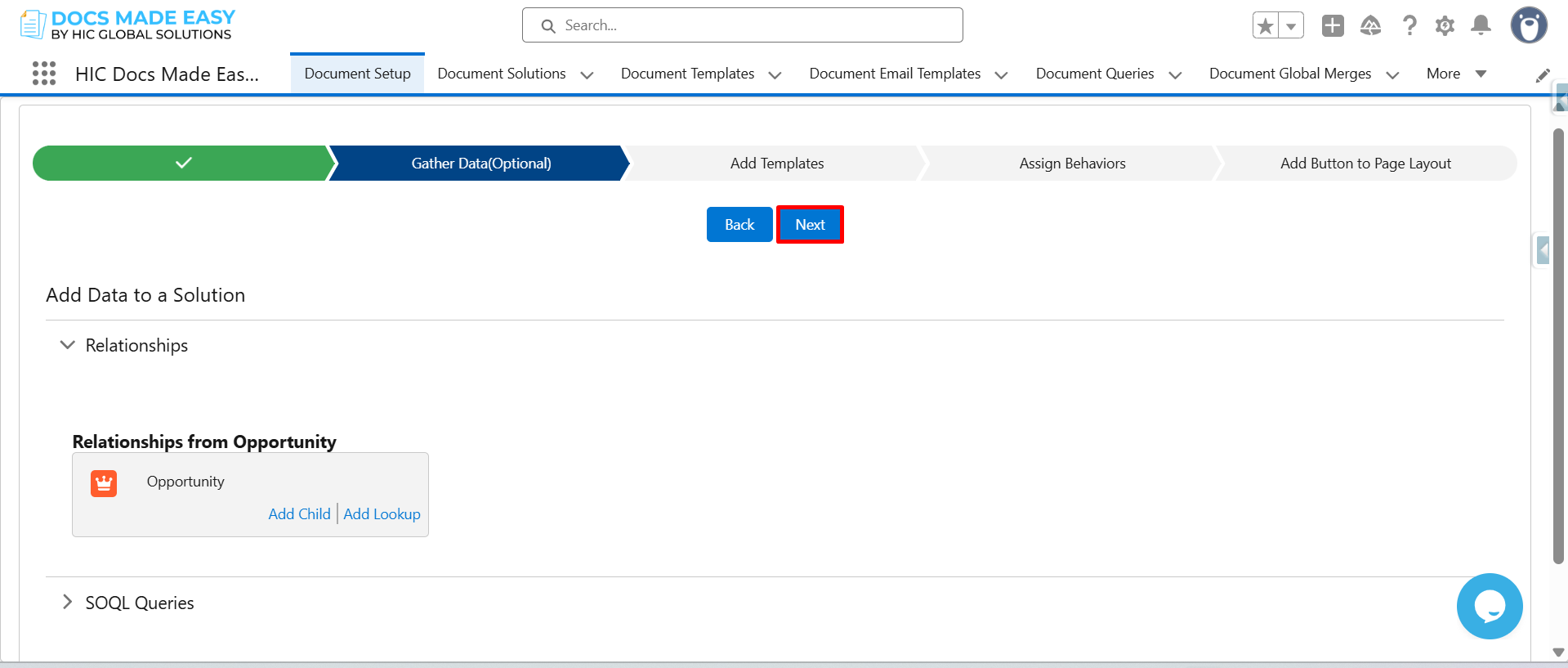
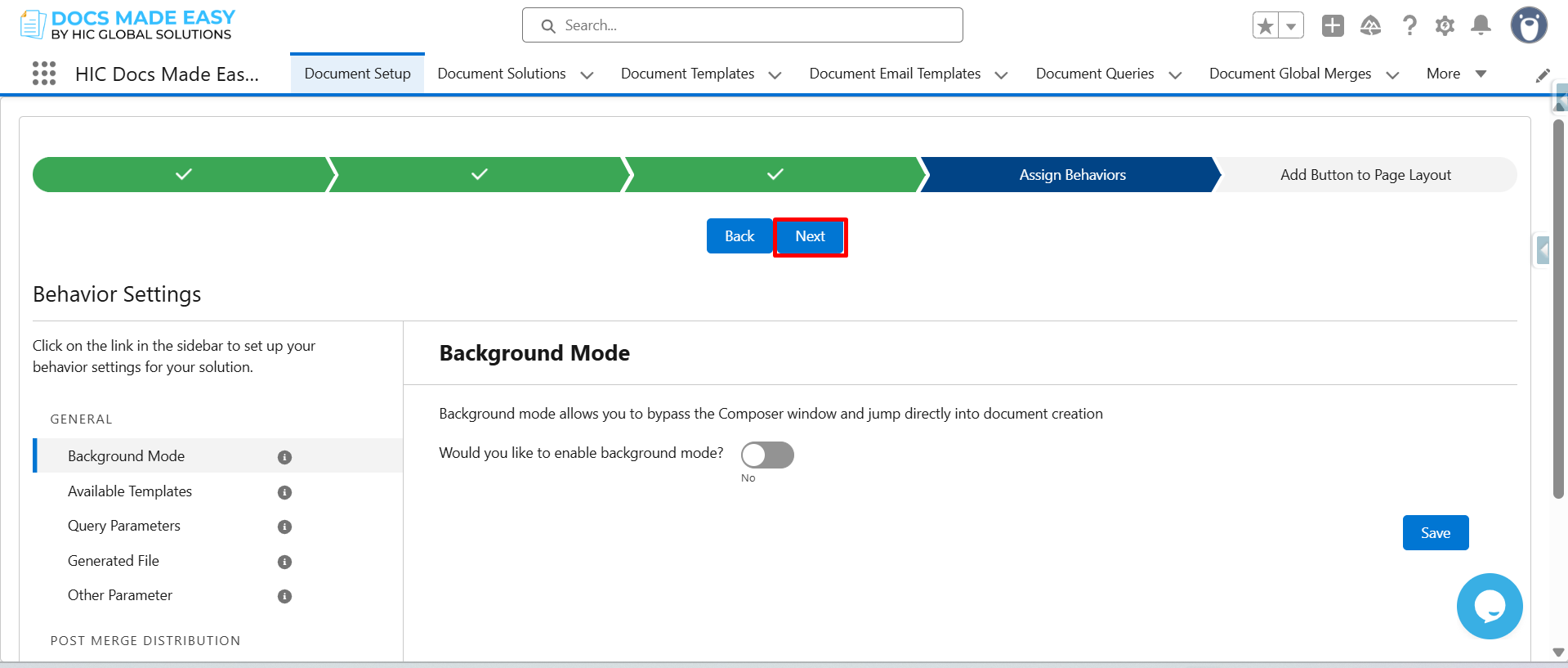
Step 2: Click on Next.
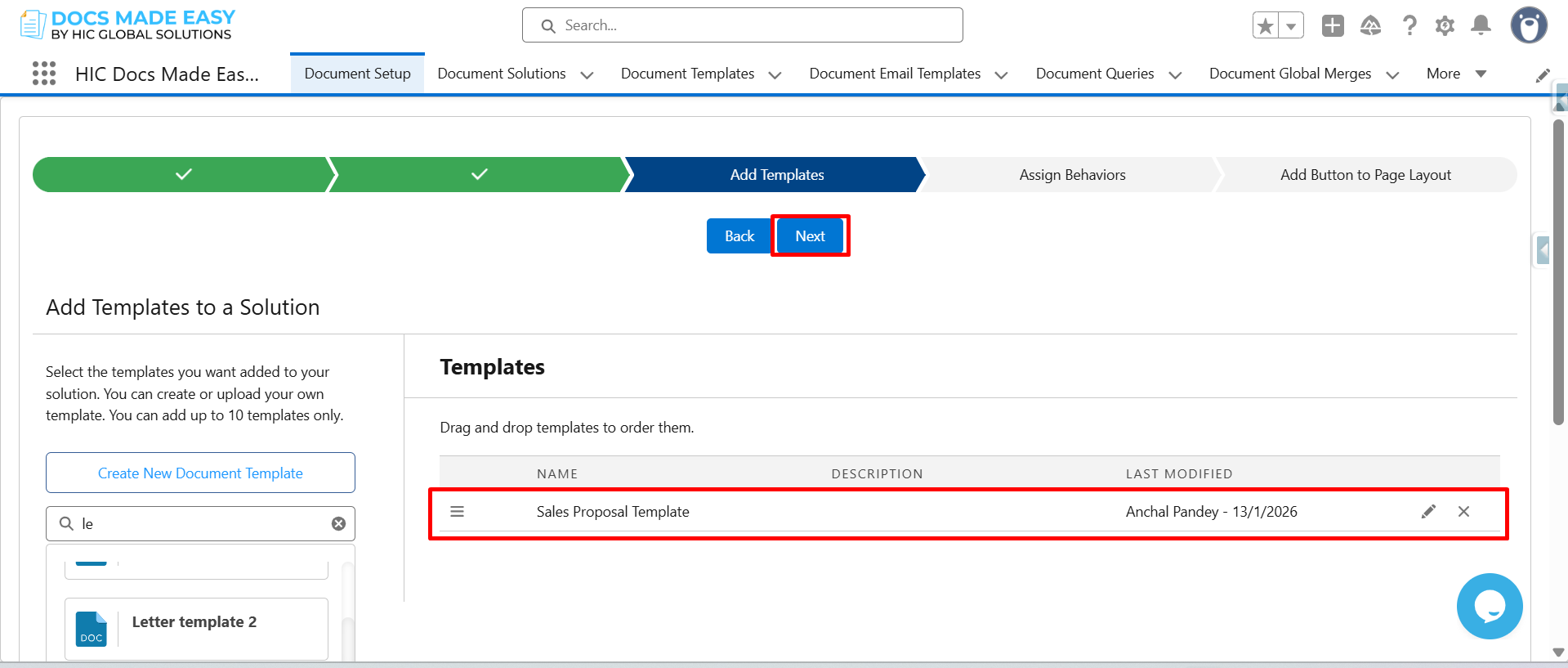
Step 3: Add template and click on Next.
Step 4: Again click on Next.
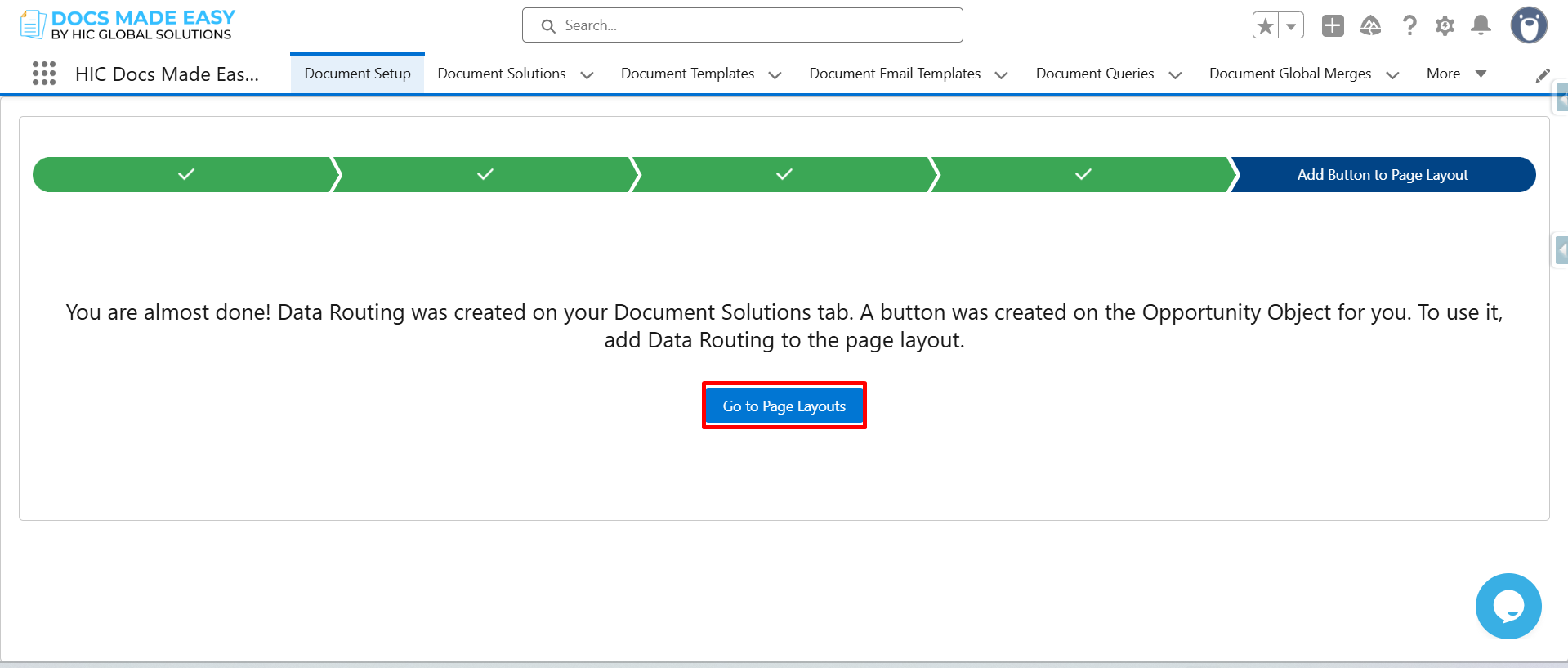
Step 5: Click on Go to Page Layout.
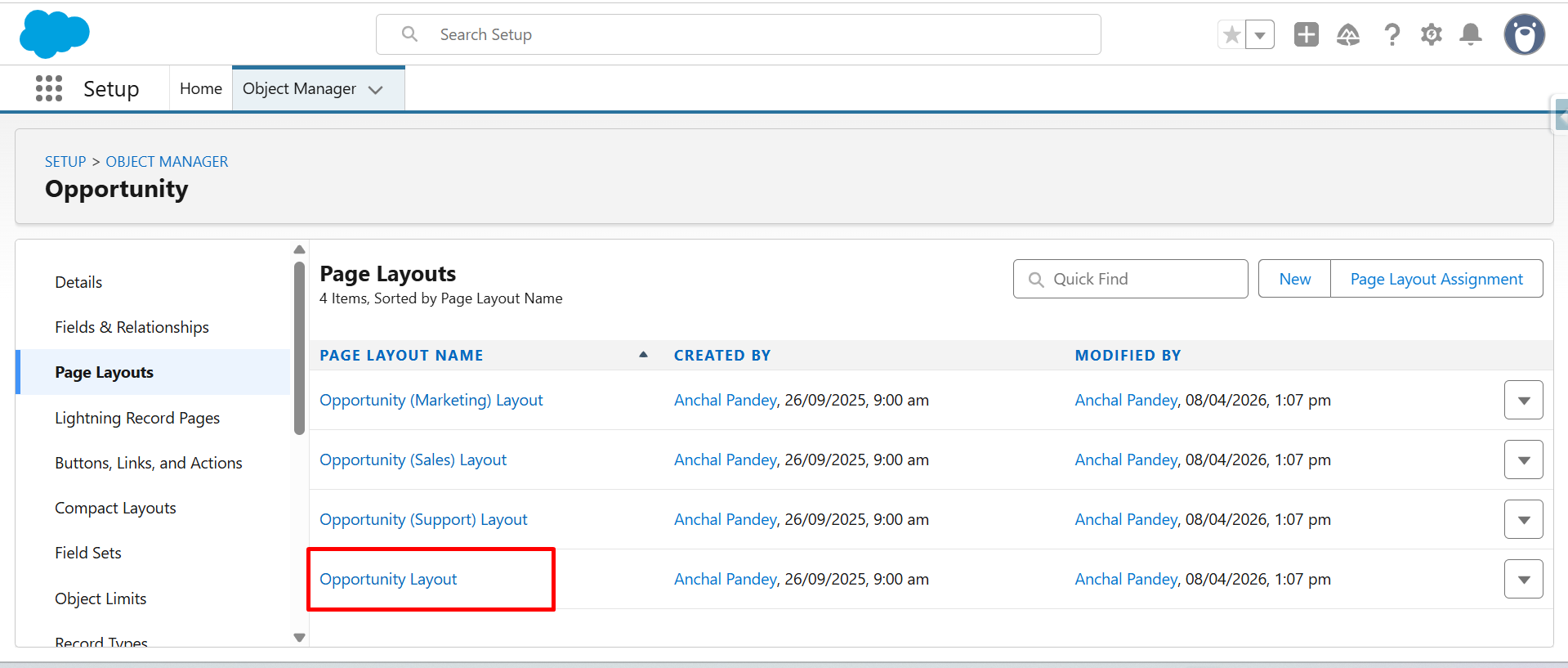
Step 6: Now, open the Opportunity Layout.
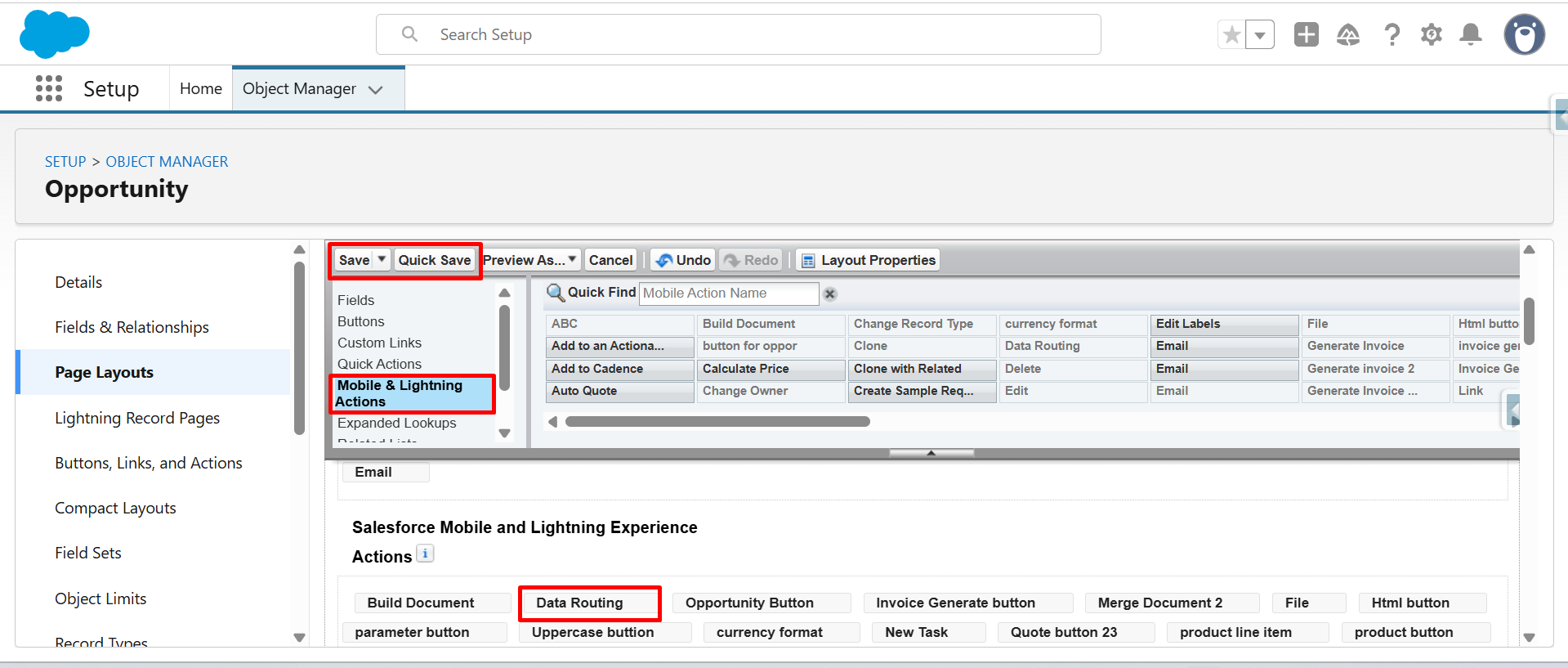
Step 7: From Mobile & Lightning Actions drag and drop the Data Routing button in Salesforce Mobile and Lightning Experience Actions.
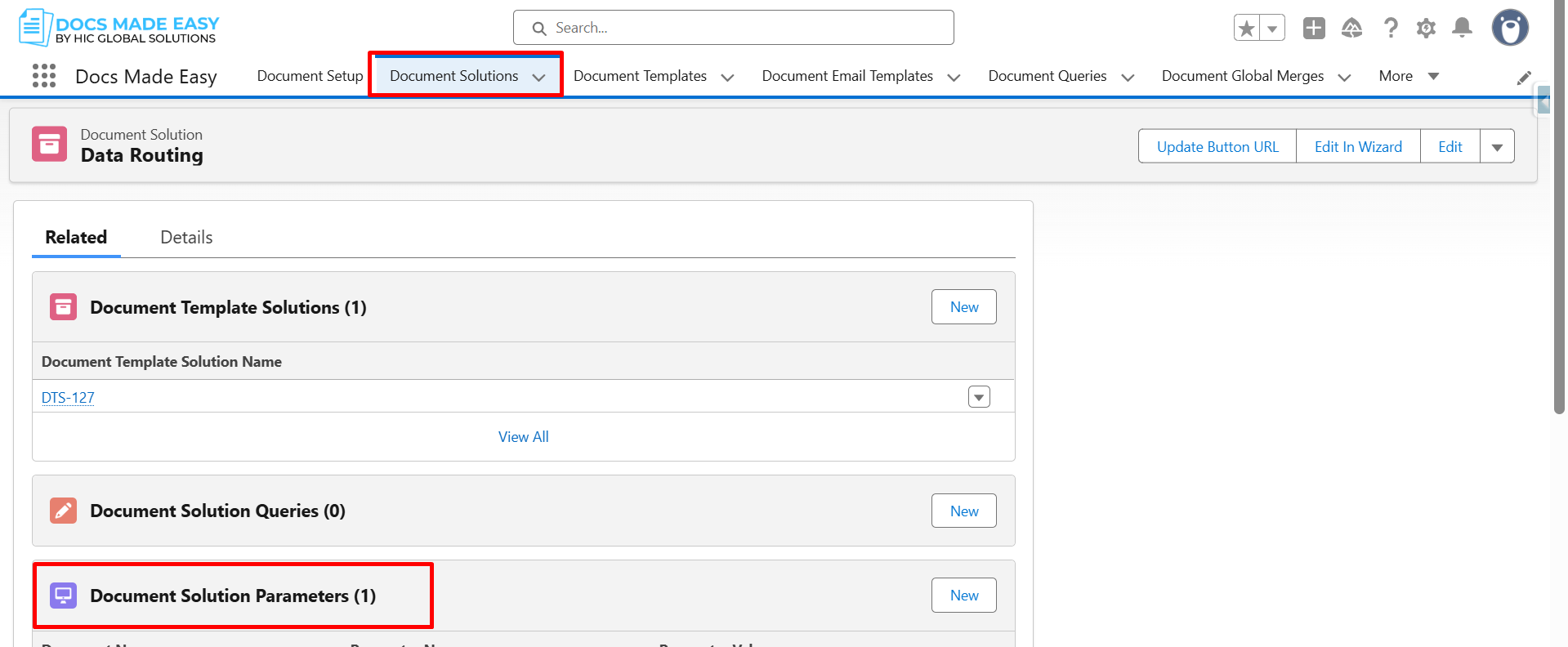
Step 8: Open Document Solutions, navigate to the Related tab, and click Document Solutions Parameters.
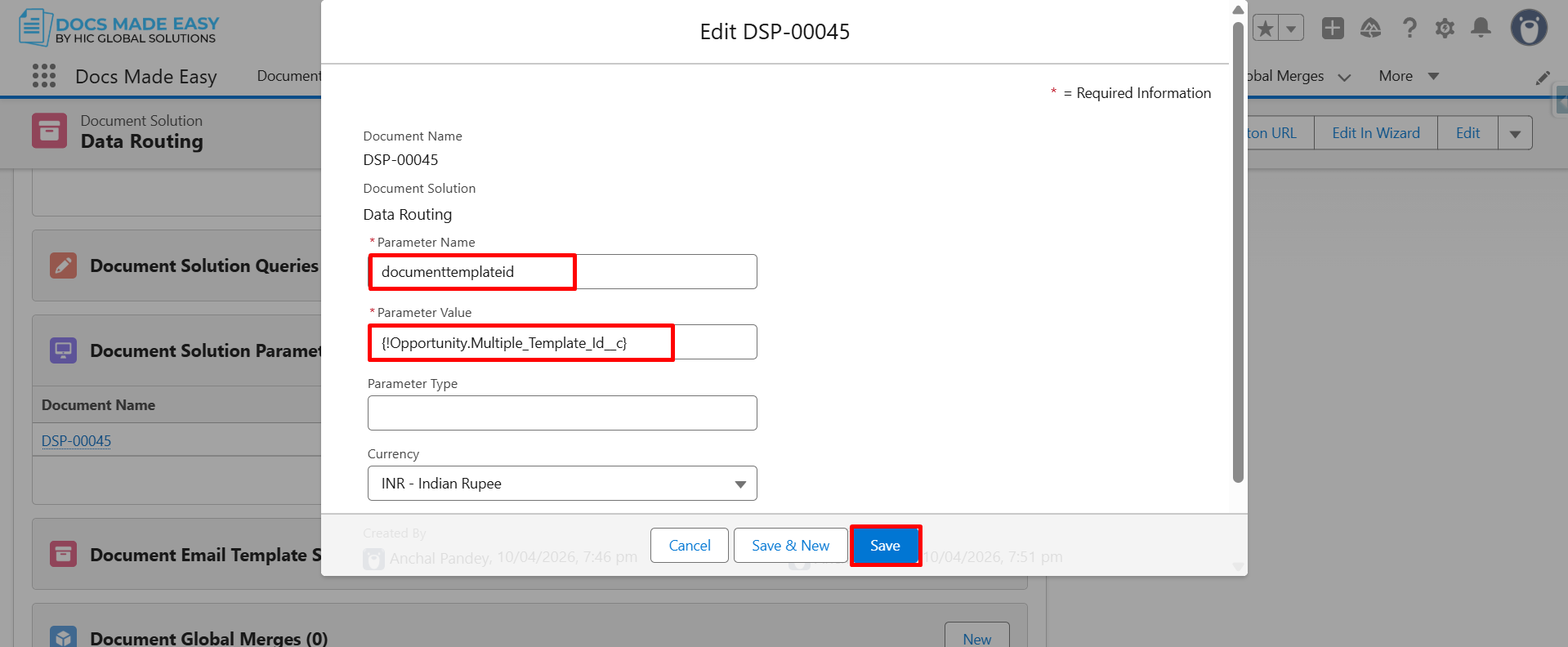
Step 9: Enter DocumentTemplateId in the Parameter Name field, and enter {Opportunity.Multiple_Template_Id__c} in the Parameter Value field.
Conclusion
Using document solutions with formula field parameters allows businesses to create flexible and automated document workflows in Salesforce. By configuring template IDs dynamically, users can generate the right documents without manually selecting templates every time.
With effective Salesforce document templates, organizations can improve document accuracy, simplify workflows, and make their document creation process more efficient. This approach helps teams get more value from Salesforce document generation while maintaining a smooth and scalable document automation experience.

Top Companies Trust Docs Made Easy What’s Stopping You?
Frequently Asked Questions
Related Blogs
How to Generate & Send Documents for eSign in Salesforce
Sending a document for signature directly from Salesforce can make the approval process much easier, especially when you want to…
How to Generate Salesforce Documents Using Quick Document Merge
Creating Salesforce documents does not have to involve multiple steps or moving between different tools. With Quick Document Merge, you…
How to Create a Scope of Work (SOW) in Salesforce with Docs Made Easy
Creating a Scope of Work manually can take time, especially when information needs to be collected from Salesforce and added…