How to Create a Static Resource in Salesforce for Document Generation
Category :
How To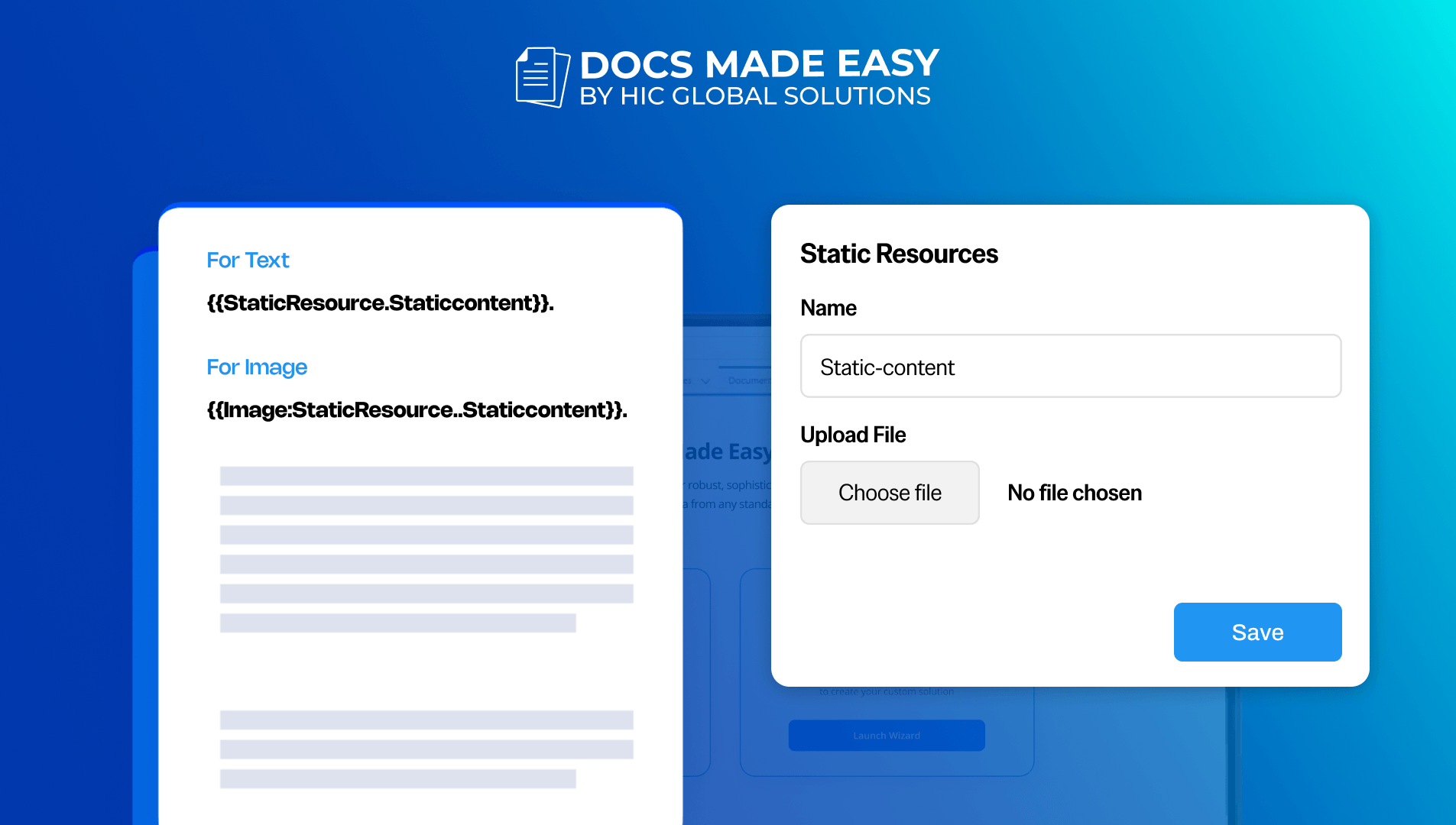

Docs Made Easy Proudly Featured by Salesforce
With Docs Made Easy, creating professional, Salesforce-powered documents is just a few clicks away.
Explore Now!Creating static resources in Salesforce is important when you need to store reusable files like images, text files, or HTML content for document generation. It helps maintain consistency across templates and ensures assets are centrally managed. In this guide, we will go through the steps to create and use static resources to support Salesforce document generation effectively.
Step 1: Login to Salesforce.
Step 2: In the Quick Find box, type Static Resources. Then click Static Resources under Custom Code.
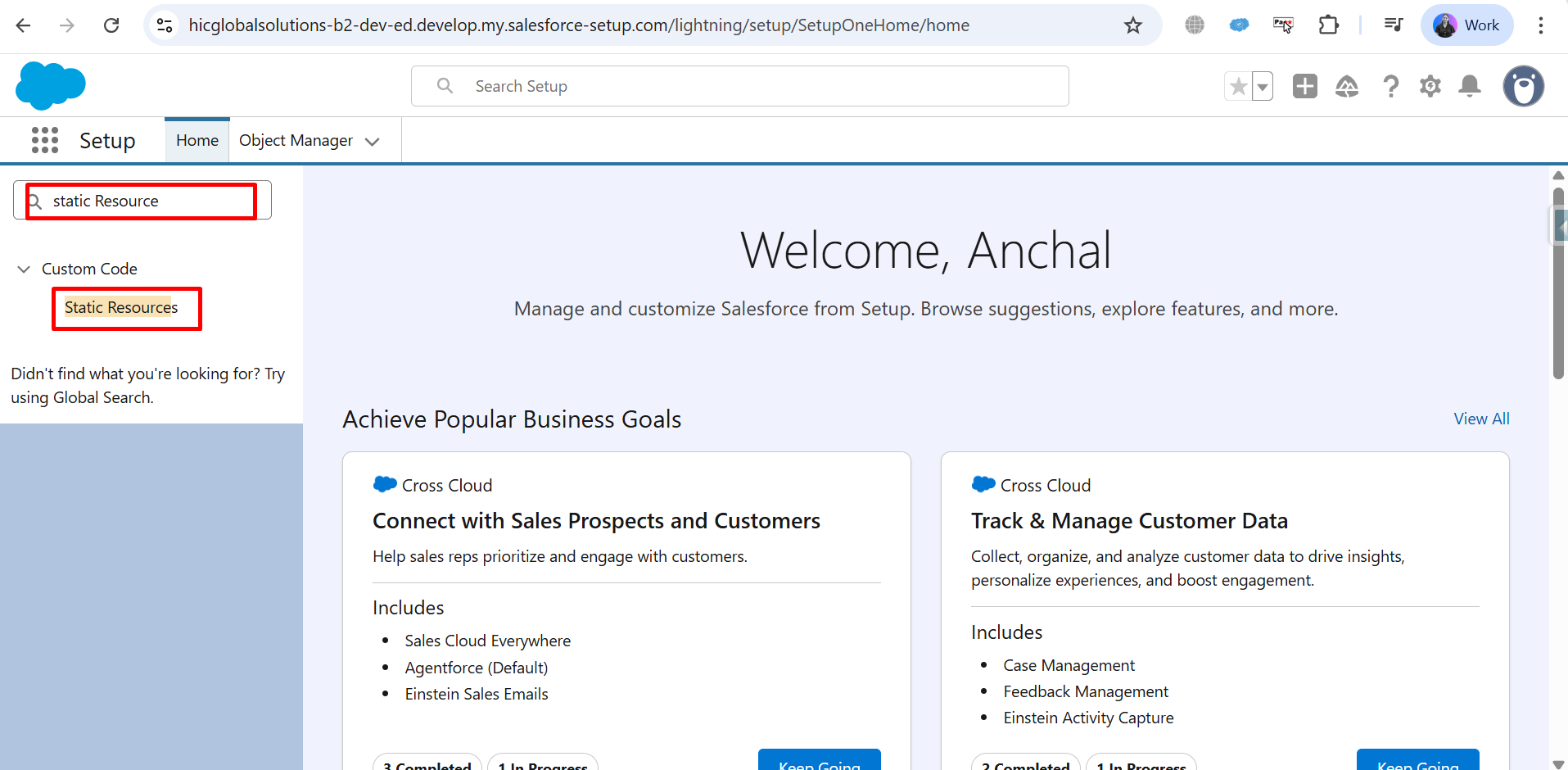
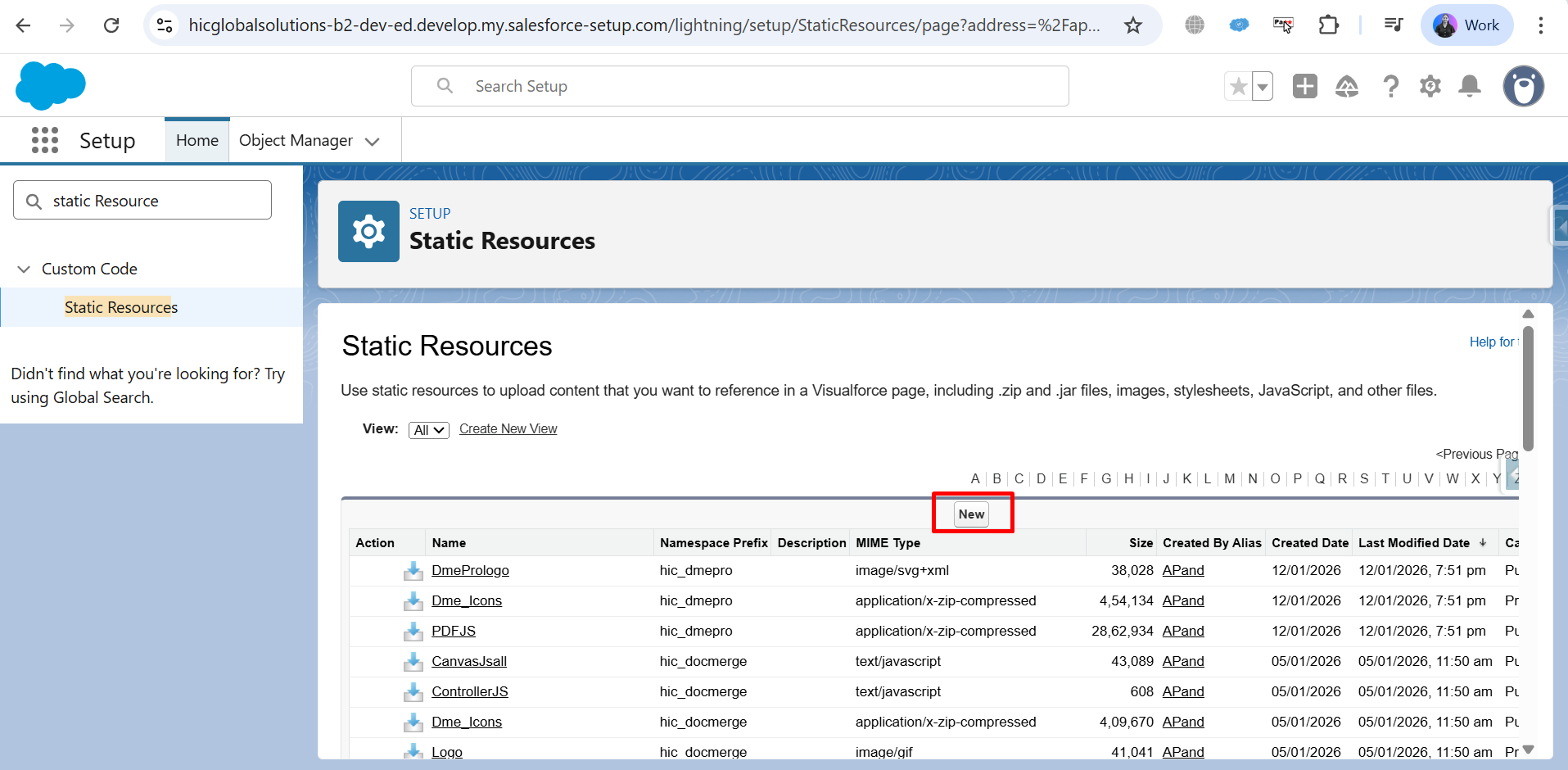
Step 3: On the Static Resources page, click the New button.
Step 4: Enter Static Resource Details.
Name: Enter Name (e.g., Staticcontent).
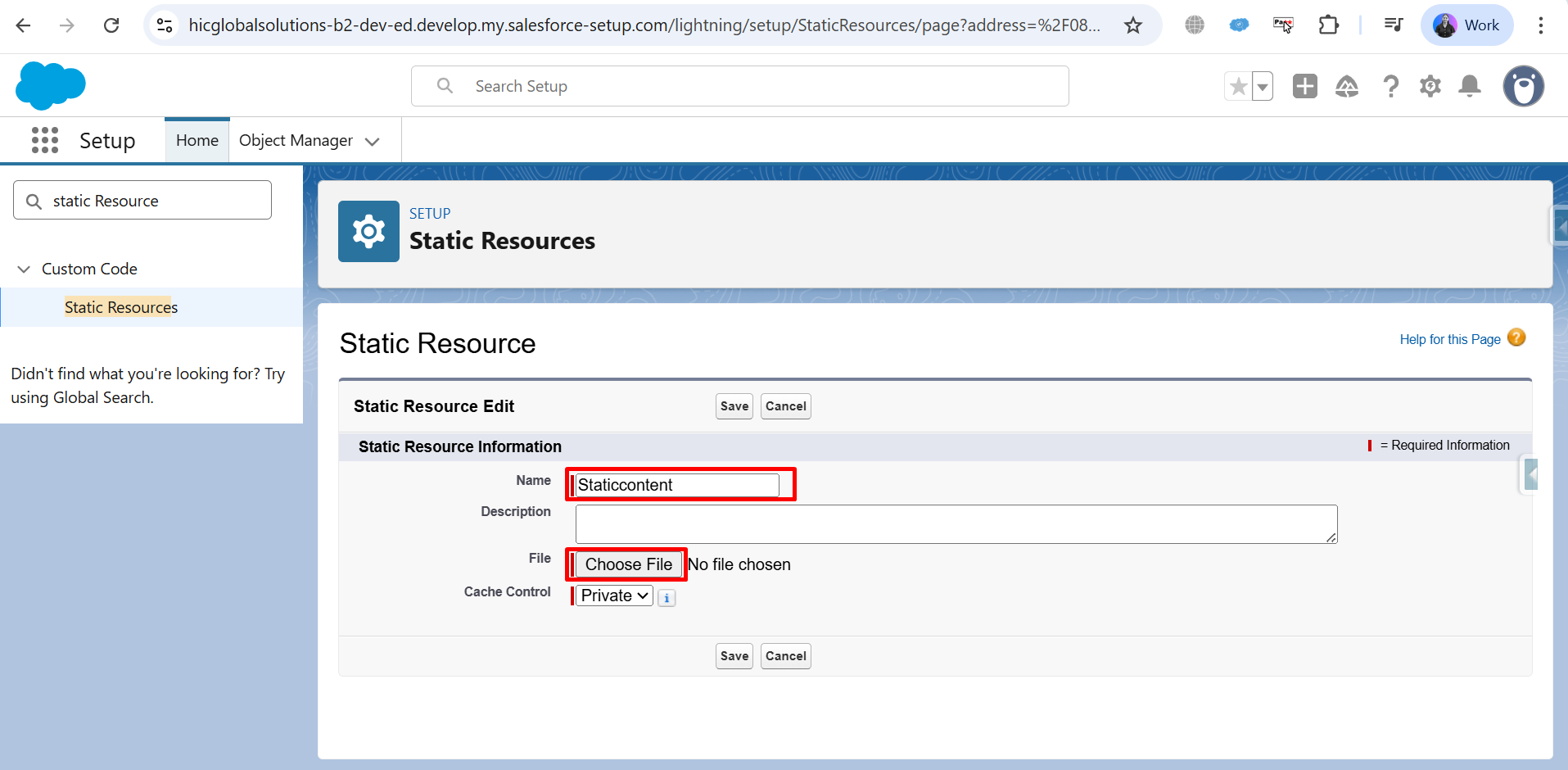
Step 5: File: click Choose File and upload your file (e.g.txt., Image).
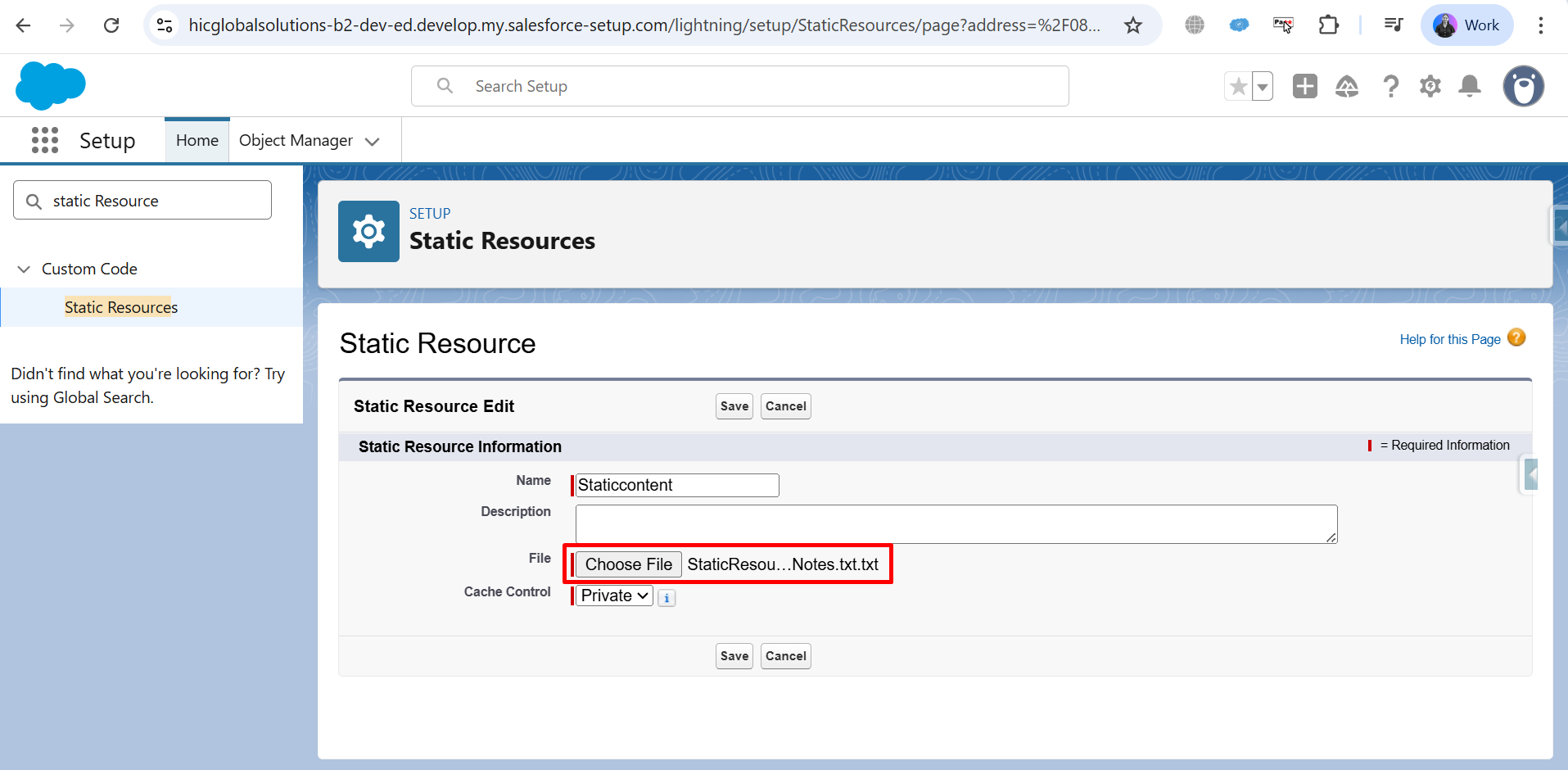
Step 6: Click save.
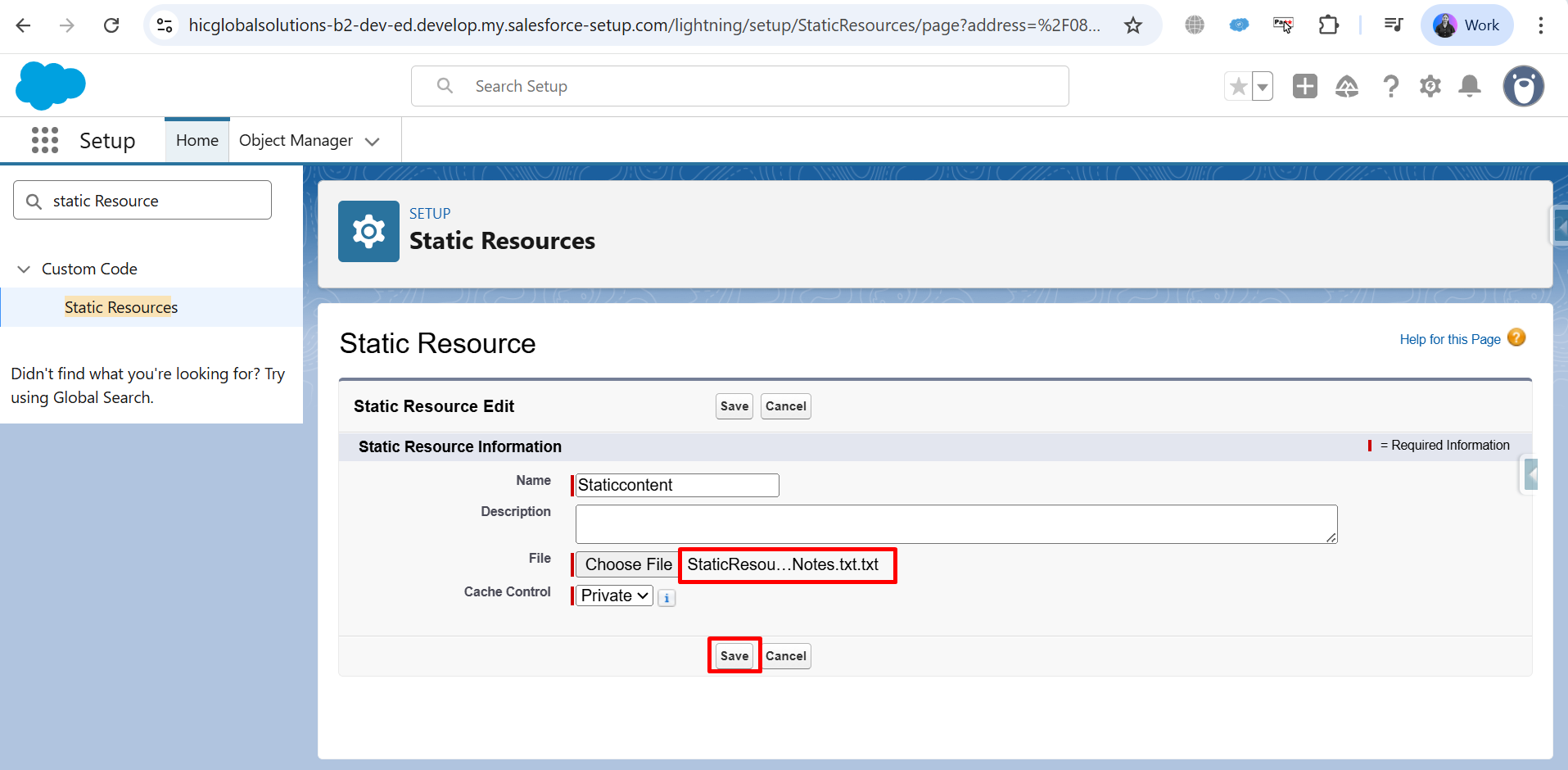
Step 7: The static resource has been saved successfully.
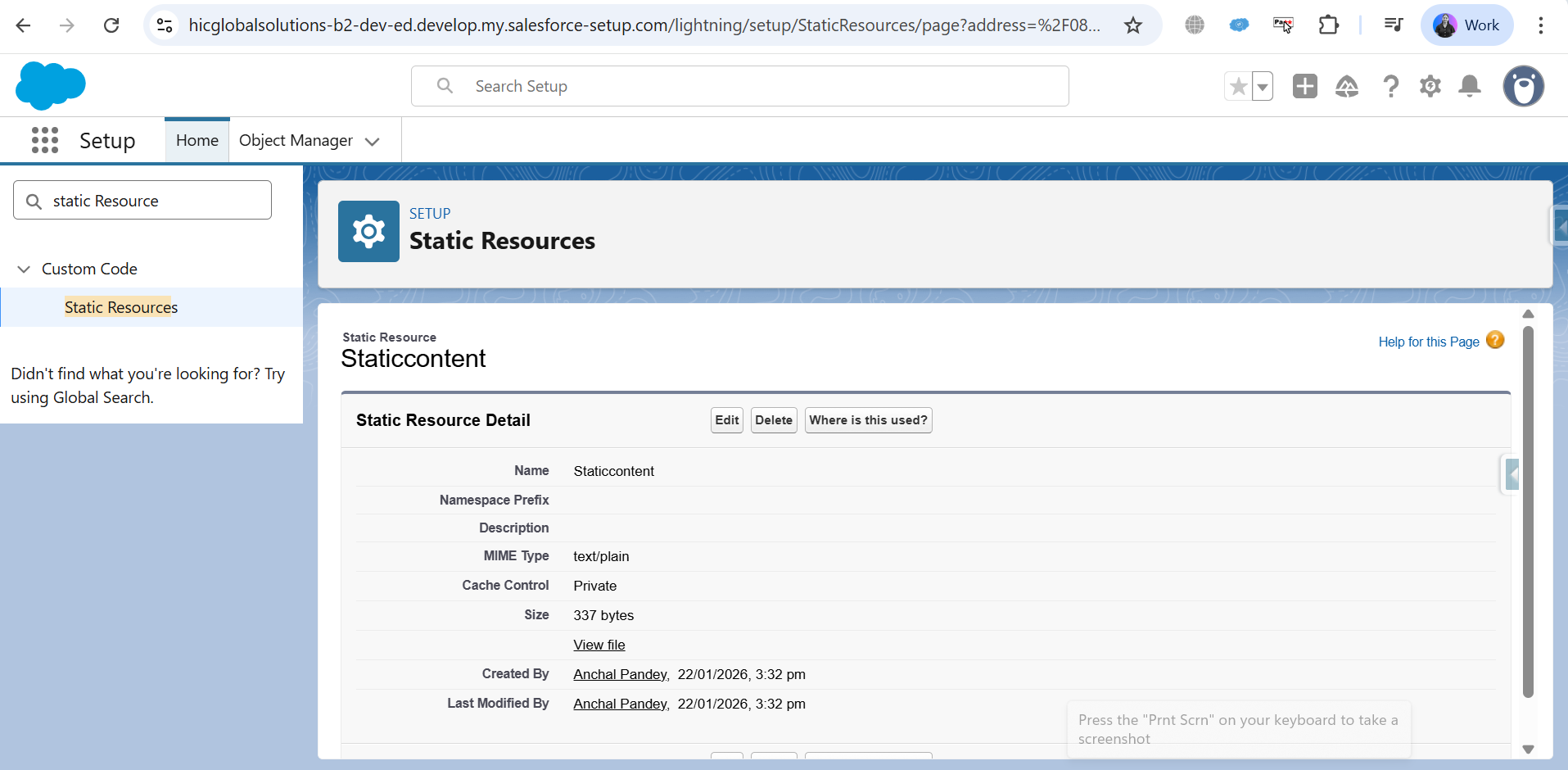
Step 8: Copy the Name (for example: Staticcontent).
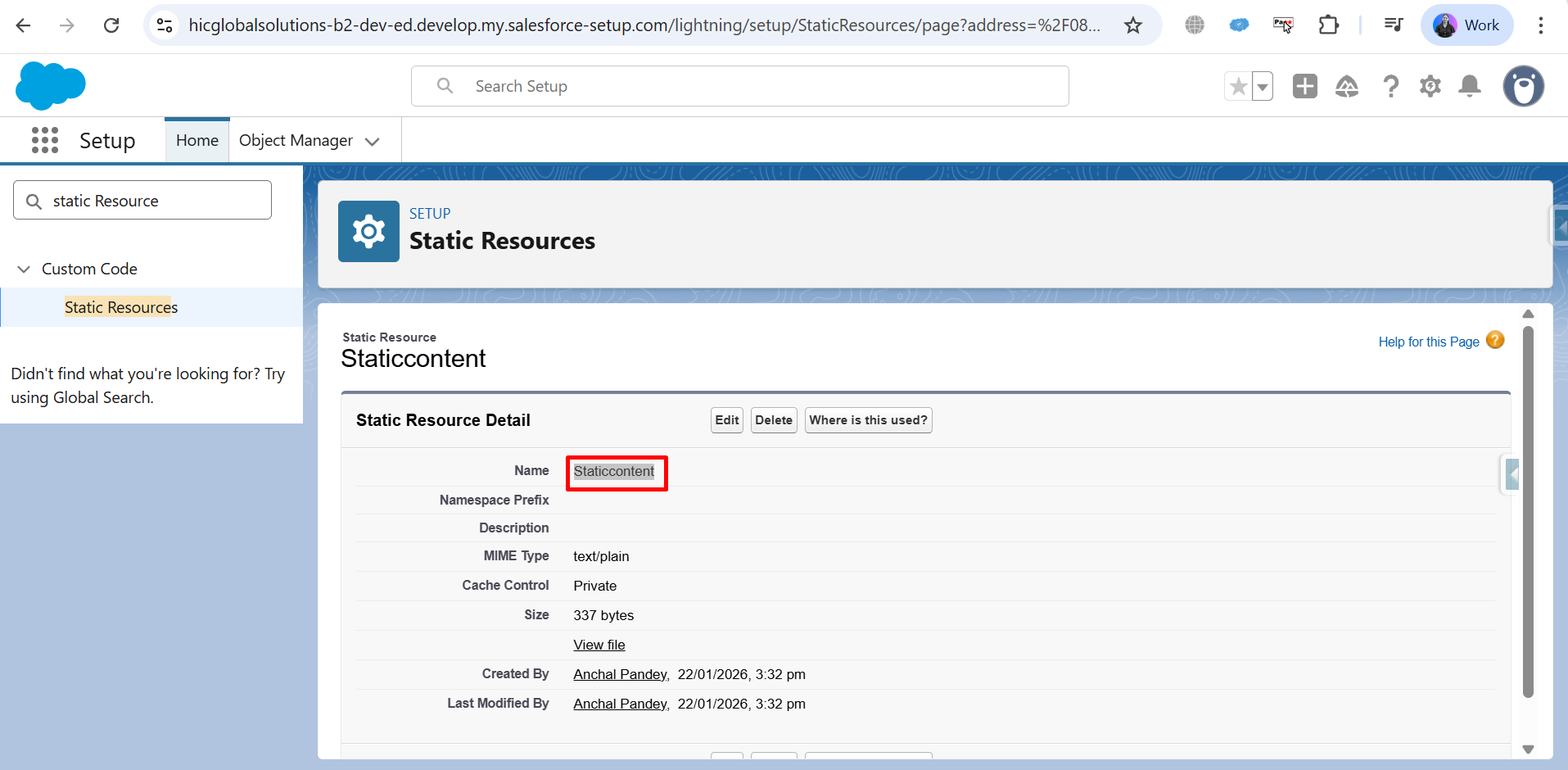
Step 9: Add Static Resource Merge Syntax on template.
- For Text – {{StaticResource.Staticcontent}}.
- For Image – {{Image:StaticResource..Staticcontent}}.
- For HTML content – {{HTML:StaticResource.Staticcontent}}.

Step 10: Go back to the object record → Generate document to view the output.
- Text file Output

Conclusion
Using static resources allows you to manage reusable content efficiently within Salesforce and include it seamlessly in document generation templates. This approach keeps your files organized, consistent, and easy to maintain. By following these steps, you can enhance Salesforce document generation process with structured static assets while ensuring better control over template design and output quality.
Frequently Asked Questions
Related Blogs

How to Generate & Send Documents for eSign in Salesforce
Sending a document for signature directly from Salesforce can make the approval process much easier, especially when you want to…
How to Generate Salesforce Documents Using Quick Document Merge
Creating Salesforce documents does not have to involve multiple steps or moving between different tools. With Quick Document Merge, you…

How to Create a Scope of Work (SOW) in Salesforce with Docs Made Easy
Creating a Scope of Work manually can take time, especially when information needs to be collected from Salesforce and added…